Has anyone ran into an issue with fire control not accepting the post processing from fusion360? It tells me to make sure I have the most recent version, which I do. Never had an issue like this before and everything was working fine the previous day. I’ve now, on two different computers, made sure fusion was updated, redownloaded and replaced the post processing in fusion, downloaded the most recent fire control and made sure everything had the most recent updates. It refuses to accept it. The one computer is a new $4k laptop that just had the most recent files downloaded so existing older ones are not a potential issue.
There was a Fusion update (either yesterday or today). Maybe they broke something?
I’m beginning to wonder that. Somewhere between the two they decided to not work together all of a sudden. I know I’ve ran out of ideas on my end to try
What is the exact error code that you were getting?
Projects that come out of fusion 360 especially if it’s comprised of nothing but circles will cause that error. Also, if you are in doubt, download the CPS (post processor) file from the langmier site and reinstall it in Fusion
I can’t remember exactly what it said now but it mentioned making sure I had the most recent post processor, which I do. I deleted what I had then saved what was on Langmuirs site and saved that into fusion.
For some reason I think it mentioned no cut speed listed or something along those lines also. I haven’t been able to go out and mess with it since Wednesday but you mentioning circles is interesting. I was attempting to cut 1.125 circles out for fill plugs in my frame and to cap some tubes. Maybe that’s my issue and why it came out of nowhere. Guess I’ll have to find a work around for that. Thank you
Has anyone explained why that is? Seems pretty ridiculous to me. I’d like to look at a GCode file that causes that.
I’d like to know also, there’s no reason for it and makes no sense to me. Can run the simulation in fusion without issue, which if there is going to be a problem it’s always caught for me when I went to generate the NC.
If I remember, I’ll post the g code when I get a chance. Most likely Sunday, I don’t go out to the shop when I work afternoon shifts.
1 Like
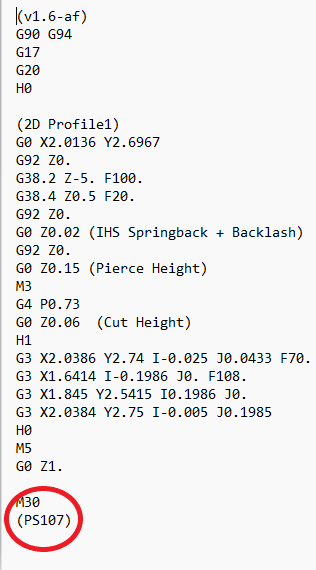
It is a known issue and nobody’s been able to drill down and get it sorted on the langmuir side. I had a thread going on about this last year and it’s repeatable. I found that whenever that air shows up is to just go back and open that g code up in notepad and the very last line where it says PS 0 just change the 0 to whatever your cut speed that you want is and then everything will be fine
1 Like
It has been discussed in the past and it seems that “feed optimization” is the cause. If the whole program is slowed down by the feed optimization and never reaches the programmed cut speed, the post processor puts (PS 0) in the last line of the code. It seems to be a Fusion only issue.
3 Likes
Thanks for explaining, David. So ‘Stupid Post Processor’ is the cause. 
I guess I missed those discussions as I neither use Fusion CAM or Firecontrol. 
One would think it would have been fixed by now given that it’s an easily reproducible problem. 
1 Like
I brought this issue up three and a half years ago. Must be some way to alter the post processor so it doesn’t output zero program speed
On another note if someone was running a with a ton of feed rate optimization the THC would almost always be off. Just something to be aware of. Someone might as well just set the program speed to the feed optimization speed and not use feed optimization.
1 Like
Well, that would be a workaround, but this has to be a EASY fix. Unless, of course, the ‘expertise’ to modify the PP is no longer employed by LS. In that case, they can hire me and I’ll fix it!
2 Likes
Or tweak the spot marking holes PP that @manoweb made in this thread Custom version of Fusion 360 post processor to enable "pierce only in the center" for holes
It’s really not much hassle for me to open up Notepad++ and just edit the PS (xx) line, save, then run in FireControl. Anymore when I have a program that may be suspect I open it anyways to check and see if the Program speed is valid.
1 Like
Son of a chicken biscuit, feed optimization was the issue. I also didn’t check smoothing.
So for reference, anyone who gets a “validation error, no program speed found” I would check this if using fusion
Thank you for the help, shame they won’t fix the post processor to avoid this.
1 Like
Glad you got it sorted.
Hello do you have a link to a forum post or something that shows the problem very specifically?
You can replicate the problem in Fusion by making a program that has more feed optimized feed rate then the standard feed rate in program.
2 Likes
Interesting. I’ve never seen that really, but I’ll try to replicate tomorrow
2 Likes
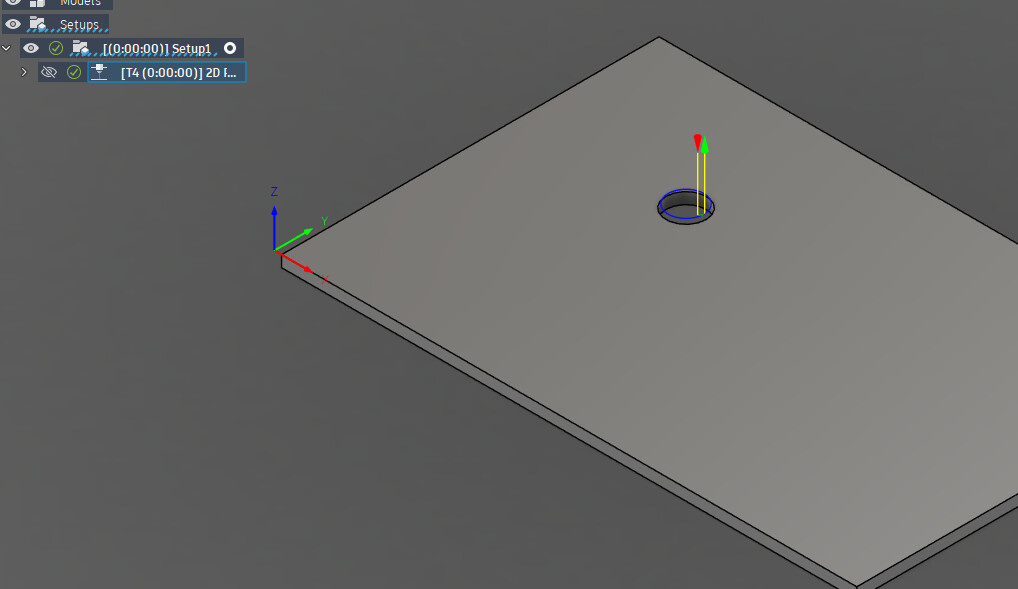
Another simple example is to just cut a single hole where “feed optimization” kicks in. In this example there is never a blue cut path (normal cut speed) as I only pick the hole for the contour selection and I turn on feed optimization. The entire cut is yellow.
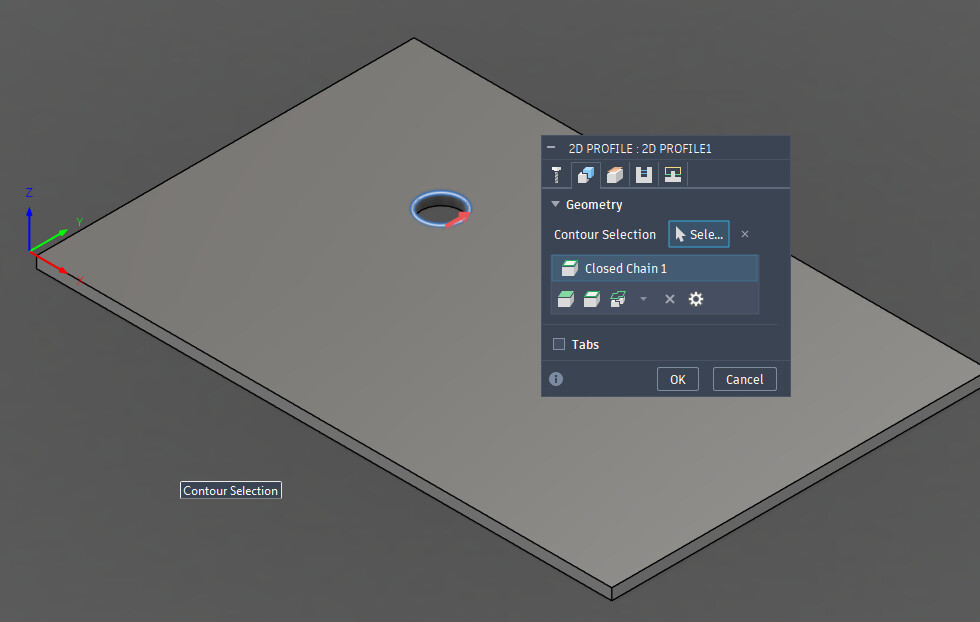
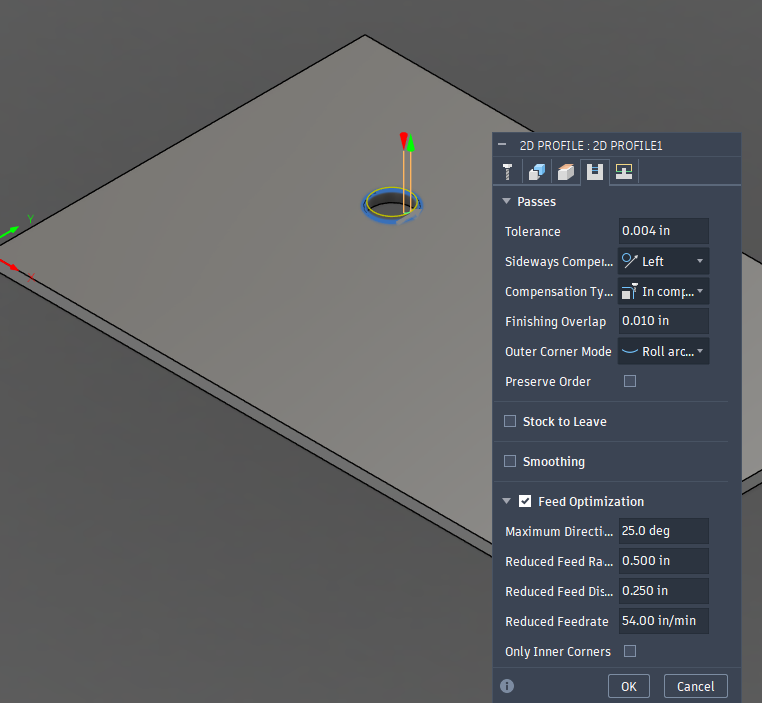
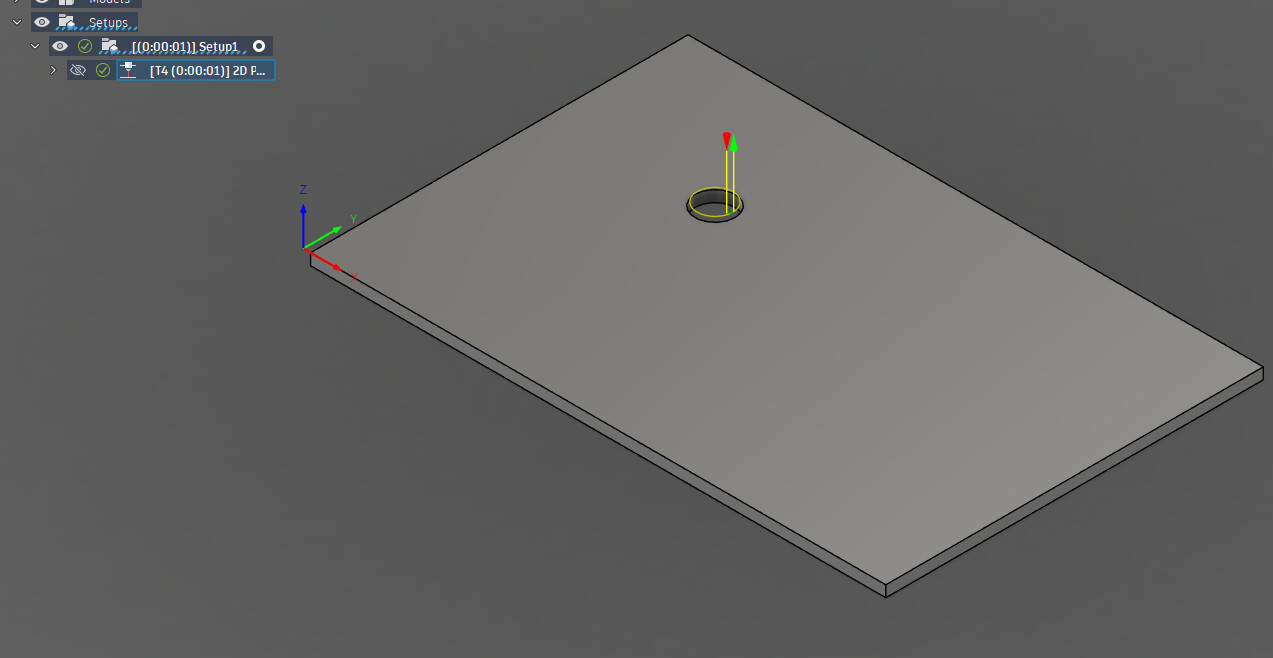
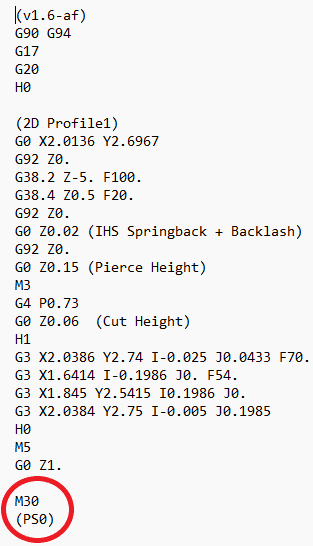
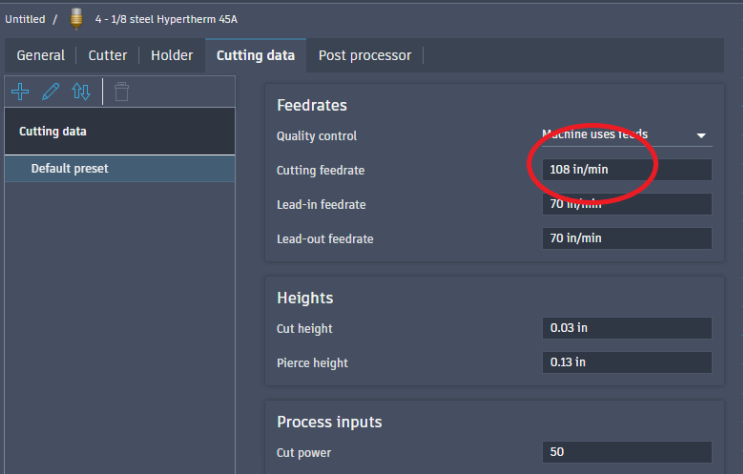
If I turned off the feed optimization, then the path turns blue and the cut speed is realized. No error will occur:
Cut speed of my tool, was satisfied:
1 Like
I actually took the time today to look through the post processor today and see what may be causing the issue and I believe I have. When the Feed Optimization is being used Fusion will sometimes set the Machine Configuration for the Maximum Feed Rate to an undefined value, which I presume to be Inf or some other undefined number (sometimes this can be 0 as well).
I think that you can bypass this issue by creating your own machine configuration to use but I’m not sure.
Running some tests on post processor changes that should just side step the issue as ultimately the PS at the end is just verification for FireControl as far as I am aware. Change shouldn’t change behavior for when Feed Optimization is not active.
3 Likes