OK guys it runs like it should😍thanks Mike👍 I did find out you don’t need the 5 wall wart to supply the voltage. That was part of my problem
Now to the setup on the metal.
1 Like
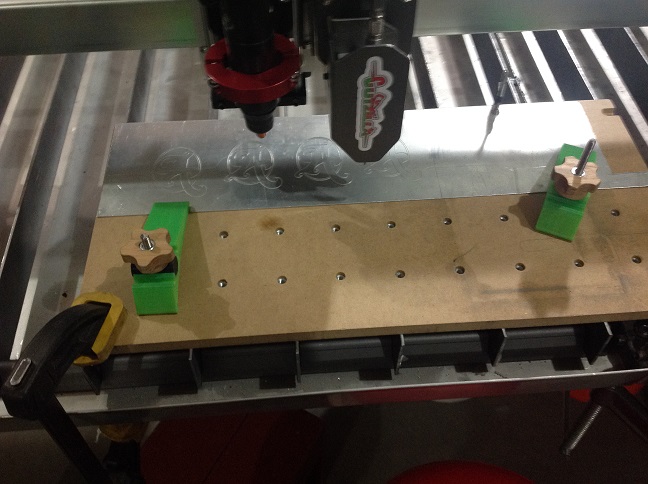
Here’s pic of my setup and what Cutzilla did using my Plate Marker Software.
4 Likes
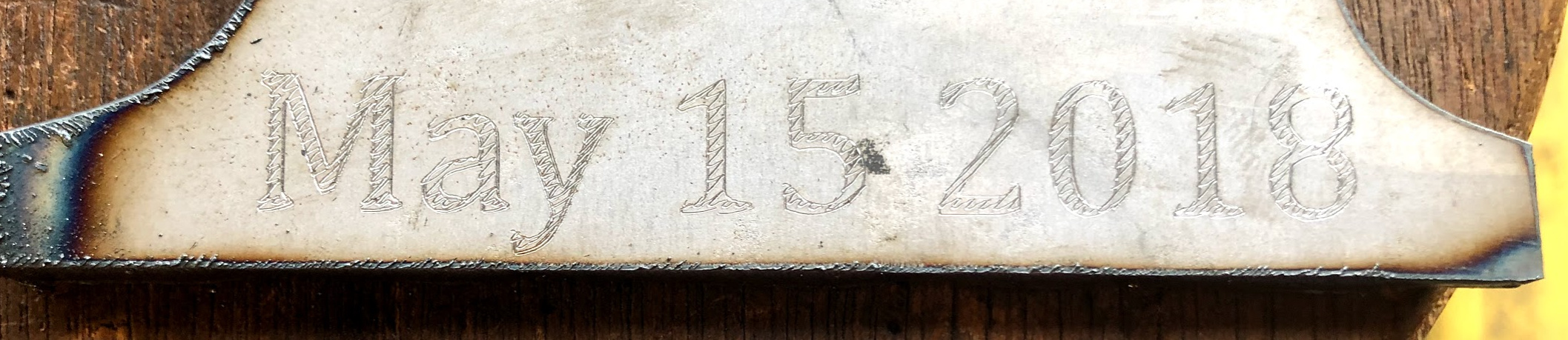
Did you have to play with the pierce delay? I was thinking that 0 delay and the table motion would run out ahead of the etcher contact and too much delay would dig a hole in your material before moving. Curious if you found the right setting. Any chance you could provide a picture zoomed in on the product?
I had it set for .5 second. Boy it is loud too. I will try .2 and see what happens.
I couldn’t get a good close up, I tried 0 seconds and there was Gap when it finished the engrave and started the next engrave. I tried 0.6 the gap just closed. I had the first engraving set for 0.8 instead of 0.5 so I wold guess that between 0.5 and 0.6 is a good start point.6
1 Like
So I guess you have to find the right speed and then dog the needle valve down in that spot. Anyway, you like the results so far?
Have you used the Easyscriber much with the ProTable?
Do you just run it with your plasma cutter off and THC off? Or do you have to “shut-off” IHS as well?
I am highly considering buying one to mark hole centers for post drilling etc but was a little concerned on if another post processor would be needed or if there was concern about damage to the Duramax torch.
1 Like
@Hathaway13 I wouldn’t say I’ve used it a lot. I’ve used it a few times. I just turn off plasma, THC and set a negative -0.001 cut height. You need a non zero cut height so IHS works with the Langmuir post processors. You could do it without IHS but then you have to set your Z 0. I like using IHS that way I don’t have to worry about Z.
The only place I’ve read about damage to the torch was in this thread from a 3rd hand account. The forces are so low, I can’t see how it would damage the torch. There’s 0 complaints about damage on plasmaspider.com.
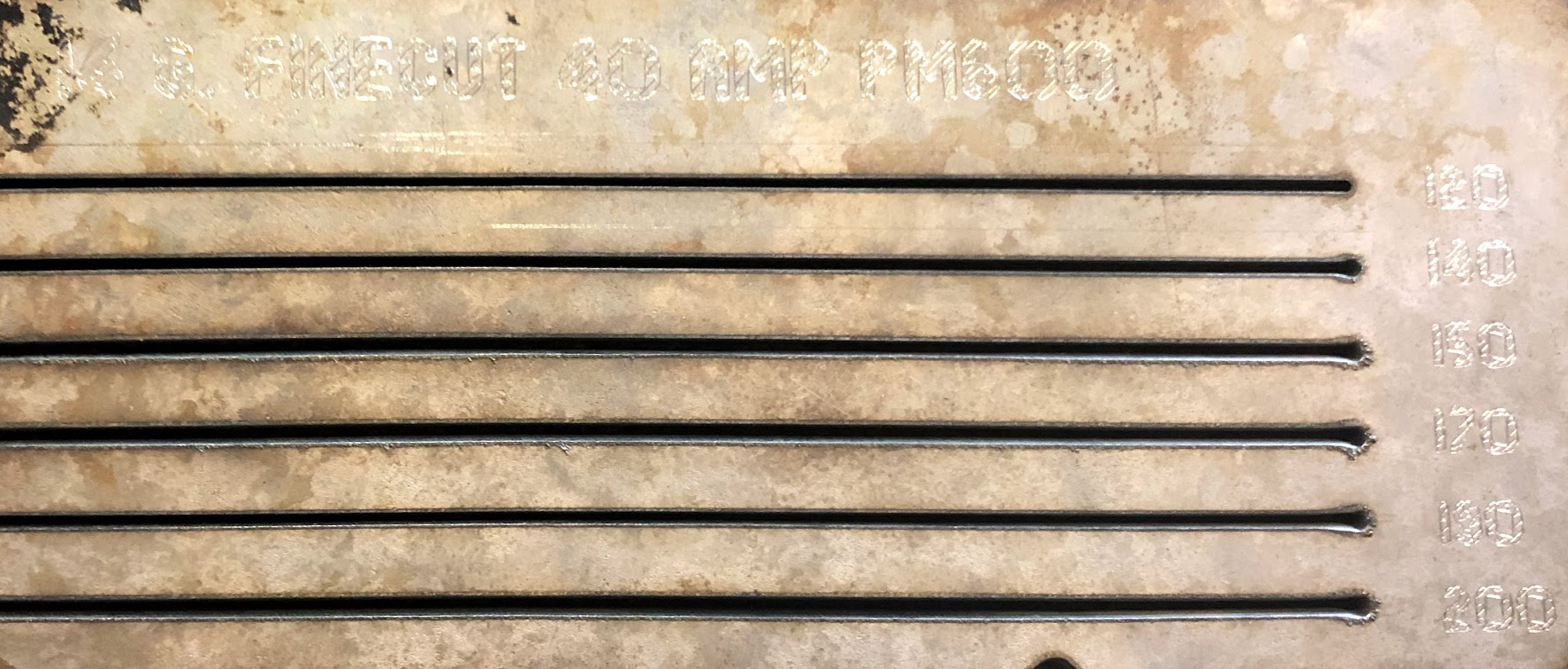
Just remember it is a shallow mark. If you paint over, it will be hard to see. When marking, you need to hold the sheet still, I usually have some 1/2" plate off cuts I put on to keep the sheet still. It’s an excellent choice for marking drill locations. It’s directly center, no offsets to worry about, and is a 1 minute change over.
1 Like
Thanks, nice to hear the feedback from someone running a similar set-up. I appreciate it and think I will go ahead and get one.
Have we had any success on the access to the IO pins ? I haven’t seen anything pop up on the updates so i just thought i would ask …
Thanks
anyone running the Cutzilla have a good run set up ? speeds and settings etc. I was waiting for the update with the IO access . and finally got impatient and got it all installed … had a couple of airlines crossed up got that fixed … power supply should be here today … next step is to set up programing so I can engrave it, then cut it out …
I think the only way Langmuir is going to come up with more inputs is a new control board.
They had said that they had 3 io’s available i have not looked at the board to see … I have set this project aside for a bit … but i now have a demand so i will have to get something figured out. even if i find a separate program to run it.
Yes we have the IO pins on the board- we just have been pretty swamped in development of other areas of the software and admittedly adding the IO pin interaction functions to the software is a little lower on the priority list at the moment.
Would you be able to control the plate marker using the torch fire port?
I have been rewriting my Plate Marker program. May be i can help you out. If you have a DXF file post it.
I will take a look and convert it to g-code for the Crossfire Pro.
Does anyone have a step-by-step guide on all of the above on how to set this up. Im still unsure of the following:
- Is your Hypertherm on?
- What about the air pressure sensor in the Hypertherm?
- Has anyone run in fire control?
Sorry if these where answered above.
Well it has been a while since i posted last … I have my cutzilla running using the wiring Diagram from mjpotts (thank you !) it works well i have been using a speed of 100 ipm, but still playing with settings … the biggest issue i have is … to engrave and cut there isn’t a good way to set the offset . What i have been doing is slow but works build two programs overlapping each other with a index mark to set the plasma start point. access to io’s would still be a BIG plus and hopefully could setup the offset in the post processor . using Sheetcam could setup both tools in one program and then it would engrave and cut with out a reset in the middle … Cutzilla does a great job !! And I really enjoy my Crossfire Pro for all those little projects in the shop…
Update !
Plate marker Cutzilla in sheetcam use these settings
no offset
Name : Plate marker
Tool# : 102
Diameter: 0.069
Feed Rate: 30
Cut height : 0
Start Delay : 1 s
Pause at end of cut: 0.5 s
1 Like
I know I might be really behind on the game, but is someone running the easy scriber on the x45 torch from Razorweld? And anyone have good/bad/etc.?
Thanks!
Does anyone know if the guy making Cutzilla stopped making them? I can not find his website any longer.