It’s been a hot minute since I posted anything here because I just got a new place and I’ve been getting it ready for the last few months. Yesterday I finally got the table setup in the new much larger shop and wouldn’t you know it every time the torch fires the machine disconnects. Turns out I have continuity between the table chassis and the electronics enclosure USB. I did shoot a support email to Langmuir yesterday so I’m expecting to hear back from them tomorrow. Anyhow, I’ll keep this thread updated and as always anyone with ideas/experience on this issue I’m all ears.
It might be the USB connector going into the control box got nudged and is shorting with the case. This definitely causes problems. At a minimum, try to wedge some insulating tape between the metal connector and the side wall. You might be able to loosen the circuit board to reposition it.
3 Likes
A small piece of paper works well also as an insulator. You get in to an argument with adhesive unless you pull the board from the housing, then reinstall. At least I would get into the argument.
1 Like
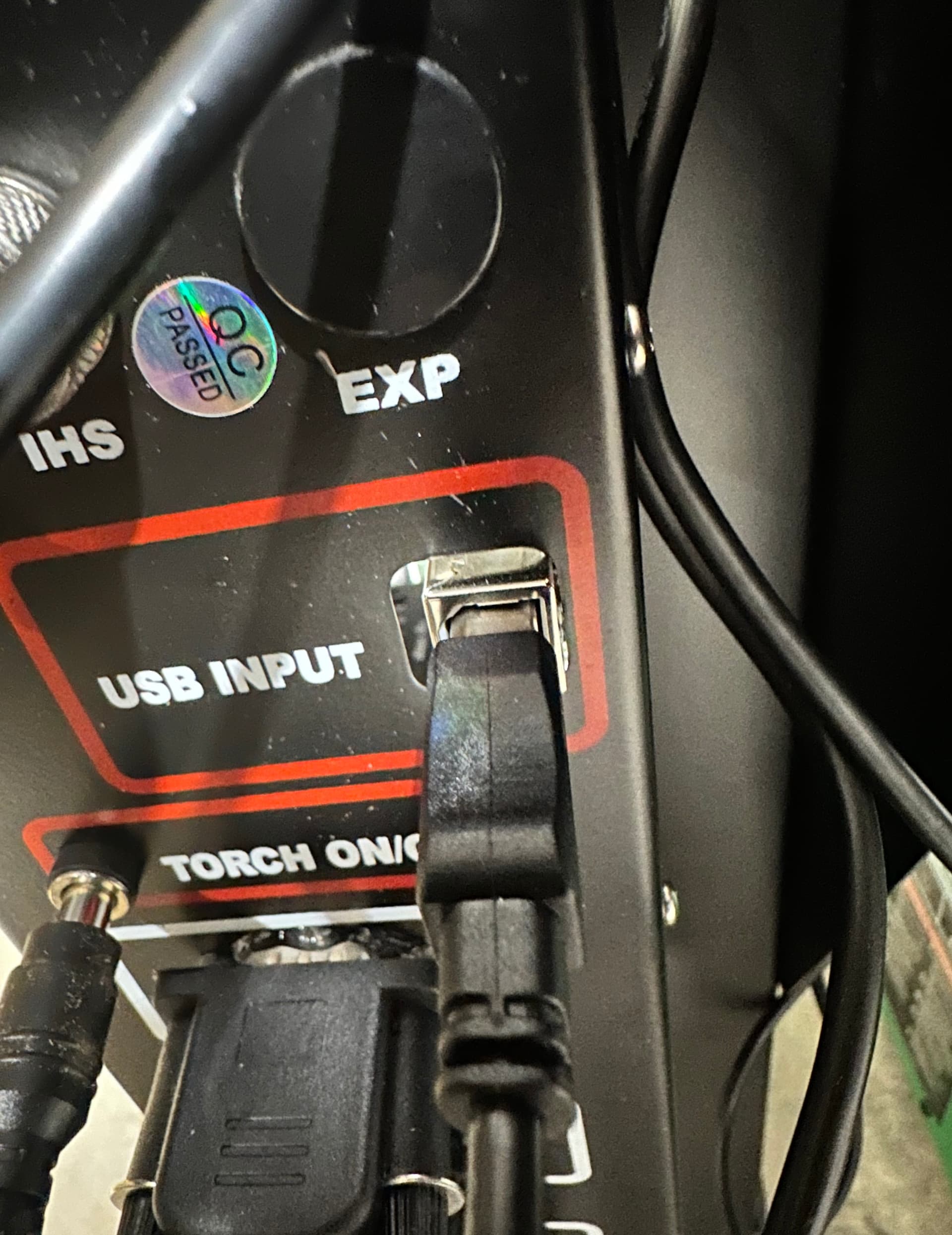
I’ll take a look when I get home. I’m probably going to buy the XR but I sure would like to have this one functional so I can sell it.
1 Like
So I took a look and the USB was tight against the side of the enclosure
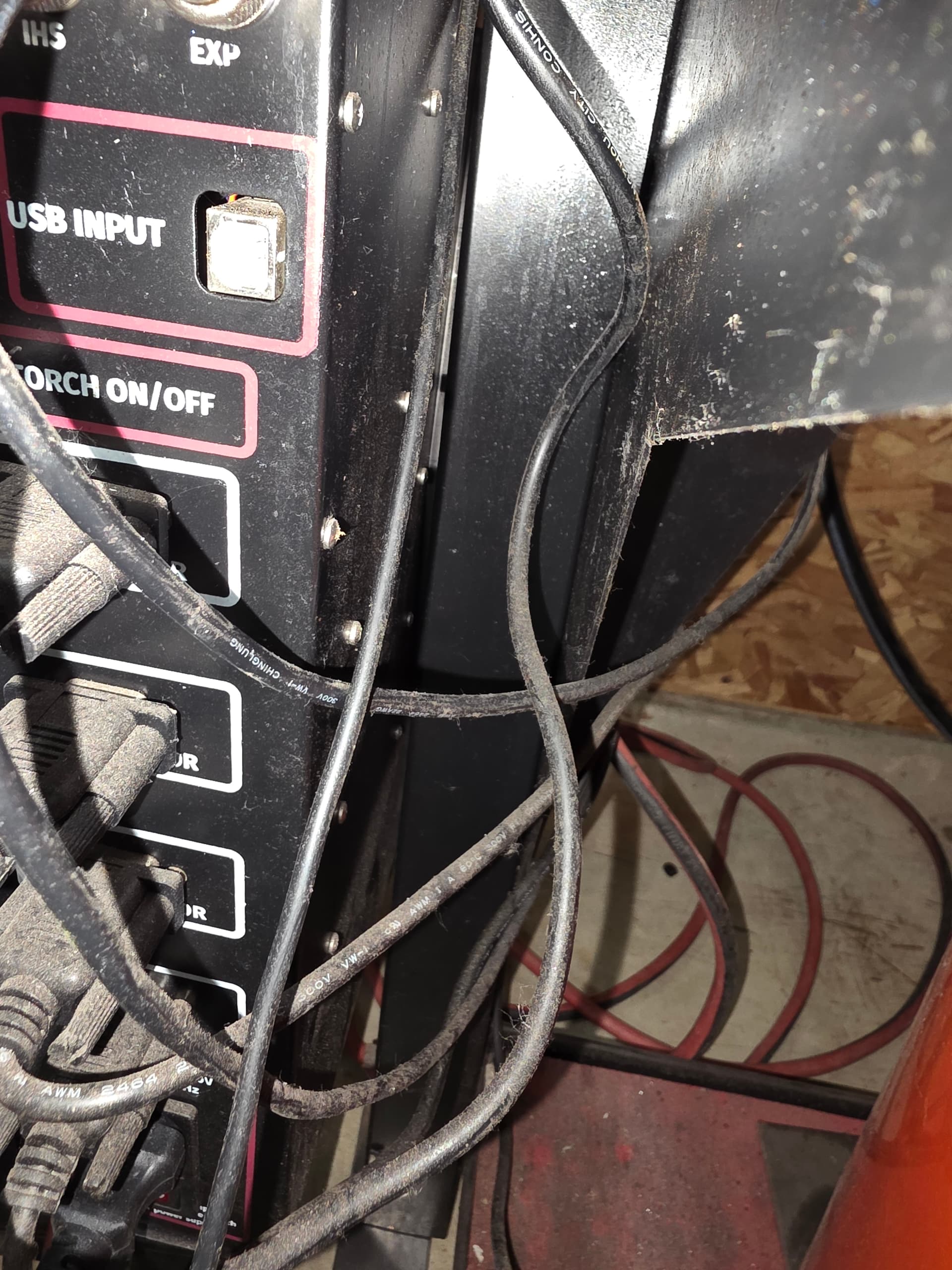
I took apart the enclosure and spaced the USB port off the case
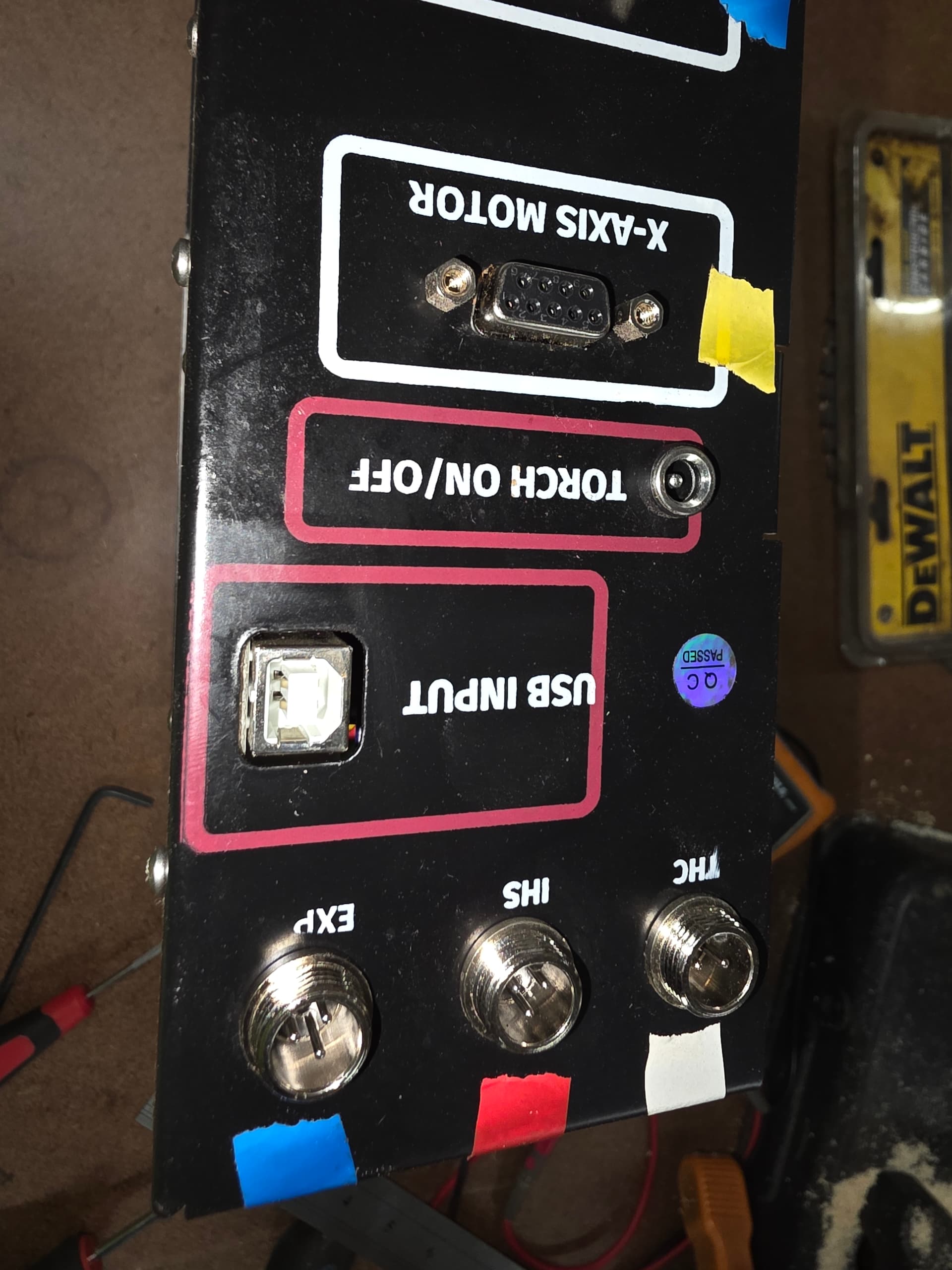
Still the same issue, instant disconnection from the machine when the torch fires. I even removed the electronics enclosure and the laptop from the plasma table and set them off to the side on boxes and still the same thing. So at this point the only things that would make any sense is a fried board in the enclosure or “maybe” a bad cable/wire somewhere. Waiting to hear back from Langmuir on this follow up.
Diode 1 and Diode 2 on the control board were both going bonkers after the machine disconnect.
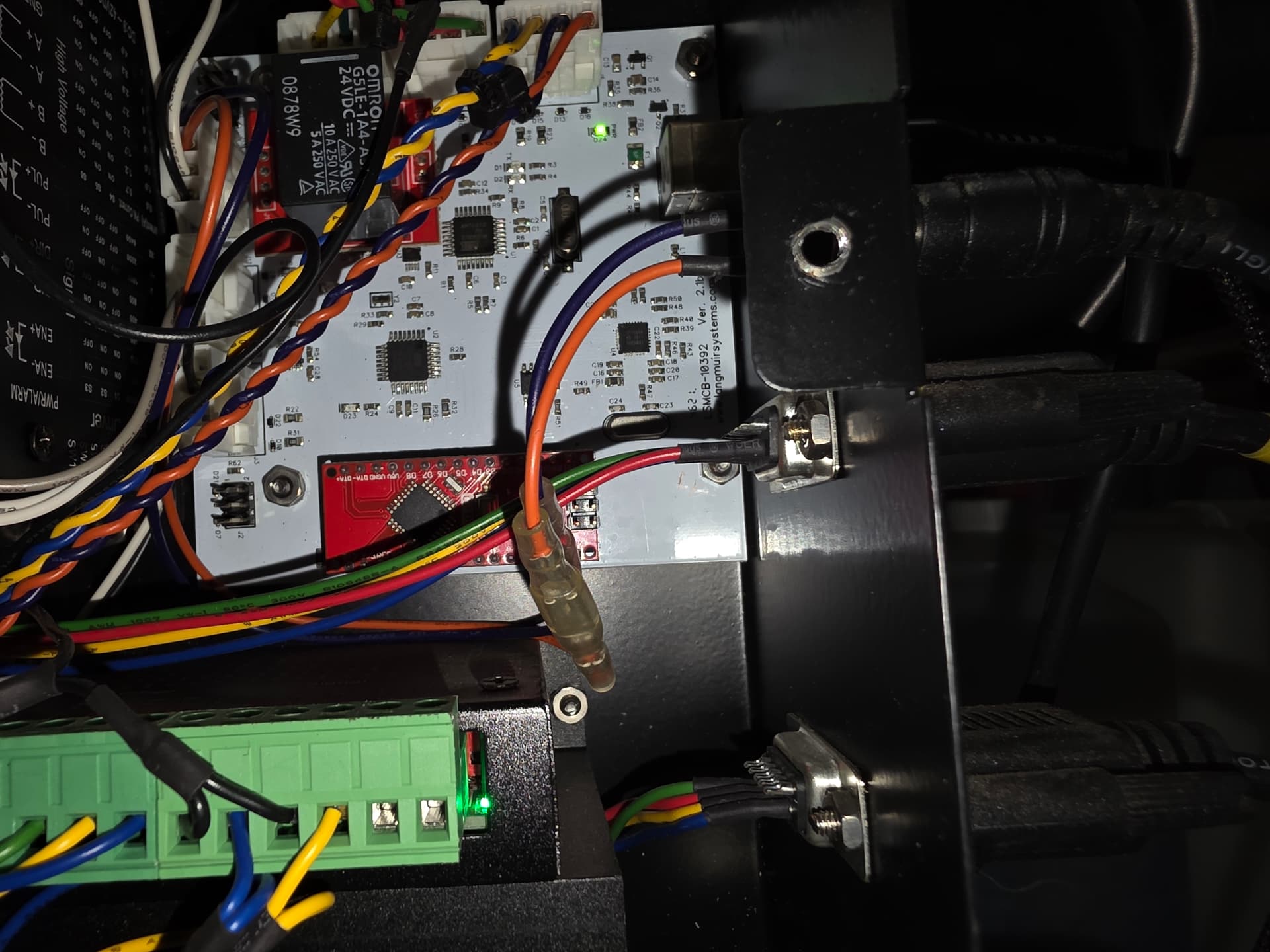
I’ll keep you posted as this goes…
1 Like
Does it still fail the Ohm’s test? Start unplugging stuff to see if it the ground connection goes away one at a time.
By any chance did you try replacing the USB cable? Also the laptop can not be plugged in.
1 Like
It passed the continuity test before I even shimmed the port. I did not try swapping the USB cable to the laptop, however with the electronics enclosure AND the laptop both being physically separated from the plasma table before the last test I don’t think that’s likely. I’ll try a different cable at some point, I did not look to see if this cable had a ferrite choke on it which I know can help.
1 Like
The Langmuir control board is powered by the USB port on your laptop. Is the laptop plugged into the charger?
New shop, new electric ground system. It may be a ground loop or just a bad cable. If its disconnecting it may be losing power from the laptop port. Try another usb on the laptop.
Ordered a new control board today, Langmuir support was pretty fast which is on brand for Langmuir in my experience. I’ll update this thread when I get the new board installed. I’m hoping my THC controller is not damaged too when I swap it over. Should have an update next week depending on how long it takes to receive the new board.
2 Likes
Installed the new board today, machine still disconnects. Talked to Zach in support and we tried a few things and long story short new THC hardware is inbound. Langmuir is right up there with PrimeWeld for customer support, top notch. I’ll update this thread when the new hardware gets here next week. Just thought I’d give a quick update.
2 Likes
Parts came in today and I installed everything, new control board, new THC chip, new VIM module, new cables. Sadly, same problem. This time I did read 3500-4000 ohms between the USB socket and the table chassis. The electronics enclosure and my laptop were both removed from the table and sitting on a tote so they are not the source of the grounding fault or whatever is causing this fatal feedback loop. Going to talk to customer support again tomorrow and see if we can’t narrow this problem down a little further. I suspect there is a bad cable somewhere either with the limit switches or possible one of the axis control cables. Personally I’d lean to the limit switches since the axis controls work perfectly until the torch fires. Although the limit switches also work perfectly, so who knows. I think I’ll be removing the cables one by one tomorrow from the enclosure until I find the one causing the ground loop.
1 Like
I went out and started pulling cables until I found the one that was causing the ground loop, unfortunately that has only spawned new questions. First of all, when I put the multimeter probe on the USB housing the power supply started whining really loud. I removed the probe and put it back on and the whining stopped. Weird. Second of all, as I was unplugging the cables one at a time the socket for Y1 let some smoke out. Extraordinarily not good. Did not affect the ground loop though. I did find the ground loop eventually, it was grounding through the “Torch on/off” connector. When I unplugged the torch connector the ground loop completely disappeared. Good news is that this rules out the divided voltage circuit and at least 3 of the 4 stepper motor circuits and the limit switch circuits. Bad news is, now I don’t know if the new board and THC hardware has been damaged and I don’t know if the power supply is bad or if it was just ground noise coming out of the power supply. So, I think I’m going to order a new CNC port connector from PrimeWeld, clip the wires back and make a new plug then see if it all works. I was getting some current flow between the two torch on off wires in the cable when I disconnected it so I’m certain that needs to be replaced/remade. The big question is whether or not any damage was done to the components in the electronics enclosure. I really want to upgrade to the XR but I have to have this machine up and running first so I can sell/trade it. The new shop is much larger than the old one but I won’t have a use for two plasma tables.
If you had the power on on the control box the axis motors can definitely smoke. You are lucky they didn’t melt. Don’t ask how I know. They put hold power to the motors when on. It’s like you broke a arc.
Well hopefully the motors are undamaged, it was only one port that smoked and it wasn’t a lot of smoke. On the up side, looks like PrimeWeld now sells manufactured CNC plug cables. Last time they sent me the black plug and I had to solder it myself which was kind of a PITA with how small those pins are. Also yes, the power was on.
It shouldn’t damage the motor. It will eventually damage the plug causing a weak or no connection. I had to replace one motor plug and the mating plug in the control box.
I refuse to touch the plugs unless the power is off.
2 Likes
Quick update since it’s been a while. PrimeWeld sent out a CNC board to replace the one in my machine but that wasn’t the board I was looking for, I needed the 2T/4T board which is the board that controls the torch on/off functionality. They are sending one out. I really hope this is the root of the problem as there isn’t much deeper I can go. I will probably replace the CNC board and the 2T/4T board since I will have both new. PrimeWeld customer support continues to be the absolute best there is, Langmuir is right up there too. Feels like every time I make some progress on the issue I’m taking two steps back but I’ll update when the new boards are installed.
1 Like
I swapped out the boards and made a new pigtail for the CNC port and got the plasma cutter reassembled. Hooked it all back up to the electronics enclosure and ran a program. Fire Control stopped the program immediately indicating the torch was not firing before moving which I could see was not actually true as the torch was in fact firing before moving. It was not getting voltage from the plasma cutter but when I turned off the THC it ran the program flawlessly. This tells me two things, voltage is not getting from the CNC port to the board in the electronics enclosure and secondly the plasma cutter itself is working perfectly so good news there and my problem is now narrowed down. Today I disconnected the CNC cables that go to the CNC port (torch on/off and THC voltage) and did continuity testing on the cable and CNC port plug that I soldered together this weekend and continuity testing showed it was all good. Next was plugging in the THC voltage cables to the plasma cutter and leaving them disconnected from the electronics enclosure, hooked up the hand torch and put multi-meter probes in the end of the cable that goes to the electronics enclosure and fired the torch to see if voltage was actually getting to the enclosure. It was. Now it was only 1.8 volts but that is enough that I shouldn’t have been seeing a reading of zero in Fire Control when the torch was firing. Also I tested the voltage that was going into the VIM, that voltage measured 2.7 which also seems within spec for 50:1 divided. This makes me think the board in the electronics enclosure might be fragged. It also makes me think maybe it’s time to try running RAW voltage instead of divided voltage. Anyhow, I will reach out to Langmuir tomorrow and ask them what voltages are within spec at the electronics enclosure input. On the one hand I hope it’s not the board again because I have replaced it twice and they are probably getting sick of sending them to me but on the other hand I’ve replaced it enough times now that it would be a fairly quick and easy fix at this point. As usual I’ll keep you all updated.
PS anyone have thoughts on running RAW voltage as opposed to divided voltage? I’m indifferent and will run whatever works best and is the most reliable. As always thanks in advance for your input!
2 Likes
Thanks for the update… Makes my finally diagnosed excess water issue seem tiny. Sorry for all your troubles
1 Like