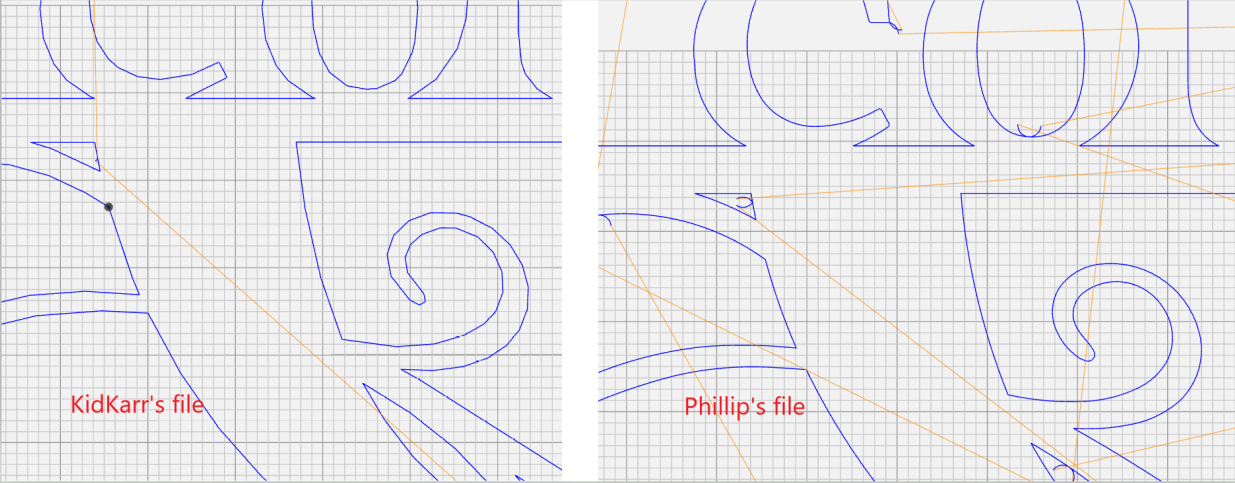
in Inkscape, these are not showing as nodes, so I am at loss again. Hopefully just a setting I am overlooking. Can’t thank you folks enough for the help.
The issue is importing a DXF vs an SVG into sheet cam. DXF files process curves differently than an SVG file. If you saved the Couto file as a .svg it will fix it. Save as a plain SVG in Inkscape.
2 Likes
2 Likes
The Brawley file looks fine to me but the Couto file is definitely the problem. This happens with converting and scaling from DXF to SVG and back and forth. It takes some getting used to. This is why I don’t like buying files. Always some massaging to do at scale. Sometimes you can rely on a smoothing option within your design program but not always. In Inkscape you’d highlight the nodes and, then go to path and simplify. That kicked it down to 4 or 5 nodes on mine. But I only use Inkscape to bitmap trace things. I use another vector program called affinity.
On my Inkscape, opening the Couto file you posted as a DXF, they are showing as nodes.
4 Likes
ok, I have always saved as svg, but converted these to DXF because i miss understood a question above. I will use the smoothing feature in the future and see what happens.
Just to clarify, if importing to inkscape as an svg, then export it as an svg. Use the smoothing feature, and cross my fingers, lol.
thank you agian!
Thank you. SVG on both import and export?
With artsy stuff always save as a svg. When you import it into sheetcam it will be a svg. They seem so do a lot better.
4 Likes
That’s why this troubleshooting is so difficult. To 100 percent identify the issue, we need to see the exact version of the Couto design file (whatever format you originally used) you put into sheet cam originally, which you then post processed. It’s possible to have an SVG that ends up with all those nodes. I would guess you bought a pack of designs online that started as dxfs.
But you’re saying you converted the Couto file to DXF based on what we said. Regardless, it seems like we’ve pointed you in the right direction, so you will probably be set from here.
3 Likes
yes, i did buy a bundle, but it came with both svg and dxf files. The file I uploaded above (couto) after you asked for the letter c, is the file that I put into sheet cam. (I don’t think I modified it). Definitely heading in the right direction. thanks
2 Likes
I have been saving as Inkscape svg. would plain svg make a difference?
Sheetcam probably can’t open a inkscape svg can’t say for certain.when I get settled in I will look at it closer. Do you have the original svg?
1 Like
here is the original.

here is new one saved in plain svg.

1 Like
Now process the new one through sheet Cam and post the tap file here and let’s take a look at it through and ncviewer again.
2 Likes
@Kidkarr @TinWhisperer i took a quick stab sure it isnt perfect but. here is a svg and a .tap. see if this looks better seems to on my end.
couto.tap (30.3 KB)

1 Like
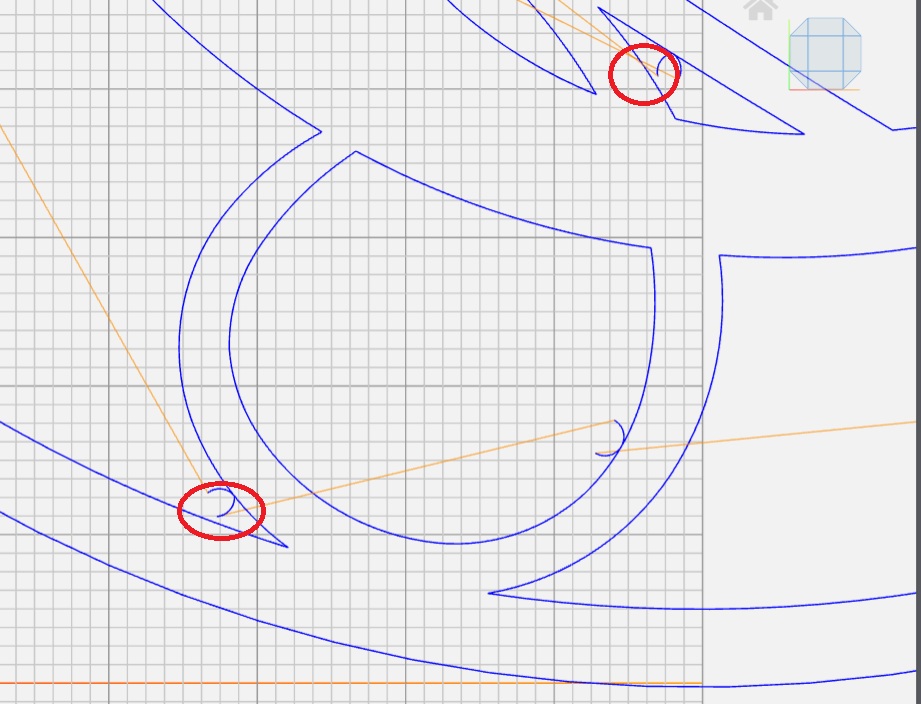
Looks good in NCViewer other than a few areas where the lead-in/out is pretty close to an edge. Here is a shot from the 7 o’clock position:
3 Likes
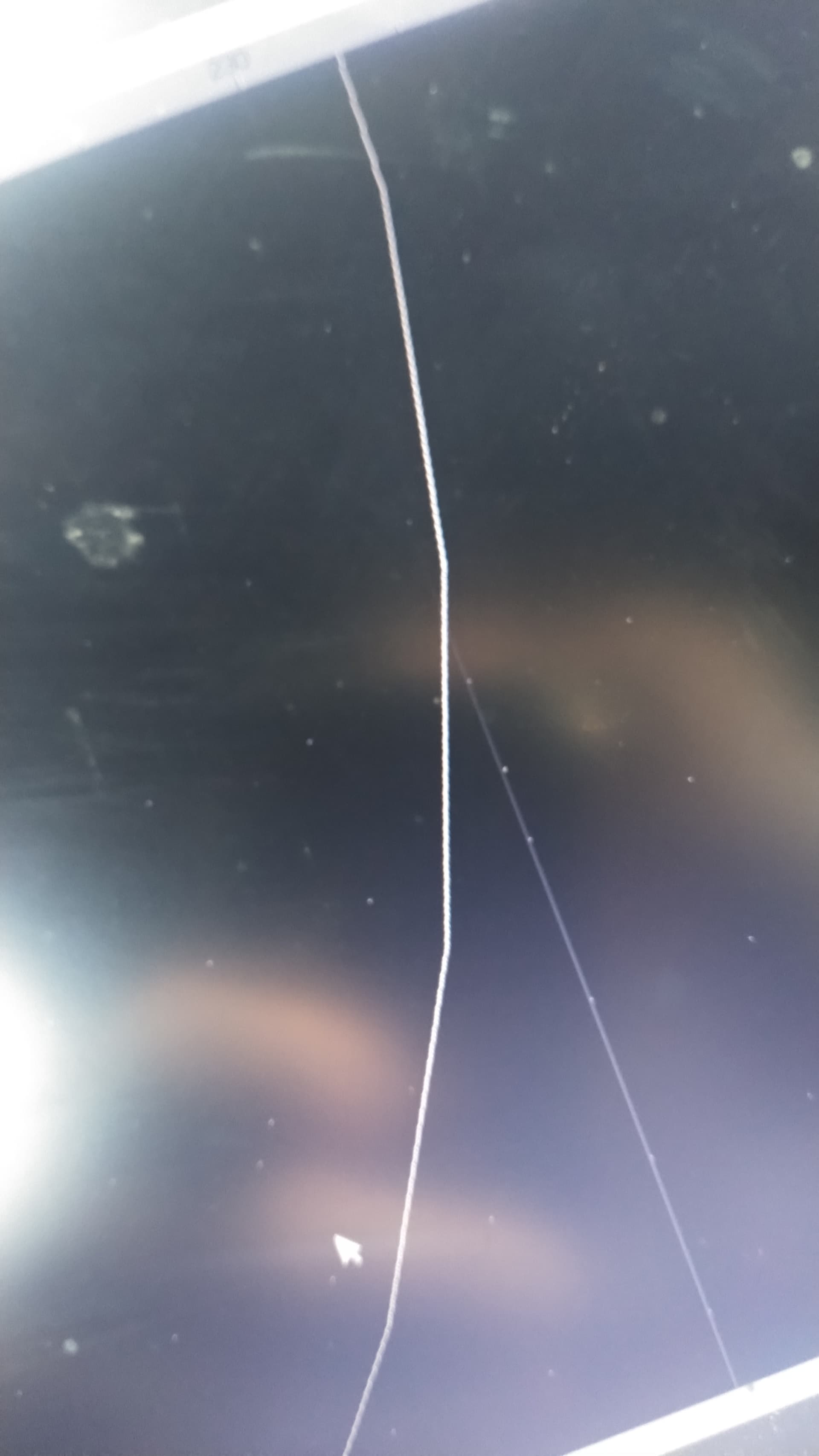
Yep I was more concerned about the jagged cut. I would certainly move a few of the starts if I was going to cut it. I did run it through my” artsy “ program it has a simplify feature that reduces nodes.
I also noticed in the original file that it had a lot of loops in the corners that wanted just to pierce a hole. I should have screenshot it.
I wonder what plasma the op uses @Kidkarr I noticed a cut height of .125. Maybe a sync?
4 Likes
I am using a Hypertherm 65 sync machine with 45amp consumables. That is the pierce height from the manual. I only changed the delay, because I found on this forum that fire control uses a different “time” than Hypertherm. I started with the fine cut consumables but had this same issue so i tried with the 45 regular. I realize now that it was in the design. The support from this forum is amazing. thank you all.
3 Likes
Give the svg I posted a gander. It may not be perfect.
I recommend playing with the original its good practice.
2 Likes