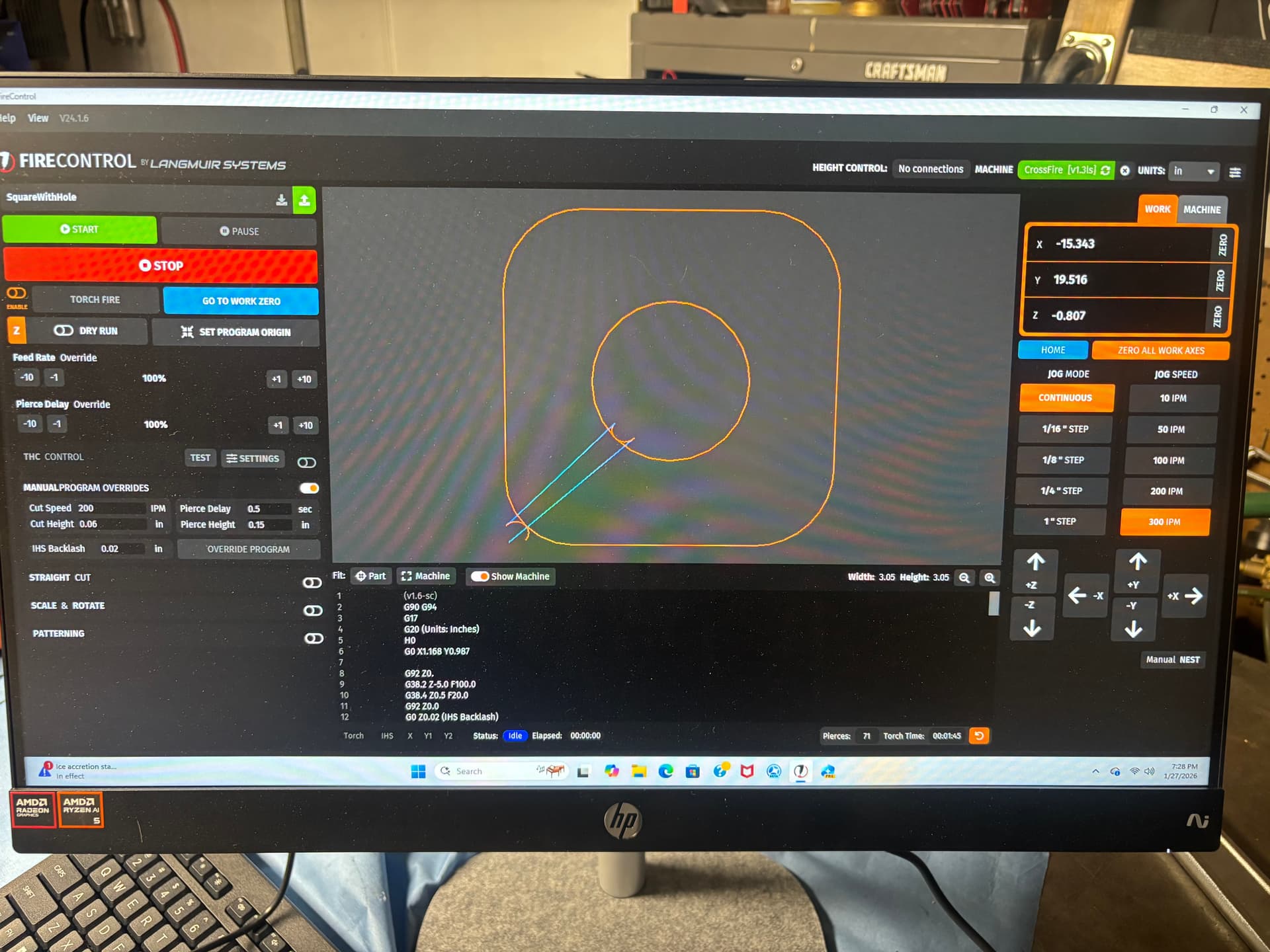
I have been attempting my first cut with my Crossfire Pro. I tried to cut a cut-ready piece from FireShare and a piece I created myself with F360/Sheetcam.
My issue is: when the piece is cutting, the machine will cut a little bit, and then the z-axis will move all the way to top of the carriage. I have tried cutting both pieces with THC enabled and disabled. I was able to cut a 5” straight line from FireControl with no issues.
Here is what my piece looks like after attempting to cut. Any ideas what I should be looking for as I troubleshoot this. I looked around in the forum but couldn’t find a similar post.
it could be a couple of things. 1 could be that the torch is too high in the mount and the IHS restarts at a new height due to prematurely activating. or depending on what are of the table you’re working on, you need more slack on the torch and IHS cables coming from the boom.
post a pic of how the torch is mounted and also the whole table set up.
Here are pic so my setup. I included the second pic because this connection was loose to the point of the screw backing its way out of the nut. I tightened it up but honestly wasn’t sure if I should have left it loose. Tightening it effectively keeps the copper/brass contact from moving freely. Did I mess things up tightening that connection up?
I am clamping to the table. I did try one cut over the weekend where I clamped to the metal but in order to keep the clamp out of the water, the piece was sitting at slight incline.
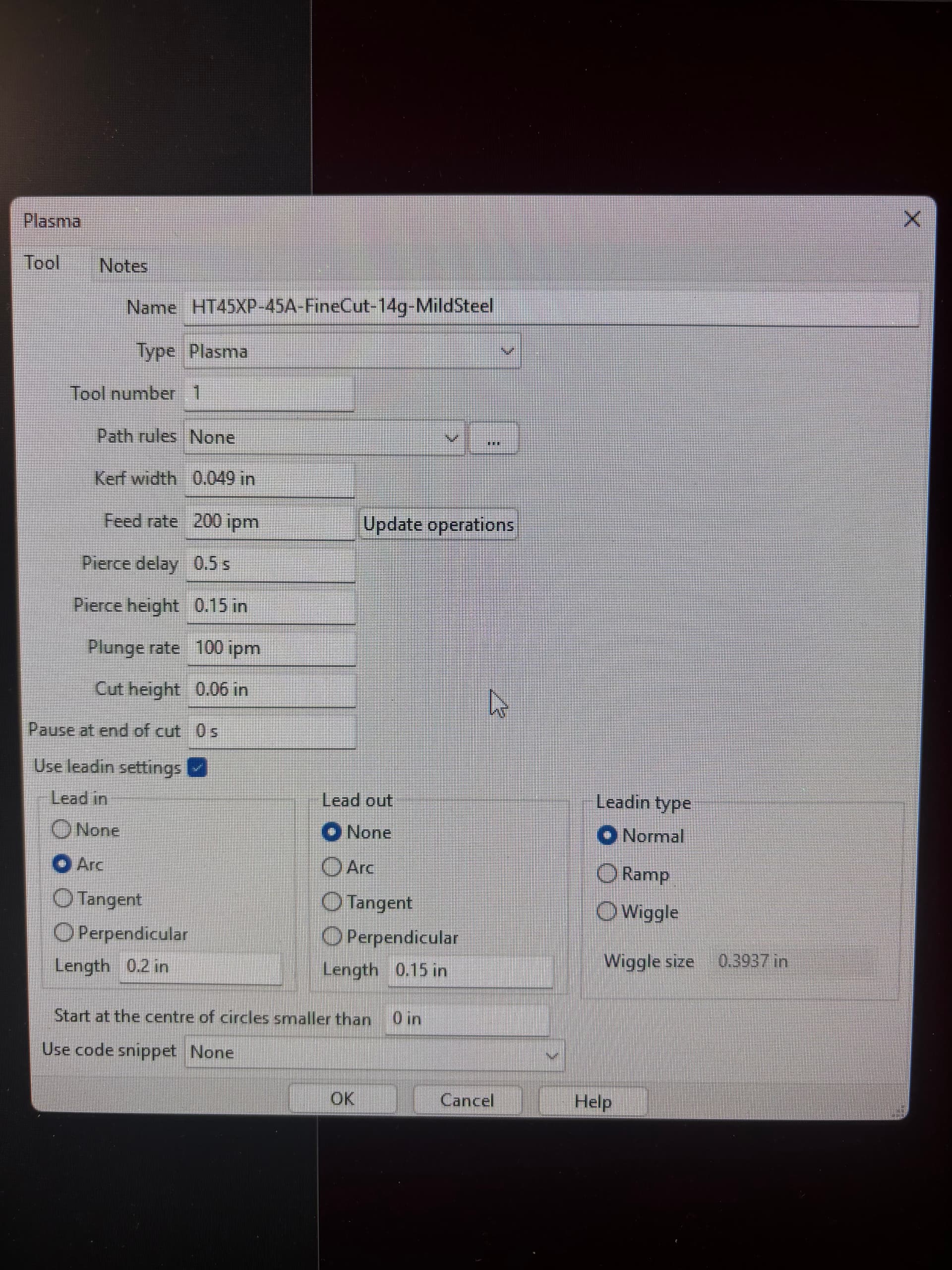
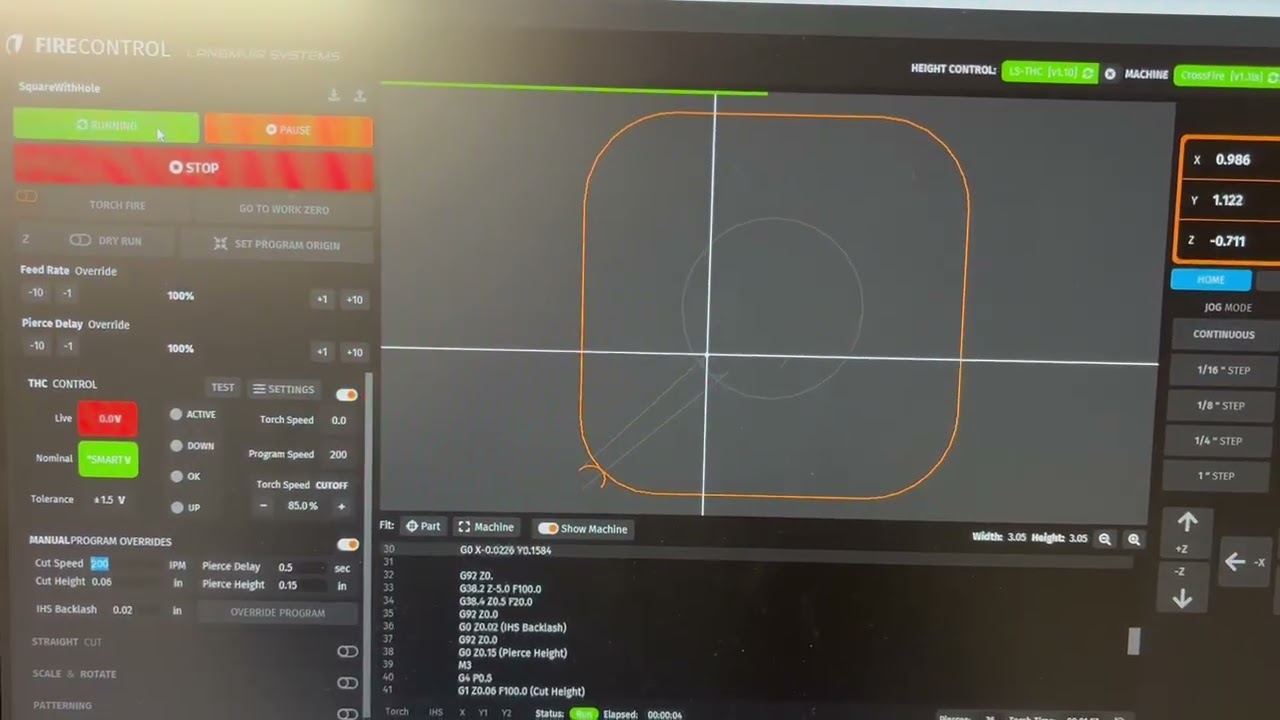
Here are my FireControl settings and my tool settings from SheetCam. I am running 45 amps at the plasma cutter and 100psi of air coming into the cutter. Right now I am cutting 14g mild steel with fine cut consumables on the torch. I pulled the settings from the Hypertherm manual. I am cutting with a Powermax 45 XP. I bought the Hypertherm cpc cable from Langmuir and have the short output cable to VIM, long cable to the torch on/off on the control box and output from VIM to the TCH port on the control box.
According to the info at the top of the FireControl screen you’ve posted, you don’t even have any Height control so I’m not sure how you could expect THC to work.
My TCH connects sometimes and doesn’t at other. At the moment it is not connecting. I do have the issue with the THC is connected and when it is not connected.
You have 2 different threads going for what could be the same issue. I would discontinue using this one until you get your THC issue from the other one worked out.
I am still having the issue of the torch cutting for a couple of inches and then the carriage moves all the way to the top of the z-axis. It does this same thing with the THC turned off.
My work lead is clamped to the piece I am cutting. I am using a Hypertherm PowerMax 45xp. The machine is set at 45 amps with 100psi of air running to it. I am cutting 14g steel.
I could use some help as to what to check now that I have the THC recognition issue cleaned up.
Watch the IHS indicator in Firecontrol. Is it green when this happens?
Green indicates that the IHS circuit is open. Firecontrol interprets this as the torch touching the material and raises the torch as a safety precaution. It will continue raising the torch until the IHS switch closes or the torch flames out.
The fact that this happens with the THC off indicates that it is an IHS circuit issue and not voltage related.
It looks like the IHS switch is only green when the torch touches the work piece.
I also gave you bad information. I was having an issue earlier where my pc would not recognize the TCH module. That has since been fixed. I started second guessing whether or not I attempted the cut with the THC toggle set to off so I tried it again just now. I get a full cut when the TCH us turned off so I am thinking this is not a IHS issue. My apologies for the bad info and taking us in the wrong direction.
Ok I will try setting the nominal voltage. I am using a PC not a laptop so it is plugged in for sure. Could that be an issue using a PC and not a laptop that can run on the battery?