Anyone been able to figure out how to run a single program with multiple offsets exported in the post processor from Fusion360?
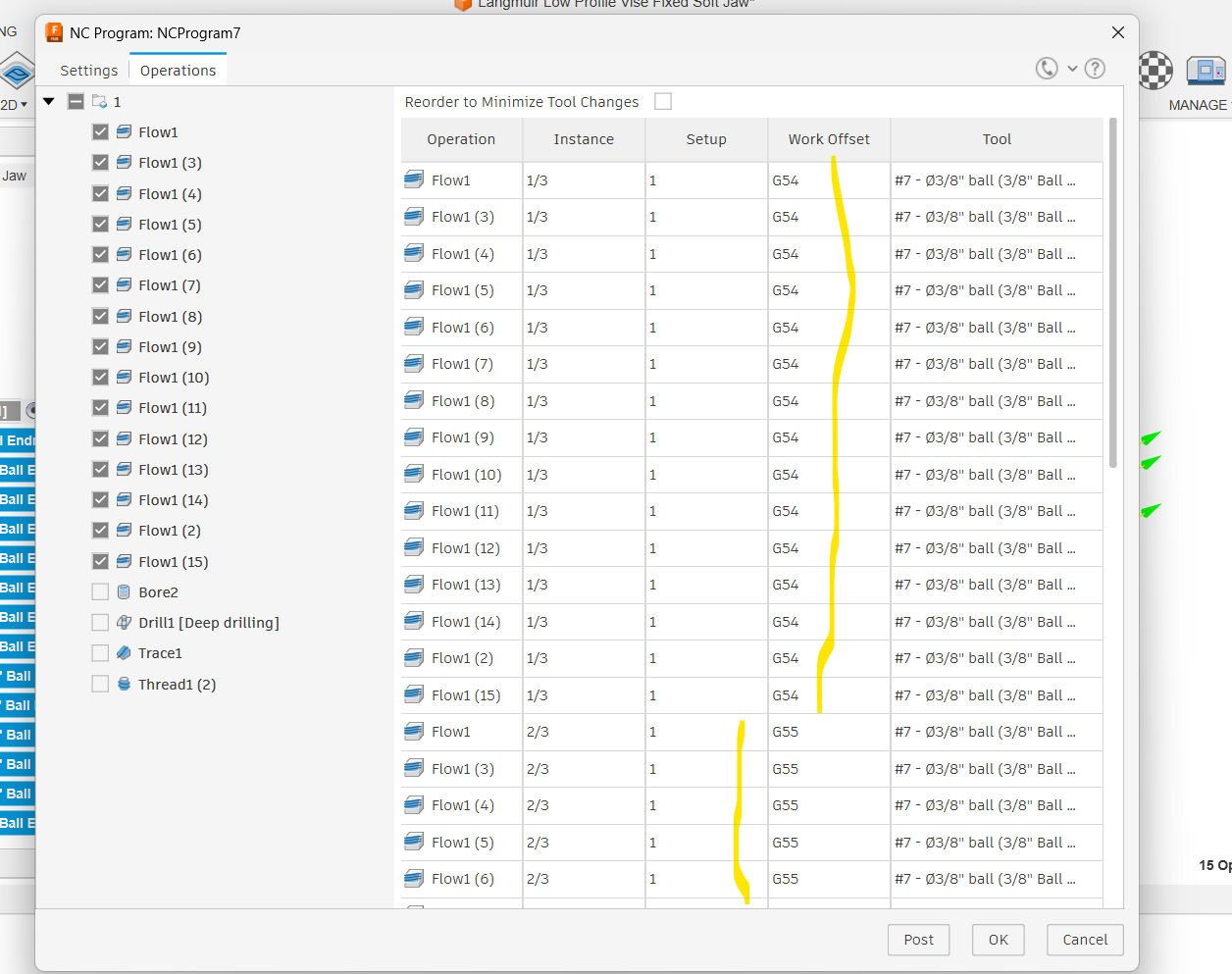
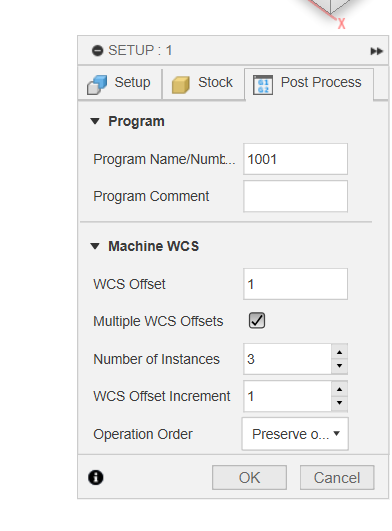
Example: I want to be able to machine (3) identical parts at once. I have exported the NC program with (3) offsets; but when I run the program in Cutcontrol…. it only runs the G54 one even though the NC program has G54, G55, and G56 in it. Notice the 3 instances:
I got mine to work utilizing different setups. I haven’t tried it the way you’re doing it. But I did 3 individual “setups” so to speak and gave each setup it’s own WCS offset number. Starting with G54 at WCS Offset 1, G55 at WCS Offset 2, and G56 at WCS Offset 3.
And then you just ran all (3) at the same time by loading them all in cutcontrol? Thats kind of what I am trying to avoid, but if that is the only way to do it then I guess it is what it is…
It “exported” as 1 program. 1 program load ran all offsets.
You should also be able to manually copy/paste (use notepad or something) as a work-around if you can’t get it, and you could change the offsets from there.
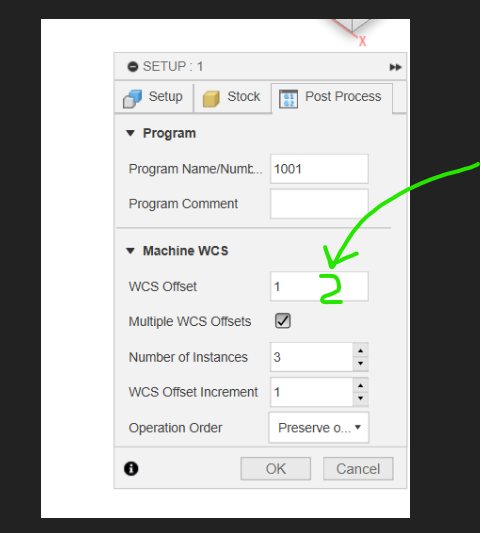
Duplicate your setup and its tool paths and then in the post process tab make the second setup a 2 instead of a 1. Then it will export a single program with both G54 and G55. If you want more just repeat this and call it 3. Then it will post as G56
Watch out for re-zeroing after a tool change with multiple work offsets. I found out the hard way. Your initial setup and offsets will work properly but after a tool change using the tool setter the only value that is calculated automatically is G54. All other offsets remain unchanged and will cause catastrophic results. You must manually re-zero each work offset value or run the tool setter routine for each offset.
Using the multiple offsets in fusion in one file worked for me but I will second what Peanutt765 said. setting the tool offset only sets the offset for one coordinate system. To me this is a flaw as they know the z off all the work coordinate systems and to half to calibrate for each one each tool change sort of defeatists the purpose as most of the time spent on the MR-1 is tool changes and setting the tool offset (if the setter works).
Wait you still have to run the tool set routine for each WCS? Reading more it seems this has been a known issue since 2023. Surely I’m just missing something and there’s a new version of cut control that fixed this by now right?
If not, has anyone found an easy way to run multiple parts?
There was a patch to fix the tool setter (put it back to how it was) So now you have the option to suppress the pop-ups and a working tool setter. So the public release of cut control is still broken but everybody on the forums (here) should be up to date. If you don’t have that latest patch I would recommend you install it.