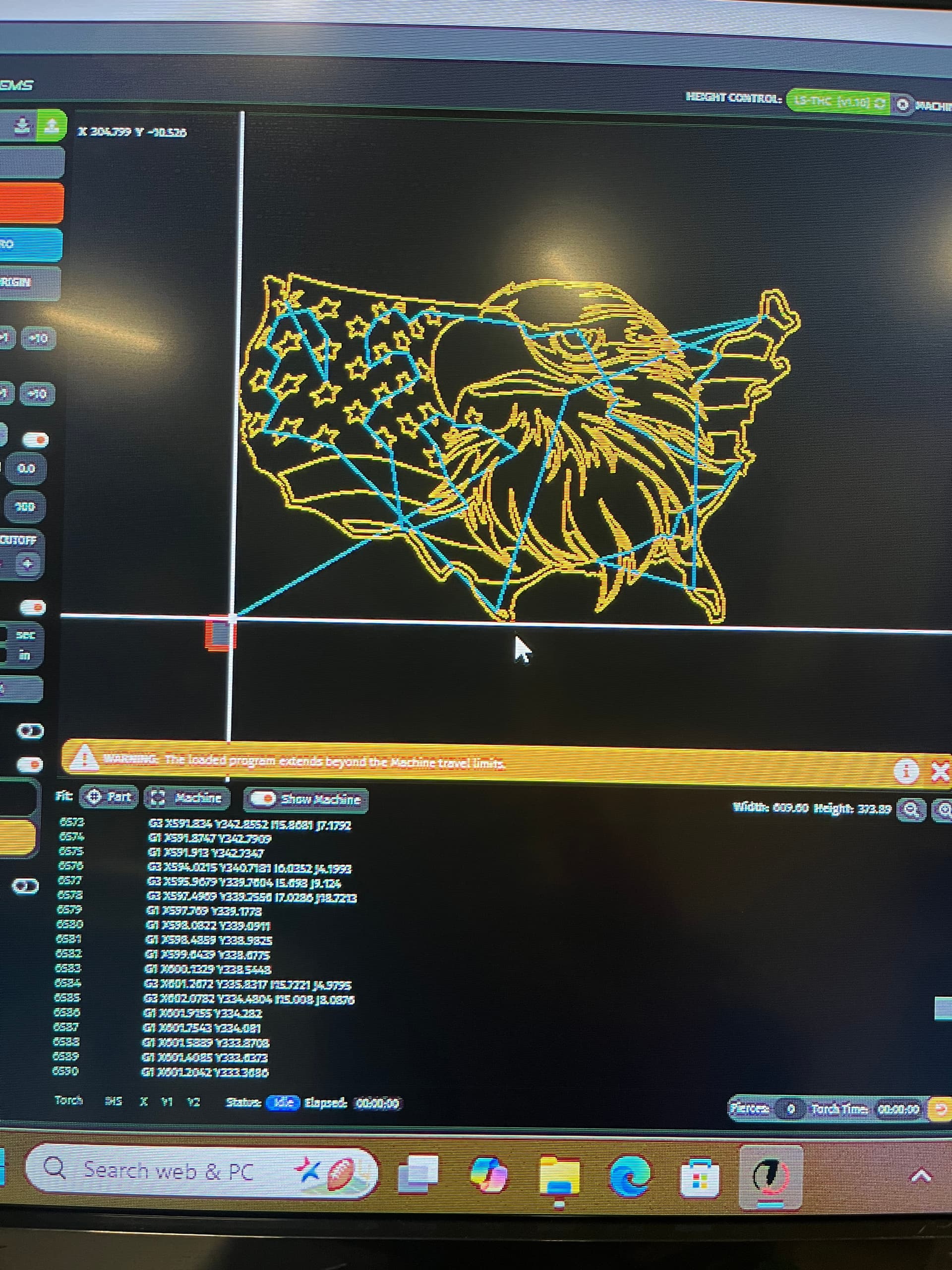
I’ve read through the forum and searched thoughout youtube. Everything I try ends up outside my cut lines and I get errors telling me so? The attached photo shows a cut ready file and that shows up much bigger than the cut box and not inside. I tried moving it but still get alarms. I still have not cut one thing on this table. I know this isn’t one start with I’m just trying to do dry runs so I can see if I’m doing anything right/wrong? Please help
Forget trying to run anything from the home position.
The home position is the upper left corner of the rectangle. Most CAD/CAM programs place the origin at the lower left corner of the drawing. When you open a cut file, the origin of the program will be placed where your torch is zeroed. If your torch is zeroed at the home position, the lower left corner of the drawing will be placed there and the whole drawing will be off the table work area.
Jog the torch to the lower left corner(or anywhere that will show your design to fit in the metal) and hit “zero all axis” on the work tab of the DRO.
Then load your program and it will be within the table limits.
In my opinion, those limit switches cause more problems for new users than they will ever prevent. I would recommended that they be turned off until you understand how the work coordinate system works.
I’m going to have to sacrifice some metal to learn how this works, I don’t mi nd the sacrifice if the end result is a hobby that works. I decided to try this in retirement b/c the wife thought I was having too many cocktails with my other retirees. I must admit it’s working b/c I havent left the house in 2 weeks thanks to trying to learn this.
You were right, i went back and changed everything to MM and it is now sized correctly The image is still outside the cut lines so I’ll have to figure that one out
I wouldn’t try to cut that as my very first run. It has a lot of very narrow looking areas and a few that seem like the lines may intersect in a way that may cause issues.
Here is a similar cut ready that has fewer tight areas.
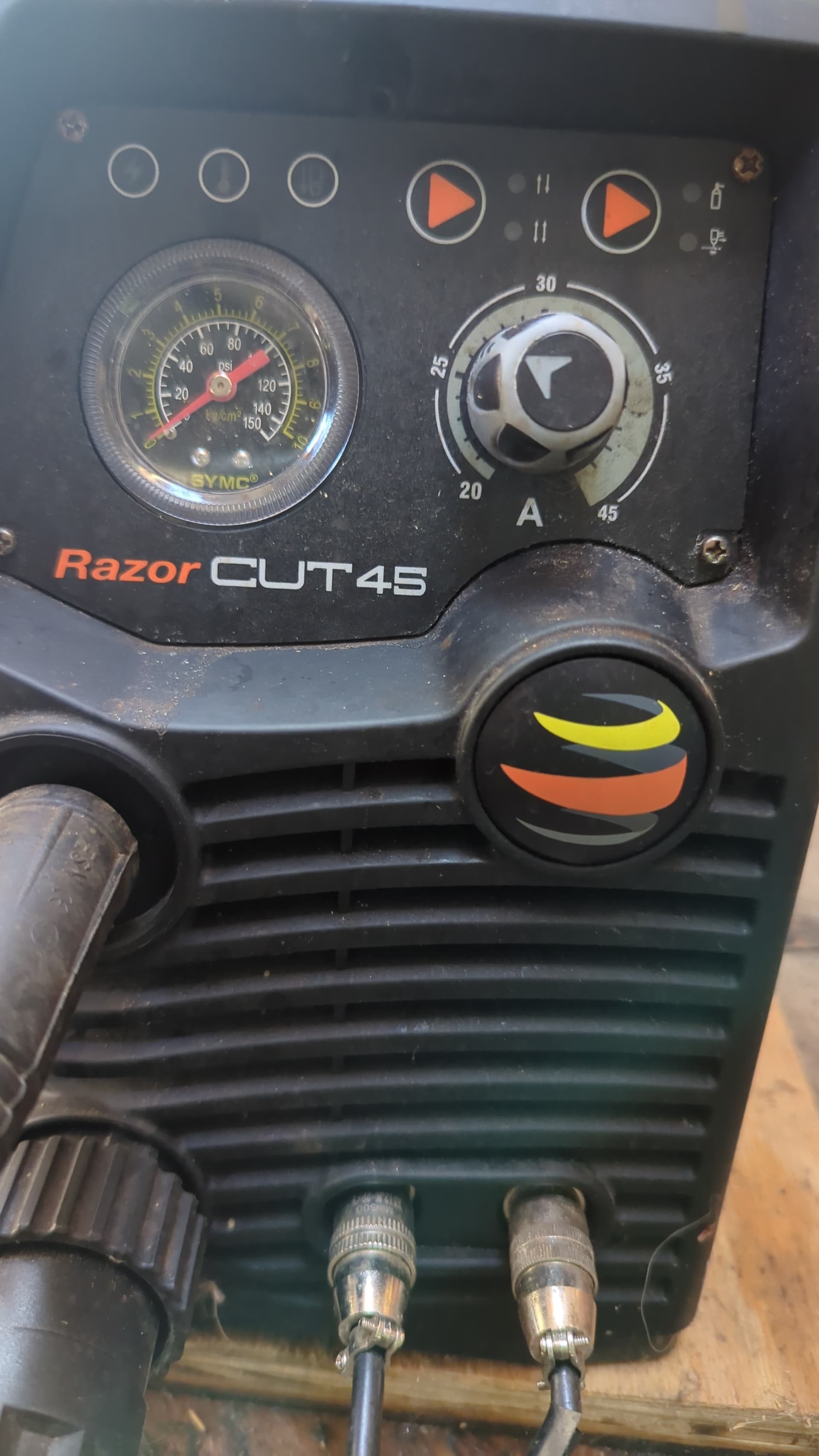
I think I have everything lined up now? I was going to try to do the F bomb can opener as it is small. I have the Razorweld cut45 CNC prewired from Langmuir. When I hit the torch fire to test it won’t fire but it will fire manually while in the THC so it’s not a ground issue? Been out of school for over 50 years and it sure shows. Thanks for everyones help
I use a test Chinese star. This one is set up for 14ga mild steel.
What thickness of material are you cutting?
One other thing is for fine tuning everyone’s machine cuts a little bit differently. The learning curve is steep but with a little patience you are going to love it
I’m guessing I need the cables to hard wire it and I don’t have that? I bought it from a friend and everything was still in the box, I then ordered the XL kit and the $750 z axis kit. I’m guessing I’m missing the torch fire wires I don’t know If I can make them or have to wat it again for another order from Langmuir. That Is why it won’t fire.
Okay so you have a Crossfire 2x2 upgraded with the XL Kit?
Like Phillip said a picture would be great. I have the Razorweld Cut45 3 years old and there are to ports on the front the plugs look identical. One controls THC and the other fires the torch
As I said in my earlier post. Jog the torch to the left front corner and hit zero all axis to zero the machine in that location. Then load your file and it will be within the table limits.