About 2 weeks ago an error saying something along the lines of “no program speed found” started popping up when I would select a file in firecontrol. It only does it when I try to pull up new designs. I updated everything I could find that needed to be updated and went and redownloaded the post processor on the langmuir website. I also completely redesigned what I was trying to cut and it still didnt work. Everything in the setup and post processing stages looked the same. I’m not quite sure what I am missing
@LandonCS Welcome to the forum.
This is because you’re incorrectly making operation selections in SheetCAM.
@ds690 has made a short, concise video going over the steps in SheetCAM but I’m unable to locate it right now. If someone finds that video please post it.
Now I look and see that your category is under Autodesk Fusion…
This is because you actually did not click any contour before making your G-code in Autodesk Fusion or a Kerf Width Issue.
Edit: here’s a good answer from @ChelanJim (Jimmy)
1 Like
Another problem may be that if your file is all circles, and this is a known issue, Fusion and the Post processor for some reason will not attach a cut speed. Last line of the G code PS (0) or something like that.
Open your file in notepad and copy/past it here.
2 Likes
Yes, Sticks is correct. My previous post on the subject did not take that into account.
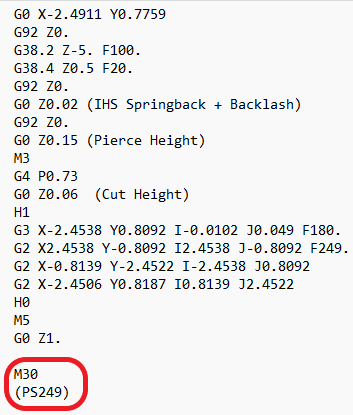
If, at no time during the entire program, the torch cutting speed never gets up to the tool speed due to “feed optimization”, the ending notation of the gcode will show “PS(0)”.
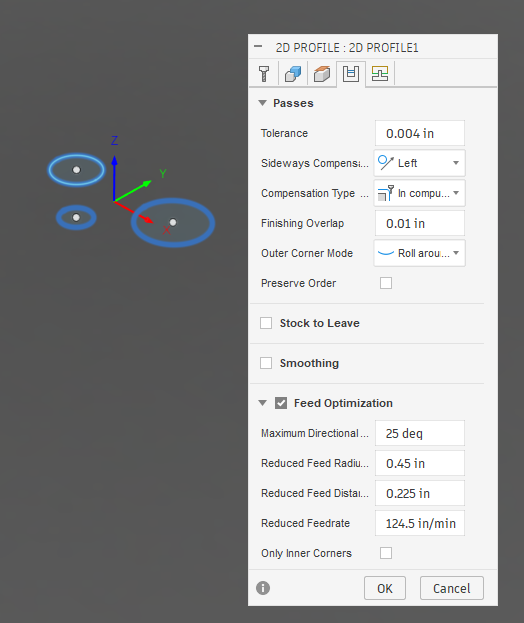
Note: The cut paths are in yellow (signifying reduced speed). Blue cut paths would indicate full cut speed is being used.
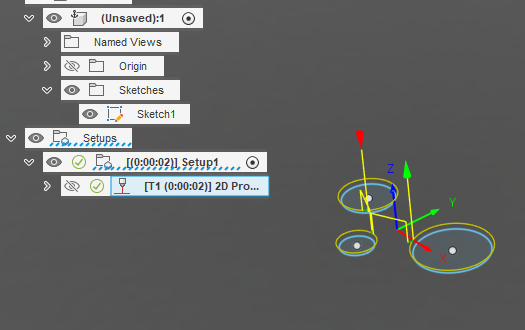
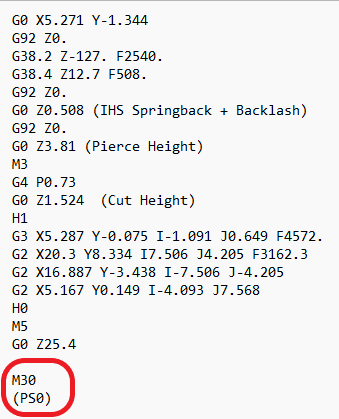
Question to @Sticks : Didn’t you find that you can edit that last line and enter a number for the “0” and then it runs without issue?
Here, I have added a larger circle which will not trigger the “feed optimization” and therefore will operate at full tool speed, at least for one contour.
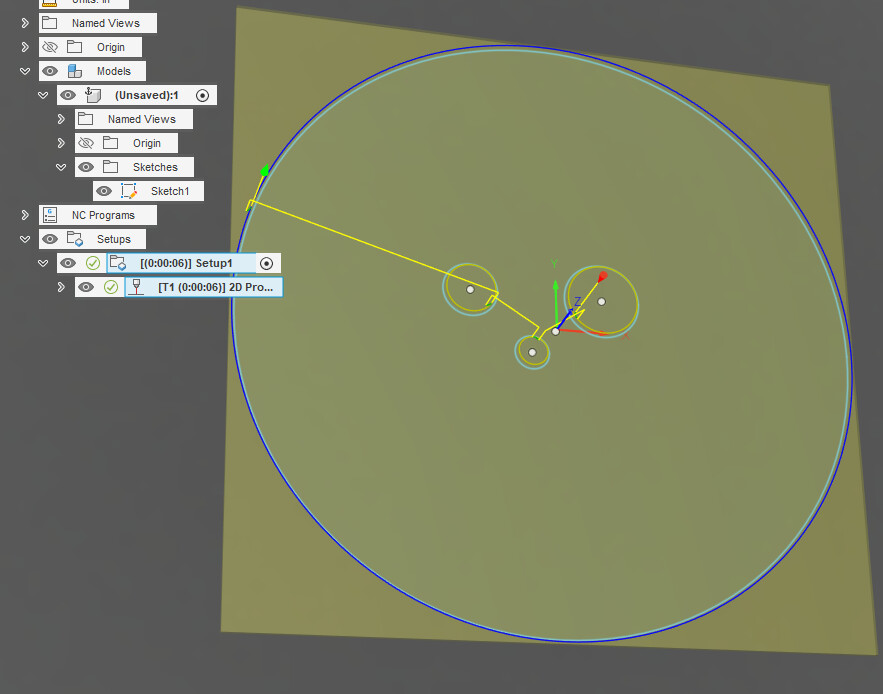
And, it is showing a legitimate tool speed in the gcode:
1 Like
yup Edit the .nc file in notepad, put in the cut speed for at least one of the cut paths then save and close it.
2 Likes
It was showing (ps0) and I just changed that. Thank you. Do you know what would cause that?
I don’t know other than Fusion was not told how to handle such situations (when the full speed of the tool is never realized in the entire design) so it comes back with a null value and then inputs “0”. I would imagine whomever programmed the post processor did not anticipate such a situation.
Someone else, I am sure, has a more concrete answer.
Just make sure in the future, there exists at least one cut line that is blue, then it will be fine. If they are all yellow, you will need to edit your gcode file.