Download the .nc file above
sticks thanks I can’t open the file my pc is too old so far I have used a tap file
.tap and .nc files are both g code files that can be loaded into Firecontrol. The difference is that Sheetcam files have the .tap extension and Fusion files have the .nc extension.
Just download the file and open it in Firecontrol.
Thanks I was having a problem with a laptop so I’m now loading on another one
well the other laptop does not work with firecontrol gives error saying grapic problem and say use this link then nothing . the laptop is windoes 8 dell
That’s a really old laptop. If you don’t have limit switches, I suggest dowloading Firecontrol version 20.6 from the downloads page. It should work fine with that old operating system.
1 Like
Thanks ds690 I will try that latter this week. going to SD for a few of days
well my windoes 8 with 20.6 software did not work so back to the small windows 10 with touch screen
on my windoes 10 laptop I’m gettin error says graphics are incompatableand needs upgrade my software is 24.1
Listen, @sandhopper, break loose and buy a mini computer like the Beelink N150. Not a crappy laptop that will add another dimension to your issues. No Mac computers or laptops. If you want to design on a laptop, go right ahead. Not to run the table. I cannot remember anybody, with the exception of @CrazyCasey, who has had more problems. And it wasn’t his doing.
Sorry, but this is just my two cents. You have made a significant investment. Hopefully, you can start making shit soon.
https://a.co/d/8fBMJ3u
5 Likes
That message refers to the “compatibility version” of Firecontrol that should be available in the downloads section of the website.
I agree with the suggestion to get a mini PC. I have dedicated mini PC’s running my plasma table and my CNC router.
4 Likes
FWIW @sandhopper, I run the same mini pc linked by @Bigdaddy2166 . I have Fusion 360 installed on it also in case I need to tweak a file before I cut it, or make an adjustment for cutting multiples,
I also have used it to do full on design work for moderately complex projects. It can handle it. Not saying it is the PC you need to replace your desk computer, just that it is way more than adequate to run the CrossFire table and then some. For $168 plus the cost of a monitor, keyboard and mouse, you might be $275 out the door with all you need.
2 Likes
Thanks I have found a mini pc to buy on Market place will get this week
I see some are making a dimple die with a 3d printer to fix the drain problem can someone sell me one of those
The mini pc must be the one I showed you. There is a reason for that one. It must be a N150, N100 or N95 processor. No Ryzen or I intel processors
Send us the info on it beforehand.
Don’t want you to make a mistake.
1 Like
thanks , it sold and it was intel processor
Thanks for this , how do you have yours mounted or used ?
Intel is fine. It just cannot be a i3, i5, i7 intel. The reason for the intel N processor has no power-saving control. It won’t mess with USB to FireControl.
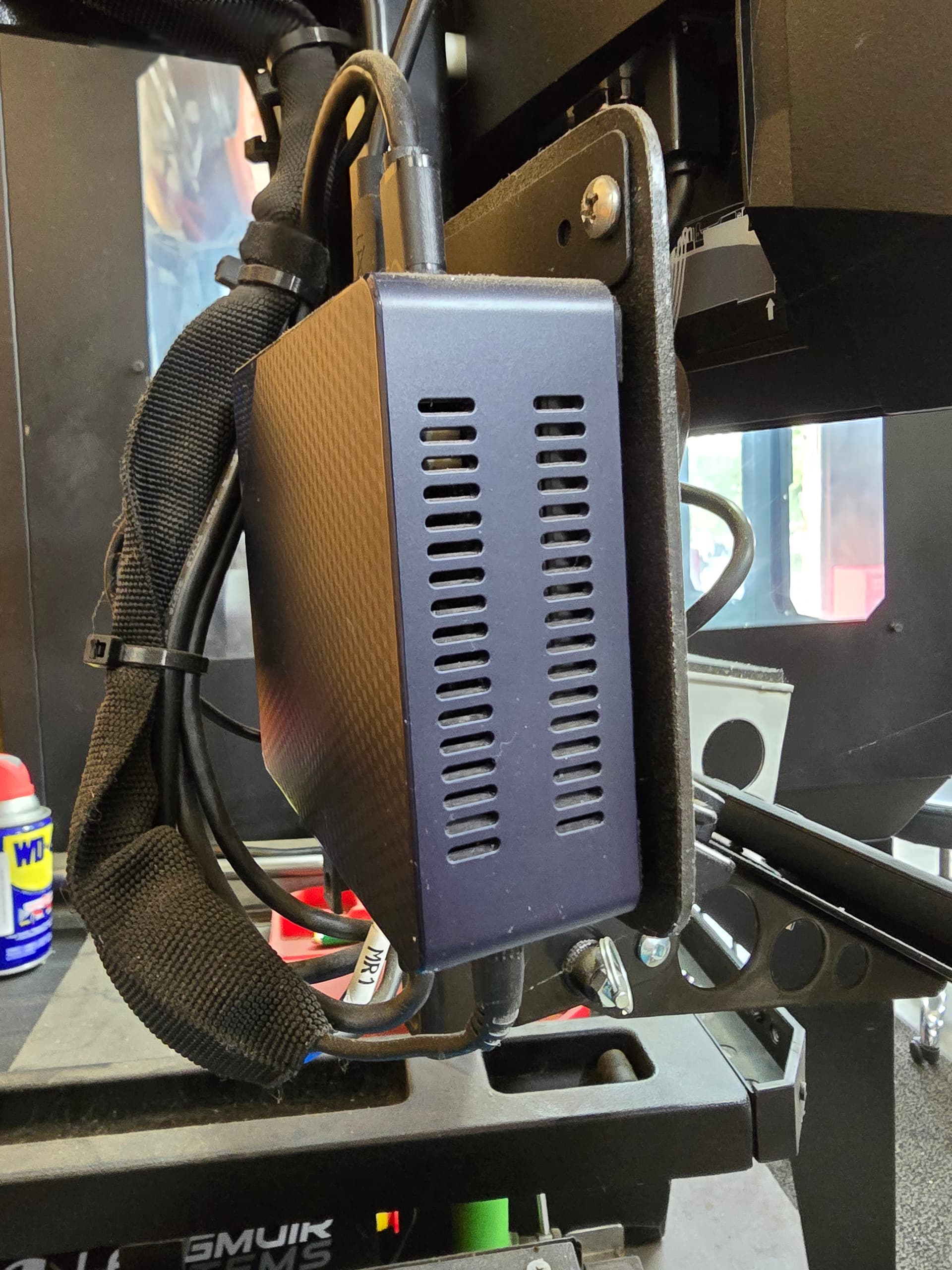

[/grid]
1 Like
@Bigdaddy2166 You need to clean that off and cover the USB and Speaker ports with tape you need to keep the metal dust out or it will short the unit out. I would also use a thin piece of cardboard And cut out a hole for the USB your using to help keep metal dust from building up and grounding out the USB to the stand / table.
4 Likes
Yes, that’s an old picture. I have cleaned it, but the aluminum dust gets everywhere. I keep an extra mini in the MR1 toolbox with all programs already loaded.
4 Likes