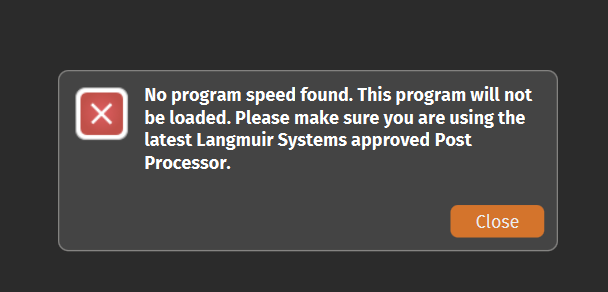
I am trying to make my first cut with the crossfire pro (with THC). I am using a razorweld 45A . When I try to upload to FireControl I get a message about there being no speed set and make sure you are using current software. I have checked the software and believe I have the right things installed. Any help would be appreciated. I have been trying to get this going for several weeks now and I am at a loss as to what else to try.
Usually when this happens, it is because the post processor version that generated the G-code does not match the FireControl firmware version.
When you launch FireControl and connect your machine via USB cable, the “Machine:” dialogue box near the top of the program will display the firmware version of your motion control board. It will display either v1.1ls or v1.2ls
If you have firmware version v1.1ls, you will need to either update your firmware (simply click the blue “Update” button near the top of FireControl), or make sure that you have post v1.5 installed into Fusion 360 or SheetCAM
If you have firmware version v1.2ls, you will need to make sure that you have post v1.6 installed into Fusion 360 or SheetCAM
Instructions to install post processors into Fusion 360 are here:
http://www.langmuirsystems.com/software/fusion#post-section
Instructions to install post processors into SheetCAM are here:
http://www.langmuirsystems.com/software/sheetcam#post-section
If you needed to change the post processor, you will need to delete your old G-code and post a new G-code file with the correct post processor.
2 Likes
Thank you. I will give it a try. I know firecontrol has the V1.2ls. I’ll check the other.
1 Like
File won’t load into Firecontrol due to error " No Program Speed"
Ok, so I can’t load files into firecontrol due to error message " no program speed"
I have comfirmed that my post processor on Sheetcam is V1.6, Machine is Crossfire V1.2ls with height control LS-THC (V1.10).
I have run NCviewer and confirmed that my file has (PS100) as last entry.
I am still getting this load error on some Fireshare files (Horse welcome sign for firecontrol) but not on others (My tree of life project). My sheetcam files will not load either and last line is (PS50).
I have read all the similar entries in the Forum , but have never seen a viable solution.
I am more than a little FRUSTRATED.
Please help.
Incidentally, “My tree of life project” was the first attempt and it cut perfectly the first time.
What is the first line of the code? Can you load one of the problem files here? It must be a simple solution.
@doc
do you have a paid license version of sheetcam?
forget about using Fireshare files unless you open them in sheetcam and process them for your machine…
I have never had to look at the gcode…never…I let Sheetcam do all that…and then make sure I have used the proper tool selection for my material then run the post processor…
1 Like
strut brace for ryan.tap (65 Bytes)
Thanks for he help
I have the paid version of Sheetcam
As I said before, some fireshare files cut great and some give me the error “program speed missing”. These are sghare files that state the are made for Firecontrol.
Attached is a simple bracket that I drew on Inkscape and sent to Sheetcam for post processing. getting the same speed error on firecontrol.
OK…i get the same error…
this tells me you have a problem with the post processor you downloaded or installed in sheetcam.
try sending me the SVG file…

Can you download this file?
if you are trying to post the SVG file…just download it but change the .svg to .doc…
You have not selected any paths in this program. It simply contains the preamble and postamble. Coincidentally, the PS value is there but is 0 due to having no feed rates in this program.
(v1.6-sc)
G90 G94
G17
G20 (Units: Inches)
H0
M5 M30
(PS0)
1 Like
Can you put that into simple terms please…are you saying he did not select a layer to post process?
That is likely. We’d have to see the SheetCAM job to confirm.
Thanks , I’ll see if that solves
Thank you all
My problem is resolved and recent program cut as expected !
1 Like