When i hook up my laptop to my crossfire pro it does not show the torch in the same spot on the table what am i doing wrong?
You want to move to torch to the desired spot then zero all axis. When you have your program loaded you will want to select the point of origin. That is the spot fire control will use as zero or the starting point.
4 Likes
Phillip is right. I made a few graphics for it that might help.
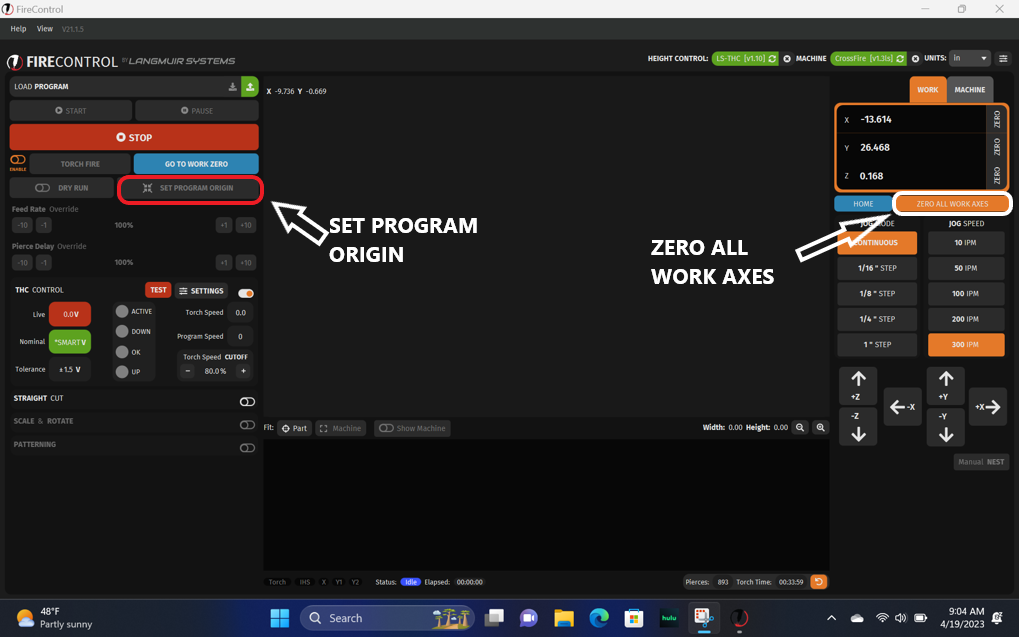
Those two spots need to be the same on the table.
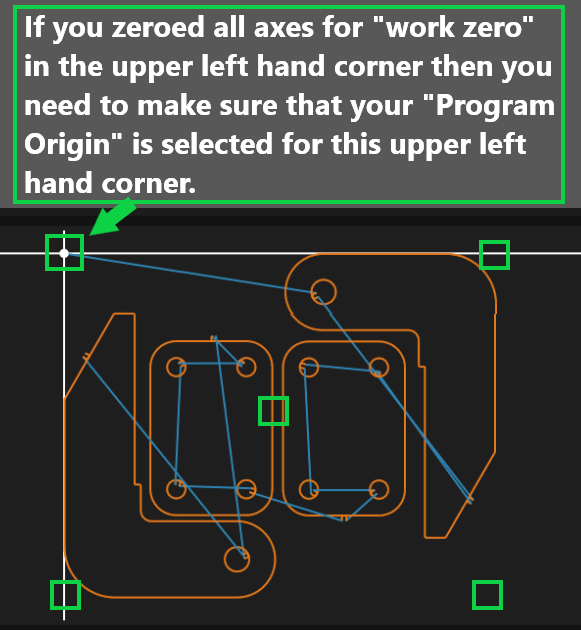
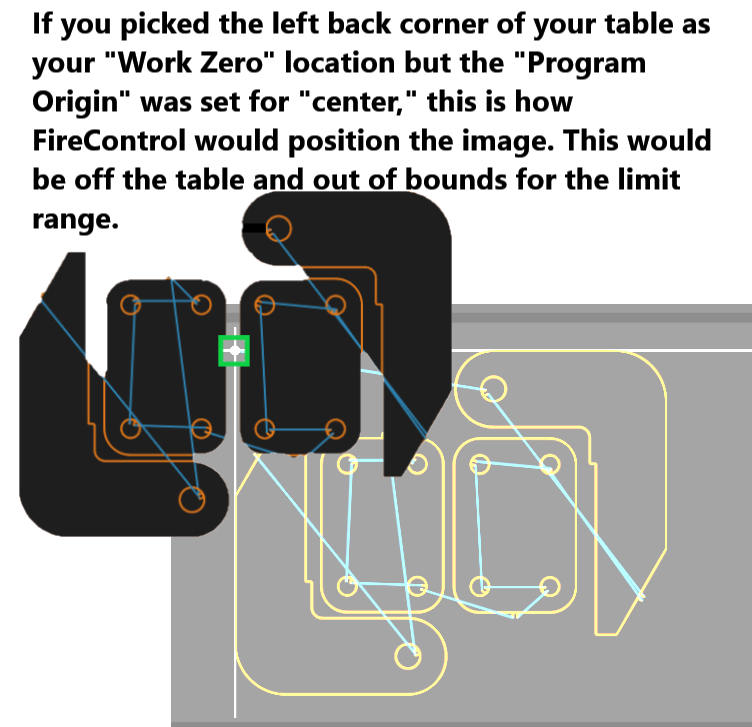
But…most people pick the bottom left hand corner for both. It doesn’t matter, as long as you keep in straight in your mind and how you tell the table to do it.
1 Like
i can not move the torch.
Are you using limit switches? Is there an alarm showing up on FireControl?
If you are using limit switches, HOME the machine. This should clear the alarm. If it doesn’t, turn off the power to the control box of the table to turn off the power to the motors. Now you can twist the lead screws to get them to back off on whichever limit switch is being activated.
If no switch is being activated, you have a broken connection with the wire or the switch is broken. Disable all the limit switches and proceed.
Then proceed to set the origin for your piece and move the torch to the appropriate corner that corresponds to where the “origin” is.
Is the electronics enclosure powered on? The motors won’t move without power.
2 Likes
yes the electronics are on.
yoe i do have limit switches.
I had everything set and now it is all off now. and now it will not move.
It shows it at home but it is not,
When you turn on the power to the electronics enclosure, do you hear the motors energize. Can you turn the lead screws easily by hand with it powered on?
Does it show movement on the screen?
It could be a bad DC power supply inside the enclosure. It should be putting out 36v DC. You can open the enclosure and test the voltage at the DC power supply + and - terminals.