To be clear, that is NOT the LTP5500D -CNC version. I’ve used the -CNC version for the last 2.5 years without a problem.
EDIT: I have used this on a GEN1 system without a problem. I have no idea if a Gen2 system has issues or not.
To be clear, that is NOT the LTP5500D -CNC version. I’ve used the -CNC version for the last 2.5 years without a problem.
EDIT: I have used this on a GEN1 system without a problem. I have no idea if a Gen2 system has issues or not.
Glad to hear you’ve found success with it!
Unfortunately, we’ve had conflicting reports regarding the -CNC variant of the LTP5500D. Some users report no issues, while some report the same interference issue as the other variant. We do not know definitively if this is simply a generational difference, though it’s something we keep an eye out for. Due to the uncertainty of the matter, at this time we advise that the use of any variant of the LOTOS LTP5500D is at the user’s own risk.
Have you seen any correlation with being used on Gen1 vs Gen2?
Due to an extremely limited data set, our official stance is that no variant nor generation of the LTP5500D is compatible.
Unofficially, I can tell you that as of now, we’re not seeing a correlation between Gen1 vs Gen2 - however, I have to say that tentatively, due to the low amount of data we have about this specific plasma cutter. Keep in mind that generally people only reach out to support (or post on the forum) when they are experiencing issues. More data is always good, so we’re very glad to hear that you are using the -CNC variant with no issues. As of now, the only thing we can say definitively is that the standard variant of the LTP5500D is not compatible, and for unknown reasons the LTP5500D-CNC seems to be sometimes compatible, so we must inform users that trying it is at their own risk.
Tom,
Bought the 5500d cnc version with Thc ports, but in firecontol, when I run a torch test it errors with voltage of 300v , references the THC requires 50:1 voltage ratio, but believe 5509dcnc is 1:1 from manual insert. Is there a work around this?
If it is 1:1, that is raw voltage and should be connected with the supplied raw voltage cables to the color coded ports on the face of the VIM. The cables are the ones with red and black banana connectors on the end.
I believe the CrossFire VIM box has a direct input call RAW Voltage, but someone like @ds690 would need to answer that.
Did this and working !! Thanks for input!
Hello I have been beating my brains trying to figure this out I have the same machine doing the same thing so if I crack open my plasma cutter and hook raw voltage up your saying this worked that was my last option just want to double check before doing so thank you in advance
There are a couple different models mentioned in this post. Which model are you using?
No need to crack open the Plasma cutter if you have the CNC version. Just use the CNC ports into the raw voltage on the langmuir box . Not having the leads, I bought cheap harbor freight multimeter for the leads. hope this helps.
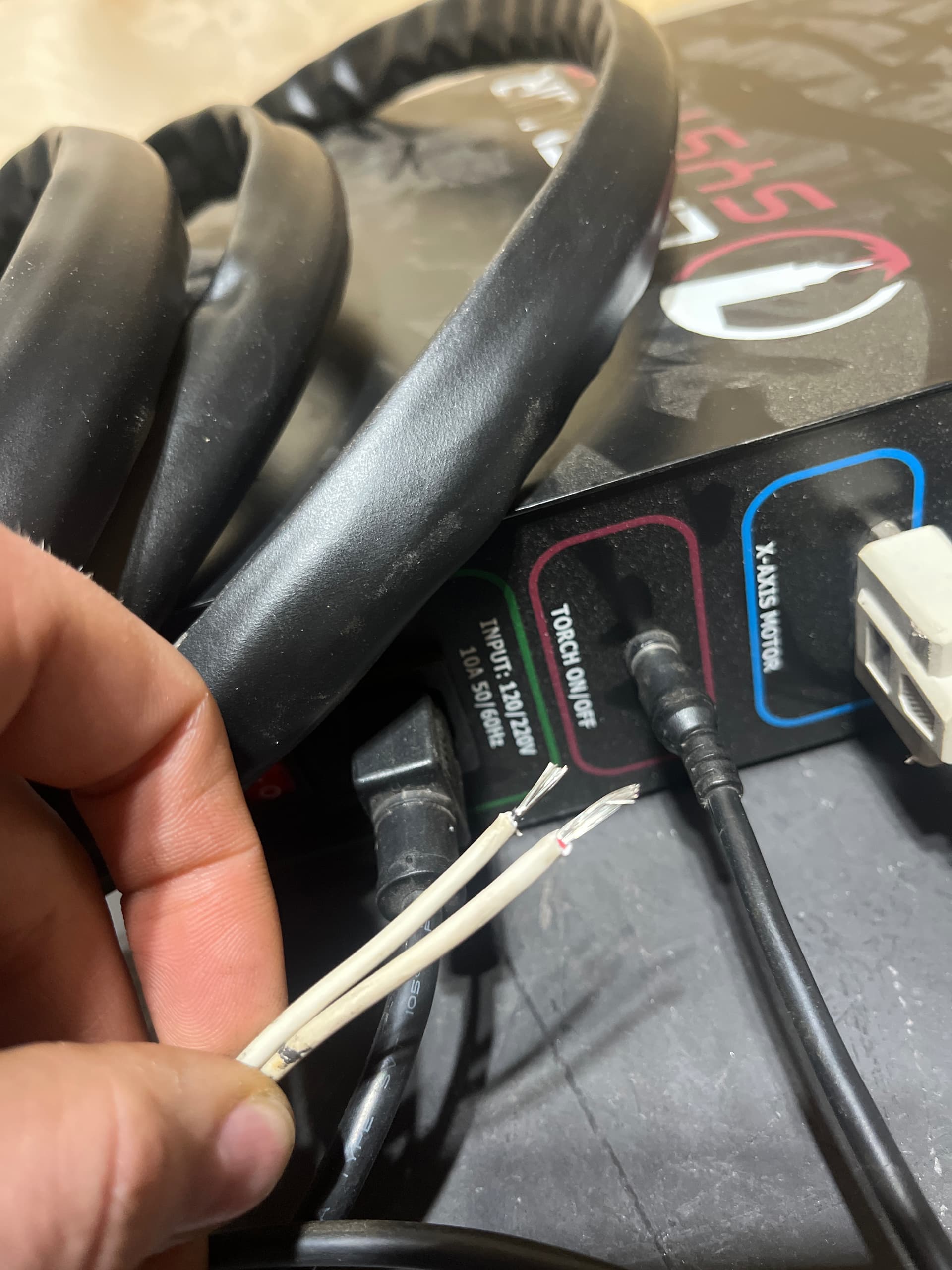
Hello all! I am new here, looking for help from anyone who can. In my current setup I am using a 1st gen crossfire 2X2, paired with the LTP5500D CNC with the two control ports in the back of the machine. I have everything setup and under power, but my torch will not fire. My Lotos machine came with the CNC torch and not the hand torch, so there is no way to fire the torch unless it is through the ports at the back. My crossfire is pre owned, and came with a control cable with only two wires, each wire is bare, so I had to do some soldering. I read elsewhere on the Langmuir forums that the 2 pin connector is used to fire the torch, so I went with this, and no luck. The 4 pin connector however clearly says pins 1 and 2 are the start control, so do I solder my bare wires to pins 1 and 2 and leave 3 and 4 empty? I have my doubts that this will work, but I have spent weeeeeks trying to get this machine cutting, and have hit many roadblocks along the way, but I feel I am close. Any help would be greatly appreciated, thank you kindly! Below is a photo of the control cable I received with the machine
Before you solder anything, use a jumper wire or a paper clip to jump across the pins and see if the torch fires.
The torch firing circuit is just a loop, so closing the loop by jumping across pins will fire the torch.
Test pairs of pins until the torch fires and then you will know which pins to solder to.
You should be able to find a manual for the Plasma Cutter. I can check in a couple of days as I currently don’t have access to my shop.
Thank you for the responses guys!
I will try what ds690 suggested, thank you!
Will it be ok to leave 2 of the pins bare in the 4 pin connection??
Yes, pins 3 & 4 of the connector are not used in either Mach3 or Firecontrol versions.
Ok great, thank you so much!
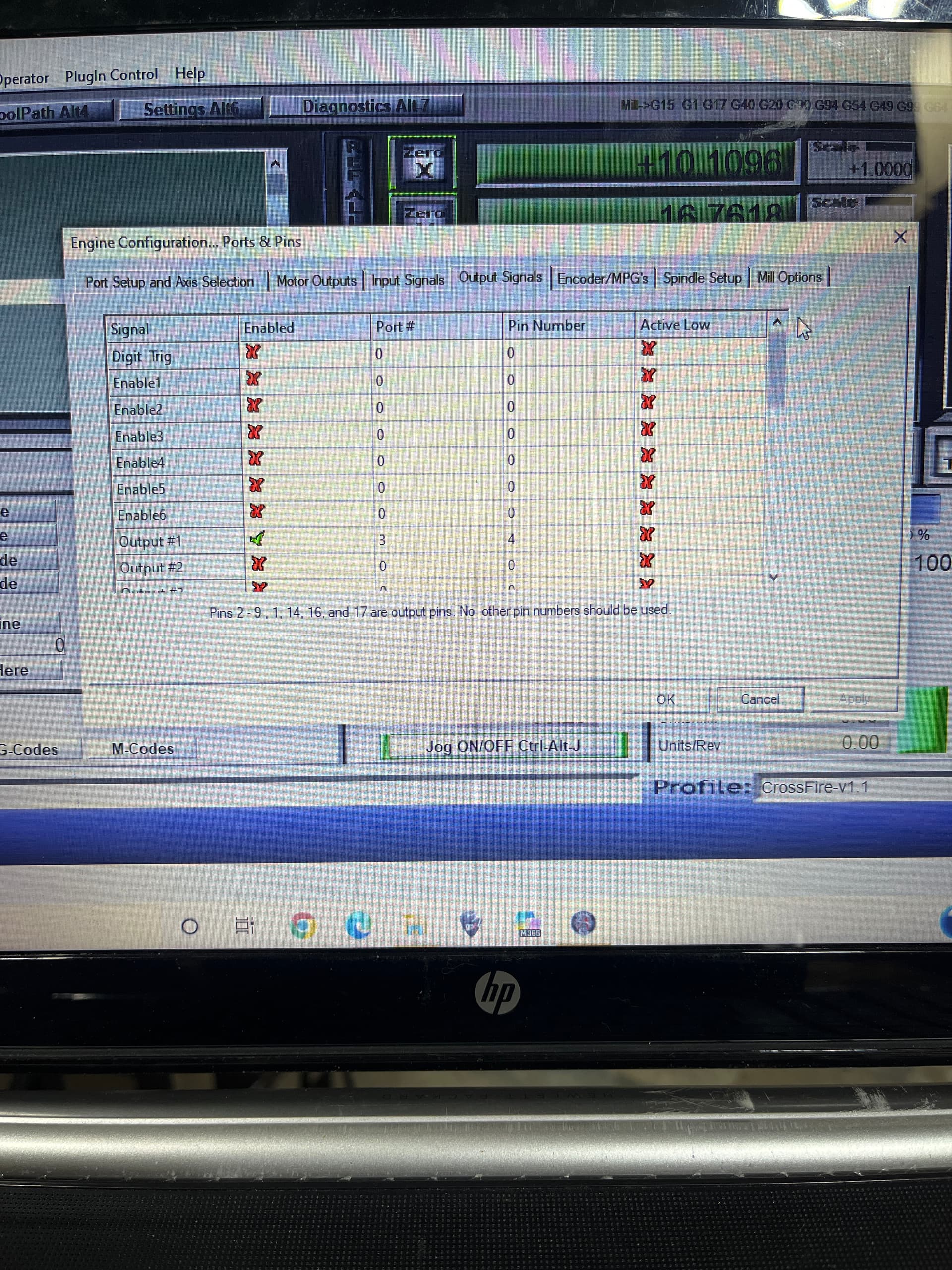
So I tried jumping the wires to pins 1 and 2, and the torch still will not fire, I also tried pins 3 and 4 just for shits and that didnt work either. The lotos is always in “torch protection mode”. Is there something I need to do in Mach3 under ports and pins? By default there is only 1 port and pin enabled, I will include a photo, I know nothing about this sort of thing lol
The plasma cutter should fire when you jump the pins, regardless of connection to any computer or software.
Jumping the pins is the same as pulling the trigger on a hand torch.
If the plasma is in some sort of protection mode, the torch and/or consumables may not be assembled properly. Some torches have a “parts in place” safety that prevents the torch from firing if the parts aren’t installed correctly. This can also happen with an aftermarket torch that may not have the correct wiring for the protection circuit.
@ds690 is correct. The torch has to have the cup put on properly so the contacts tell the LT5500D electronics that it is ok to fire. If this is not a standard Lotos Torch, you may have to move pins on the torch connector to get it to work. Somewhere in my original posts on this PC I documented the Torch Wiring.