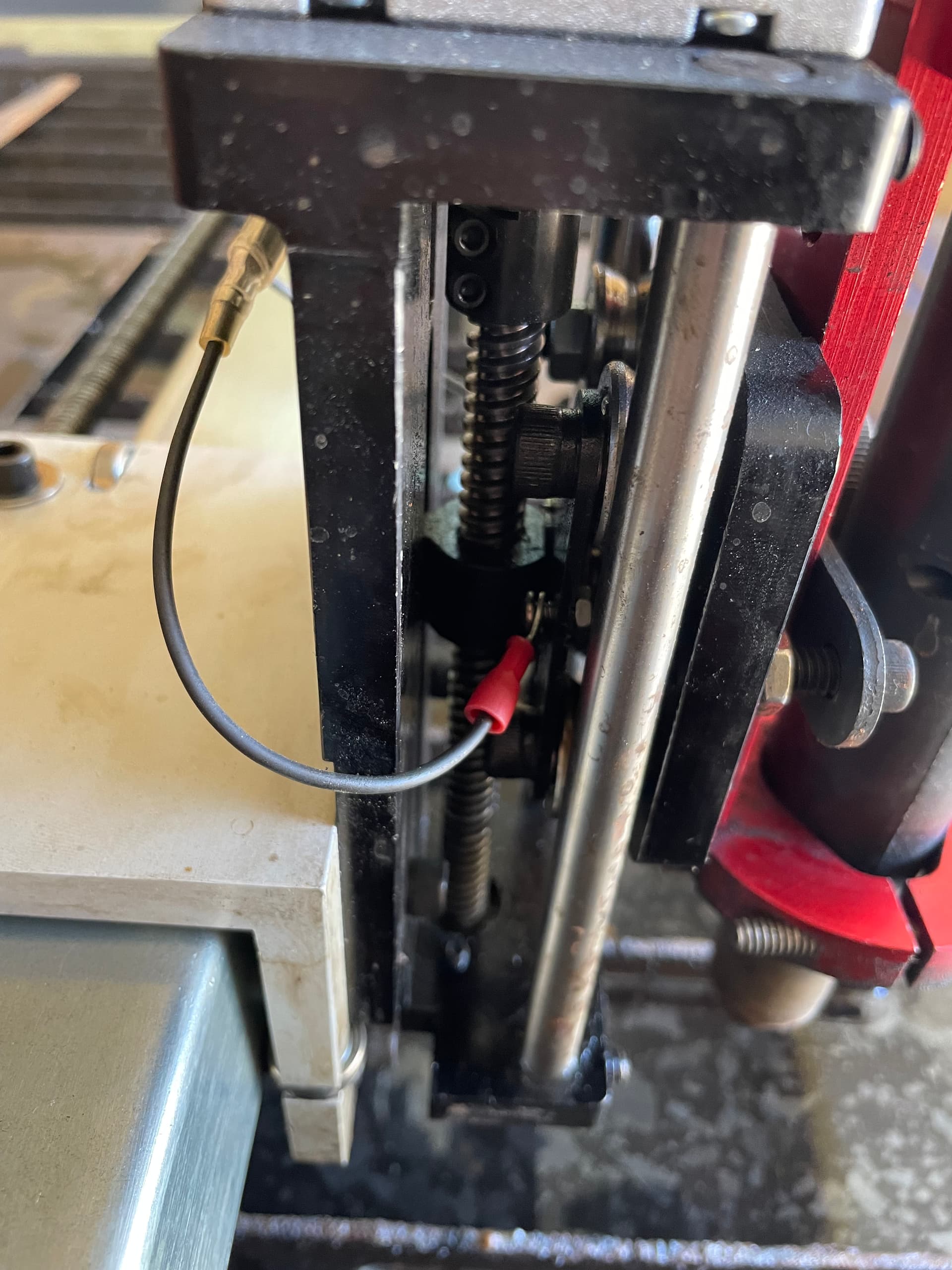
Hi guys, long time lurker first time poster. I am having a problem with my THC throwing an error and stopping the cut mid process. It’s an intermittent problem and I think I found the cause, but I’m not sure how to fix it. There’s a tiny bolt with a nut on it where the THC connects to the Z axis. It is extremely loose and I can’t get a screw driver in there to tighten it, and even if I could, I can’t get a backup wrench on the nut to keep it from spinning (the vertical z axis rail is in the way). I assembled this back in April and if I recall, this entire Z-axis assembly was ready to go, so I guess it got loose at the factory and now through use is even worse? Any tips are appreciated (see pic - it’s the loose one with the red shrink wrap). How would you tighten this?
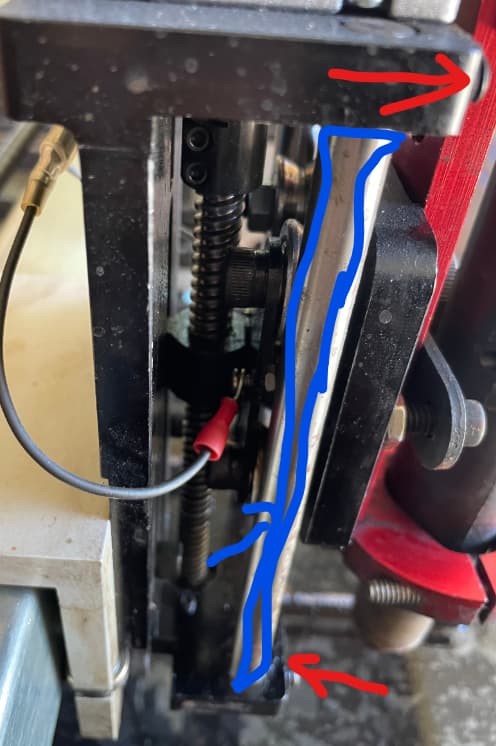
The best way i’ve found to get behind that plate is remove the screws that hold the rod in place (Red arrow marks) and then tap the Rod (Blue outline) out lightly to get it fully out
This seems common for these nuts to loosen up. Just use a small flat head and push on the nut, it will get tight enough. You could dab it with hot glue to hold it I suppose. Mine was loose and used the method above, never loose again
Thanks to everyone they replied! To anyone reading this thread with the same problem please read about what happened before trying to fix… it might save you time -
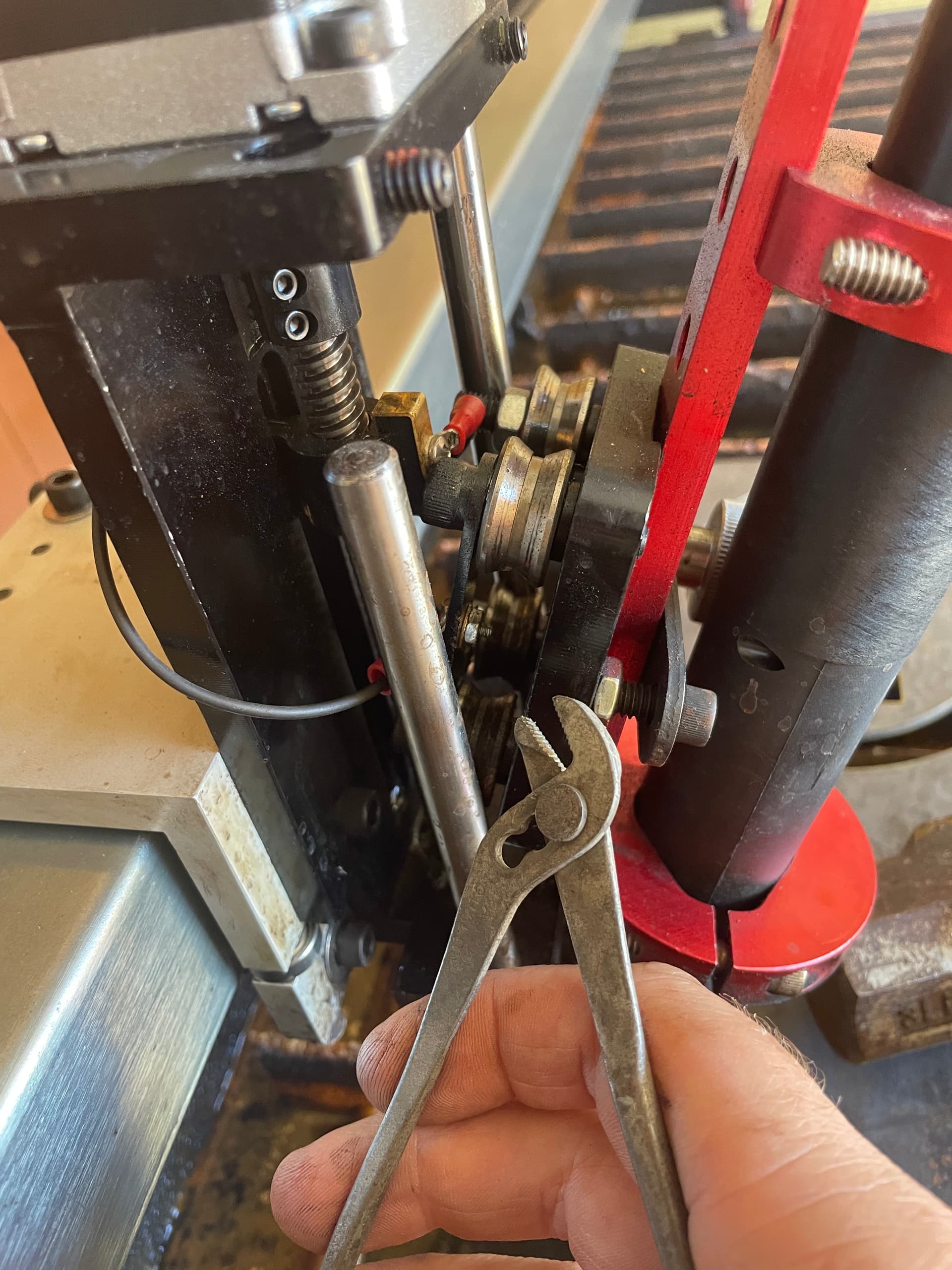
I was able to loosen the single side rail as suggested and using a punch (mine was a brass one for gunsmithing) I pushed the rod down far enough to access the nut. This was a mistake in disguise, due to my own ignorance. While I was able to tighten the nut, I reassembled everything incorrectly. My IHS stopped working and I couldn’t cut anything. The green IHS light was either always on (fire control) or it would flicker on and off.
After fully watching the video that was posted previously I realized that there is a brass contact point that needs to be installed properly, as well as a spring. Make sure to watch the video fully or you will waste hours like I did. Also, it would be wise to try to just tighten the nut with a thin wrench, or flat screw driver as suggested previously, instead of disassembling the Z-Axis as I did. That way you don’t have to deal with the spring sliding into the hole or that brass contact piece getting out of place.
Everything is cutting great again, thanks to all who replied!