Welcome to the forum. It really has not changed for about a year but if you are comparing to tutorial videos that are over a year old? then YES…it has changed.
The selection is really very intuitive once you get used to it. Once you start making your selections, you are committed to that form of selection. What I mean by that is that if you start selecting individual contours, you should base all of your contour selections for that “toolpath” to 'indidual contours." Don’t switch and then pick the face contours, which will duplicate the selection of contours you have already selected.
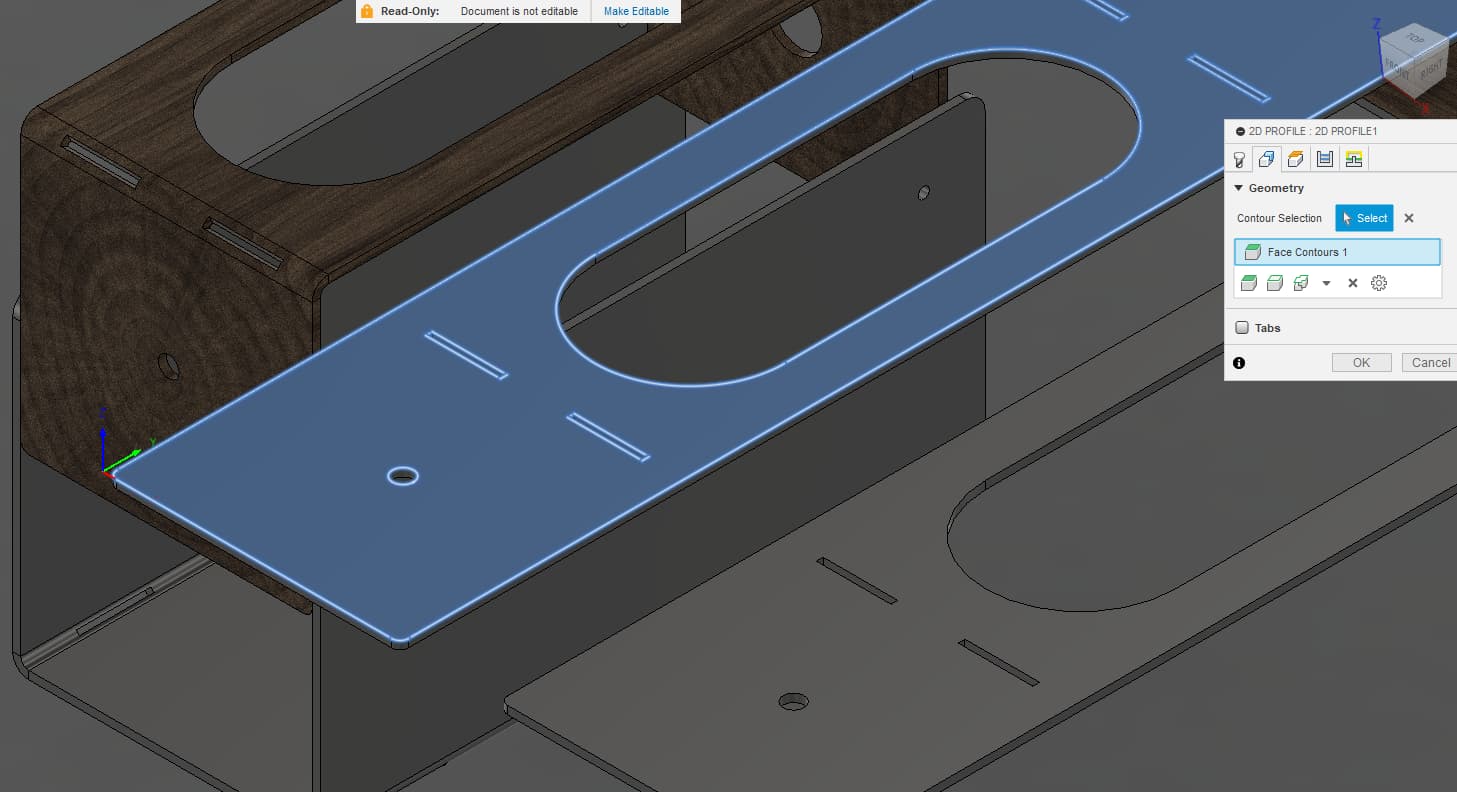
To pick the face, move the mouse until the face lights up and then click. All of the contours are selected:
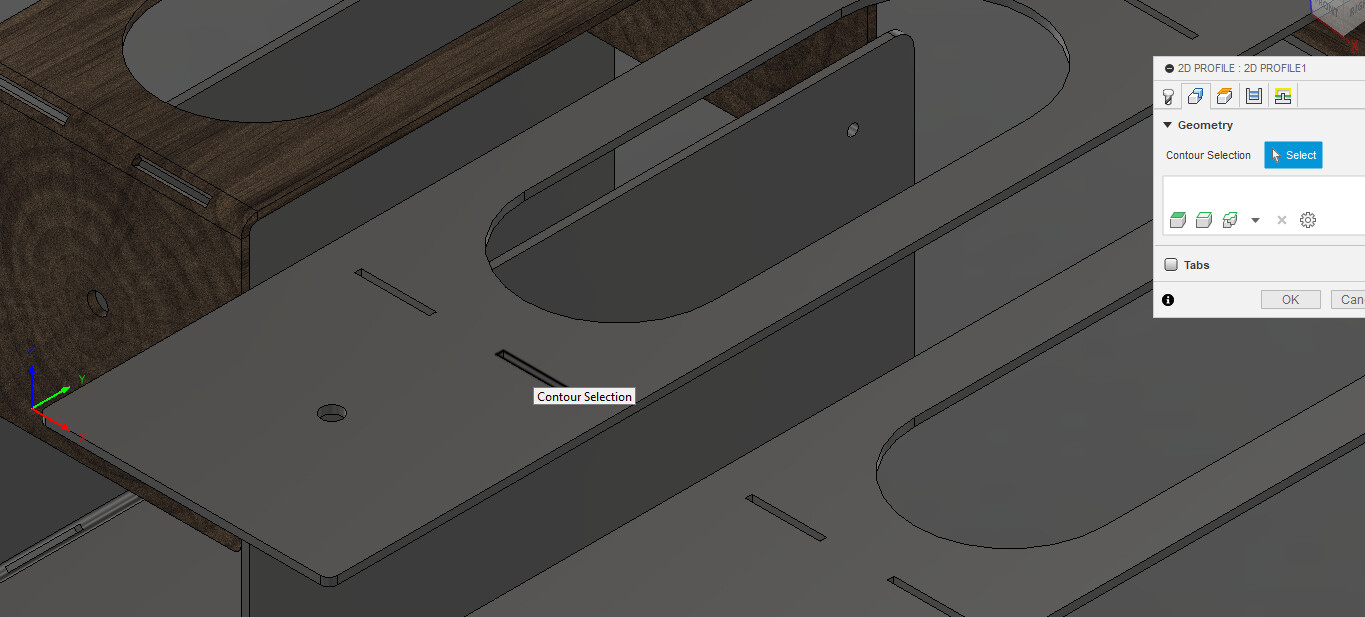
To pick individual contours, place the mouse over the intended contour and when it turns black, left mouse click and it is selected:
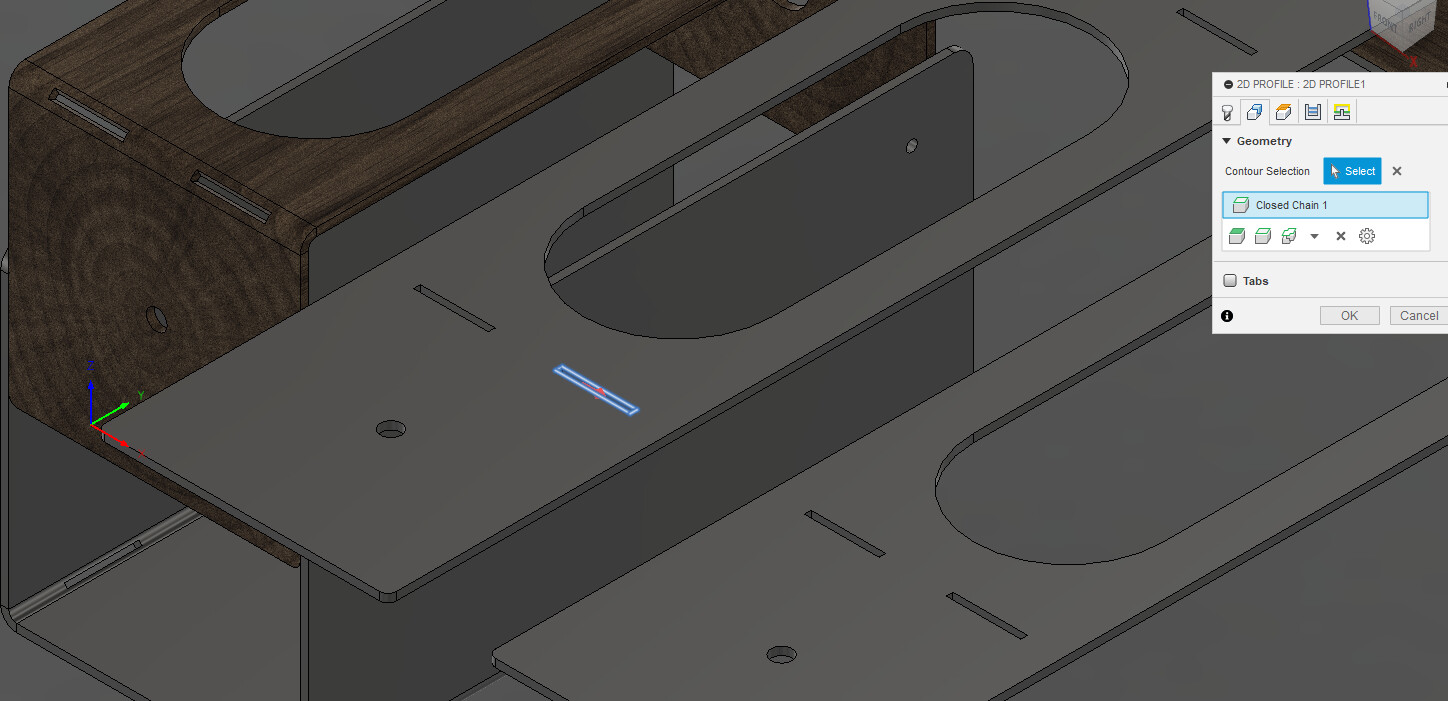
Click mouse:
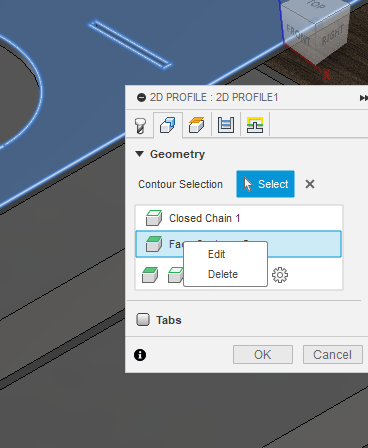
If you need to start over, click the “x” the right of the “contour selection” to remove all selections or right click on the specific contour selection and you will be given the option to delete the single selection. Notice in this case I had selected an individual contour and then picked the entire face. You don’t want to do that as it will duplicate the single selection.
Note: That is when you have a body. If you are using the sketch, this will show you how to use the sketch and Fusion 360 with grab all the contours. New Issues Creating Toolpath on F360 - #23 by ChelanJim