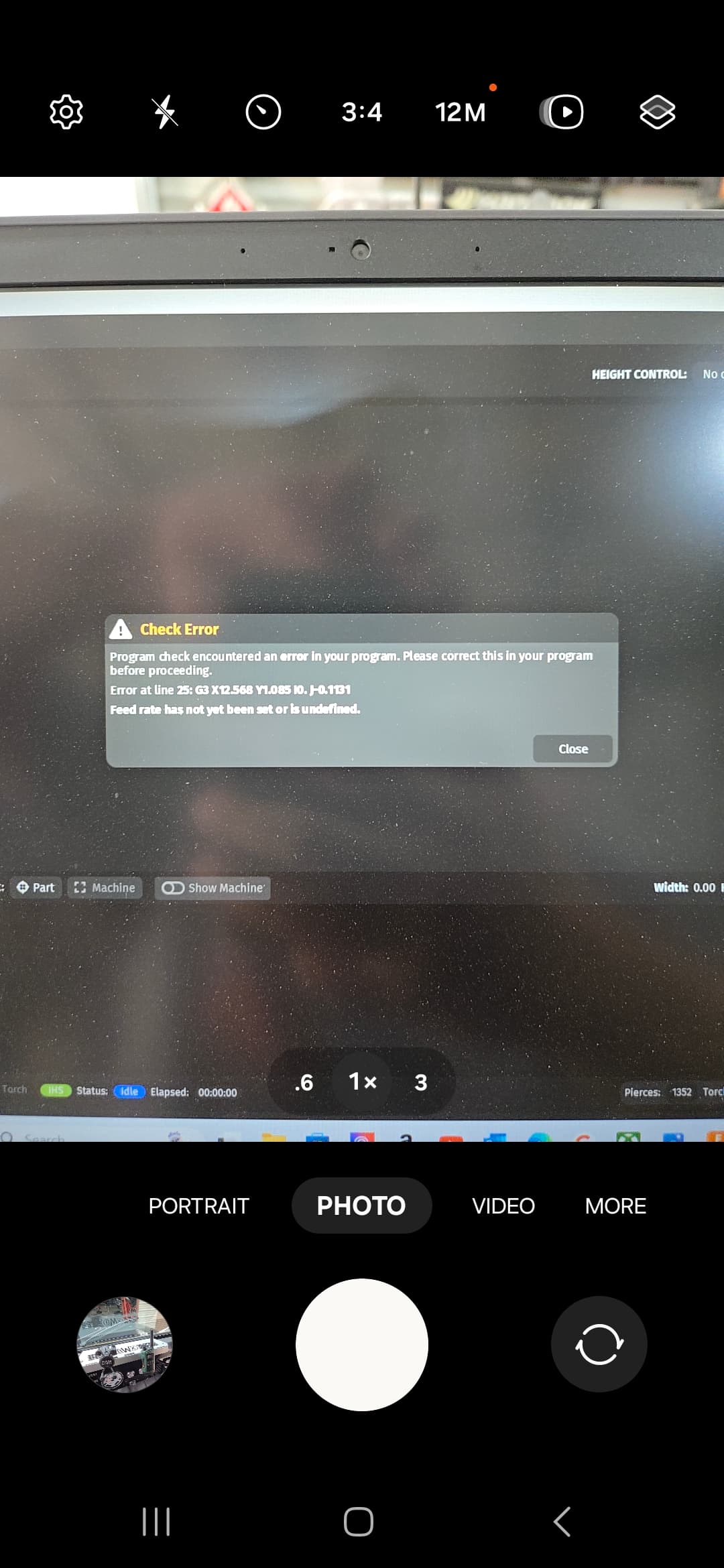
I have gotten this error a couple times now and have yet to find a proper reason or fix. Using Fusion 360 and it simulates the NC without issue. When I go to upload in Fire control it shows the error. Im stumped.
Welcome to the forum.
This is a very commonly occurring error. If you use the Search Tool (Magnifying glass in upper right of your screen) you will find posts describing the cause and solution.

There have been a couple of threads about this lately. It seems that Fusion has this issue when using feed rate optimization. If the optimized feed distance is longer than the standard feed rate distance, it results in no feed rate being posted by the post processor.
1 Like
I had feed rate optimization turned off
I don’t use fusion, so I don’t know how to fix this permanently. The simple fix is to open the cut file with a text editor like Notepad and add the cut speed on the last line. It should read (PS#) with the # replaced with your speed in inches per minute.
It probably reads (PS0) right now.
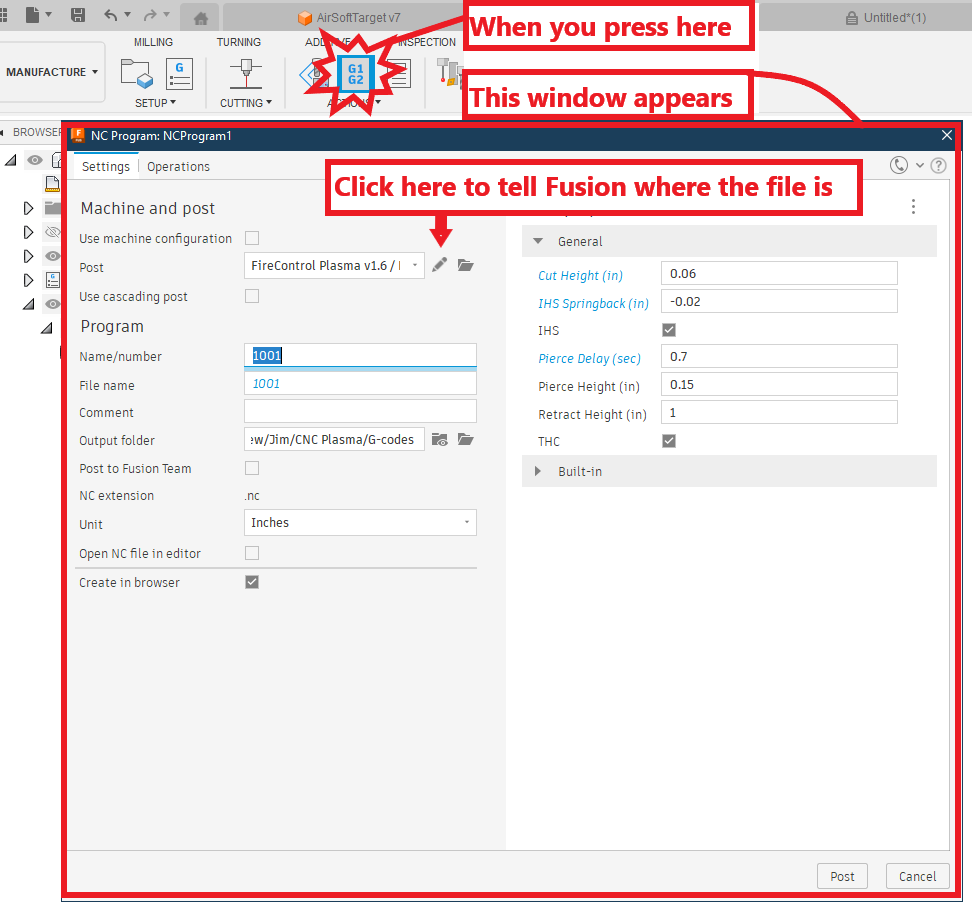
Do you have the correct post processor file loaded on your computer?

https://www.langmuirsystems.com/downloads
And have you taught Fusion 360 where that file is located? You will do that on this screen of the post processing:
2 Likes
It is V1.6 and that is what it posts to on the NC program page.
Heres to odd deal. The line it is referenceing in the code does not exist in the code.
G3X12.568 does is not in the NC program.
Can you post your gcode file?
If you can’t attach your file, you can open it in NotePad or any text reader and just copy the first 20 lines and the last 10 lines of the code and paste in in the dialogue box here.
I re wrote the file and now it shows a different value but I do have a G3 X12.xxx.
The only thing I changed was the Keep Knozzle Down selection. I always use it as i dont have a Z axis.
We will see if this works later tonight or tomorrow.
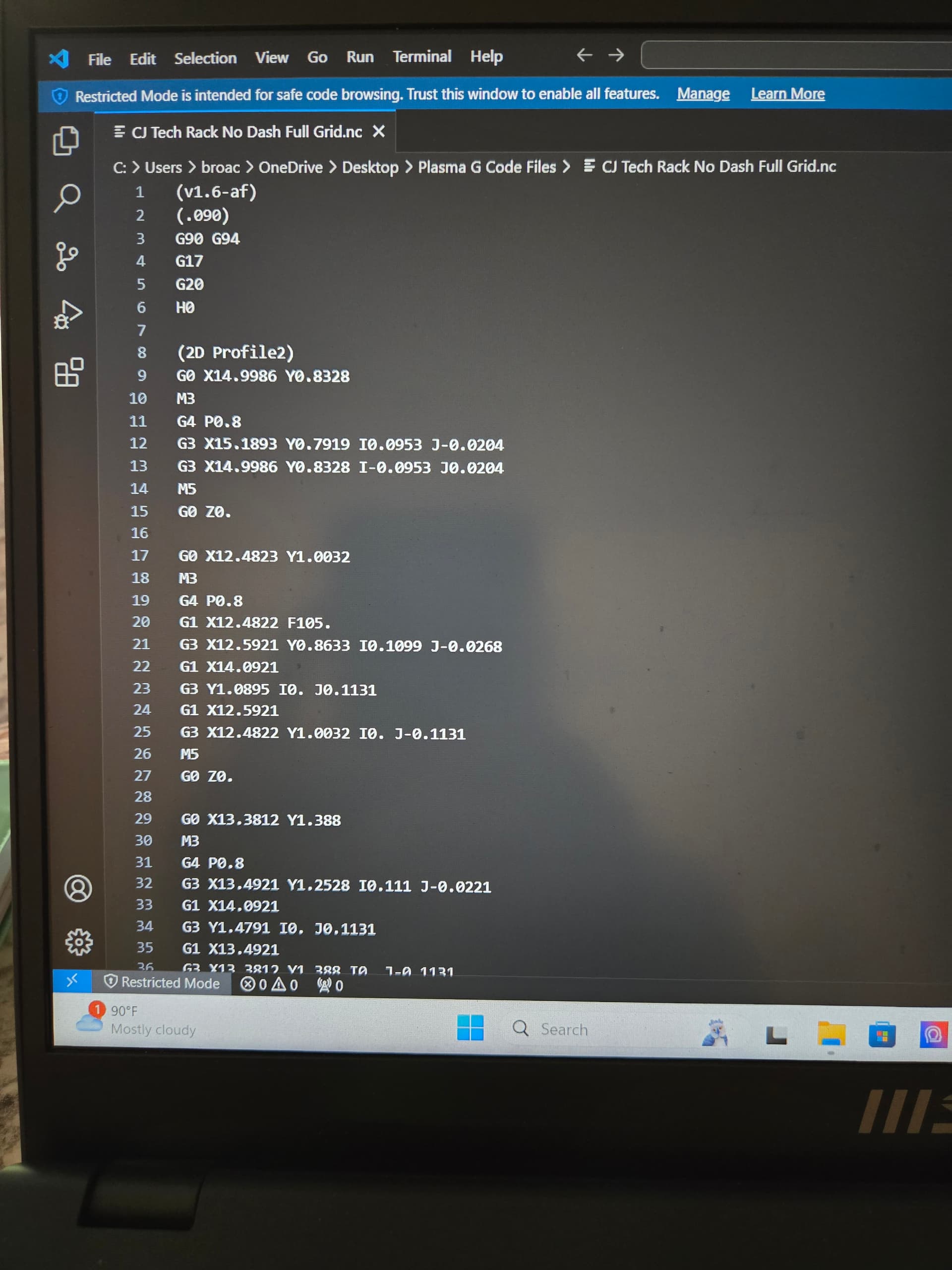
What does the very end of the gcode look like?
It should look something like this:
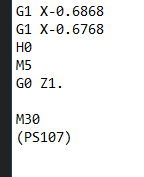
As David was saying, FireControl is looking for that notation in parentheses. In this case “PS107” where the 107 would represent the feed rate.
1 Like
The original code (with the problem) had PS105 so it was seeing the over all feedrate or it was in the code rather.
And when you run the post processor, you are making sure that both IHS and THC and unchecked?
Outside of that I would say, perhaps delete your current post processing file and re-import it. Perhaps it has a problem.
1 Like
Yes sir, most definitely. We will see what i can come up with. Thanks for the help!
You might start a ticket with Langmuir support:
https://www.langmuirsystems.com/support/crossfire
1 Like
Looking at your screenshot of code, it seems very odd that there is no feed rate command until the 2nd profile (Line 20 I believe.) At the very least, line 12 should have a Feed rate (F parameter) at the end of the line.
I also can’t say I’ve seen the comment on line 2, the (.090) in any of my code generated by Fusion. May be setup related, but not sure.
Just for kicks and grins, try this Post.
FireControl-v1.7.cps.txt (18.5 KB)
It’s the one I use daily.
If you try @Simsworx post processor file, don’t forget to delete the “.txt” on the end of that file to use it.
1 Like
Is your cut file a bunch of holes/circles?
I have found this problem to be repeatable.
1 Like