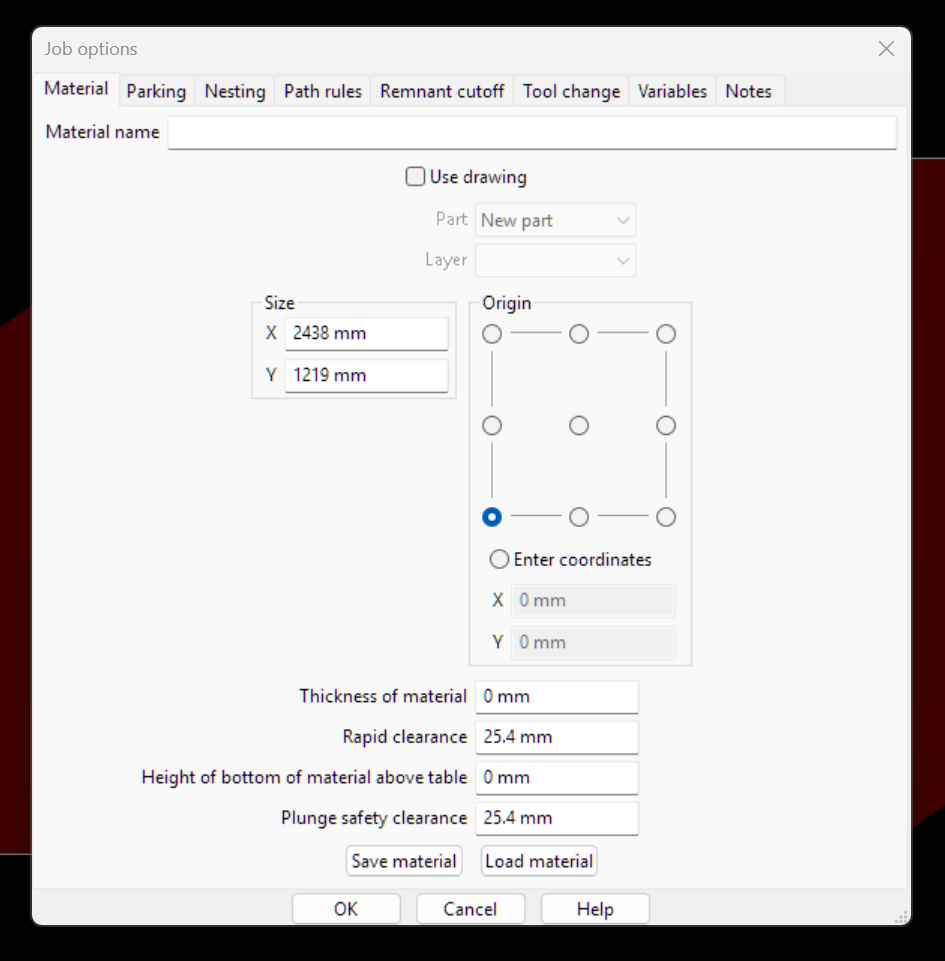
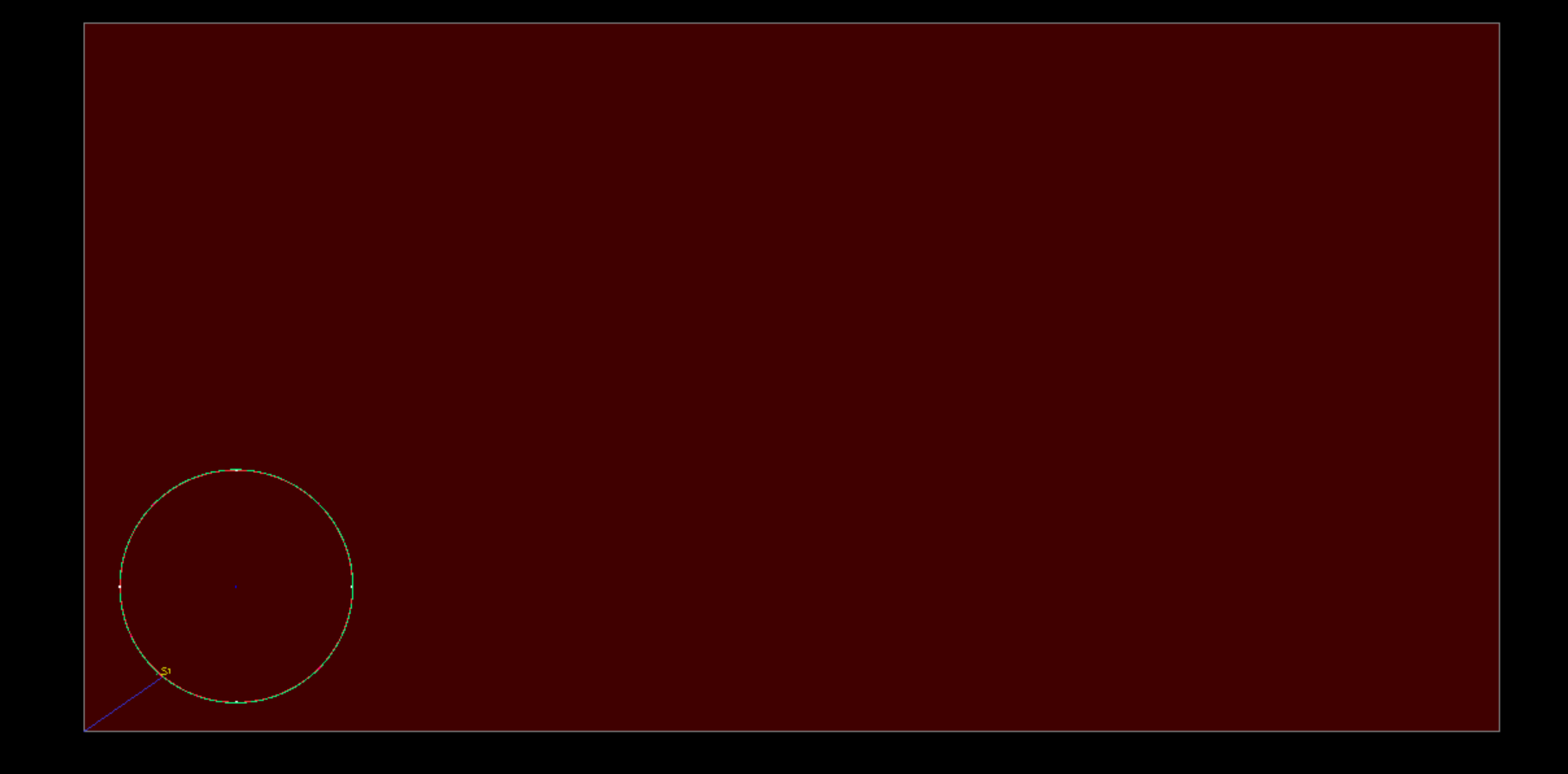
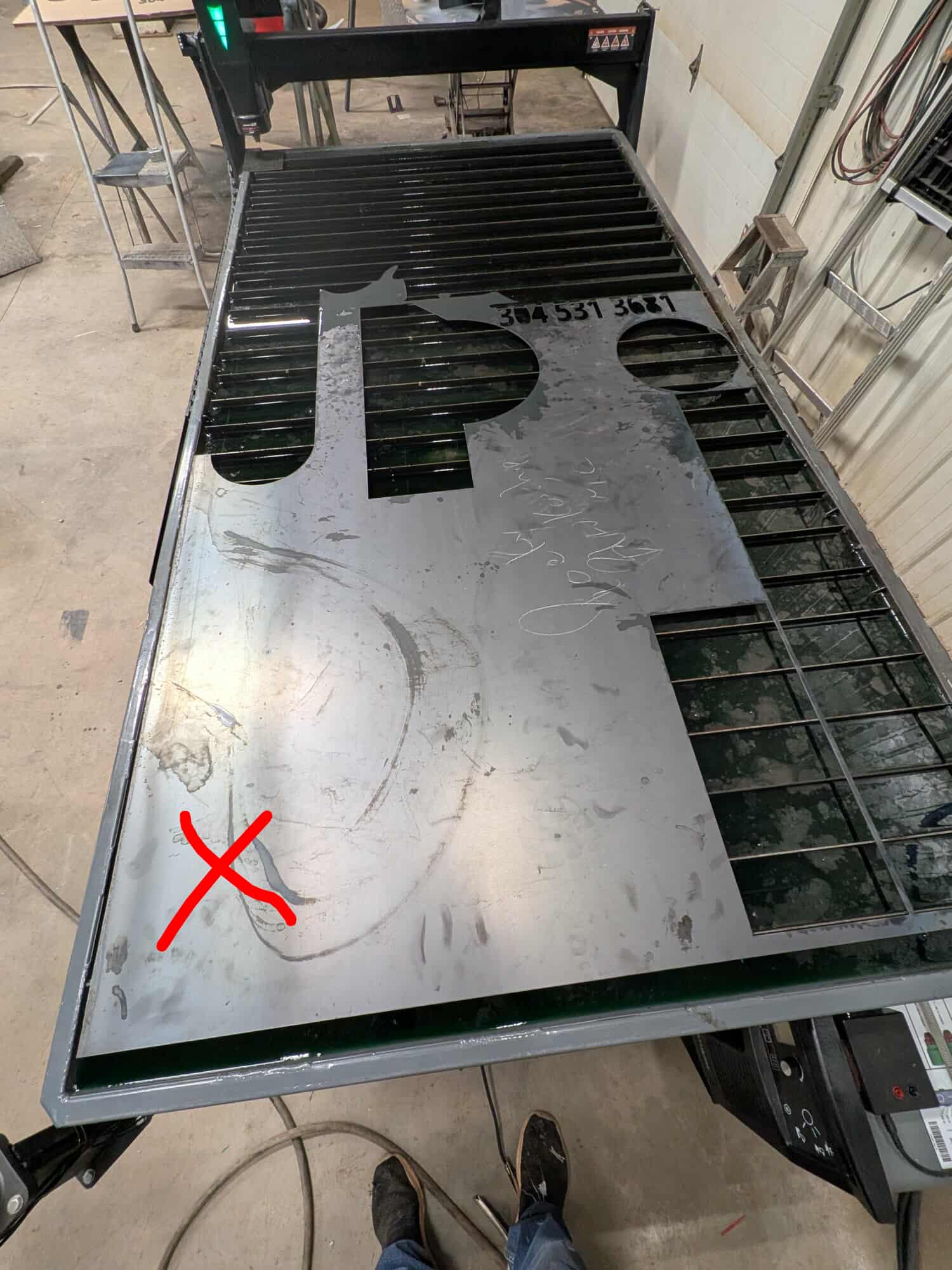
Hi, I am sure there is a way to move the cut to certain position on your sheet. I just not sure how. Example. I like to cut the circle out at the bottom left of my sheet. It is setting midway on the right of the sheet. If posible, can someone please educate me on how to?
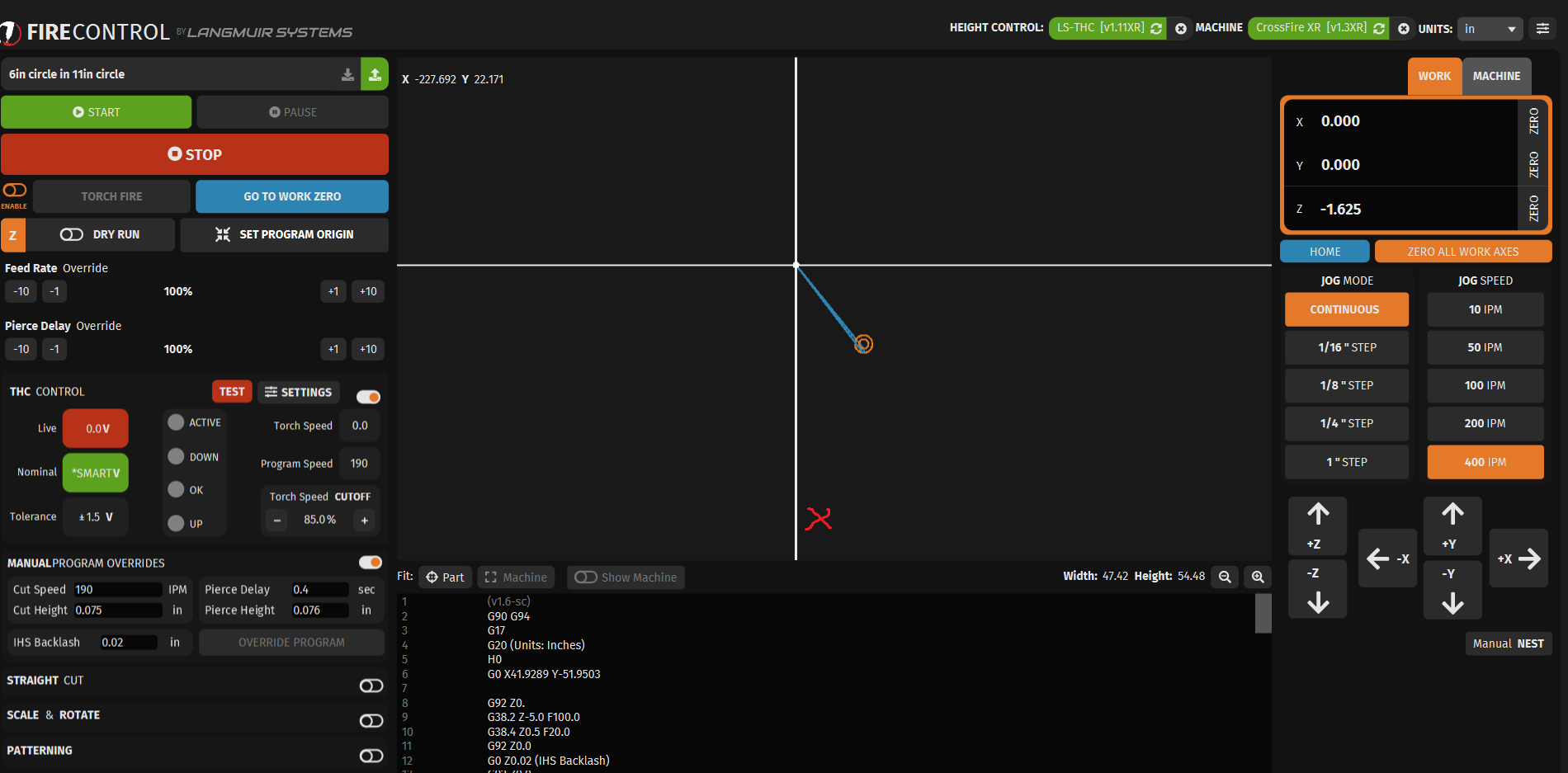
manually move the torch to position and “Zero all axes”
But I think a lot of us have asked over the years for them to put it a way where you could type in the coordinates you wanna move it to but that hasn’t come to fruition yet.
And in your example I’m not sure why your program origin is so far away from the piece being cut?
In fusion this position is called stock box point.
You also have the ability to adjust the origin of your program “set program origin”
1 Like
That was one of the things at the top of my list. I tried it the first time fired up the table and was disappointed it didn’t work. I got over it pretty fast but it would be a nice add.
2 Likes
In this case, it looks like “set program origin” is the only fix without going back to Fusion.
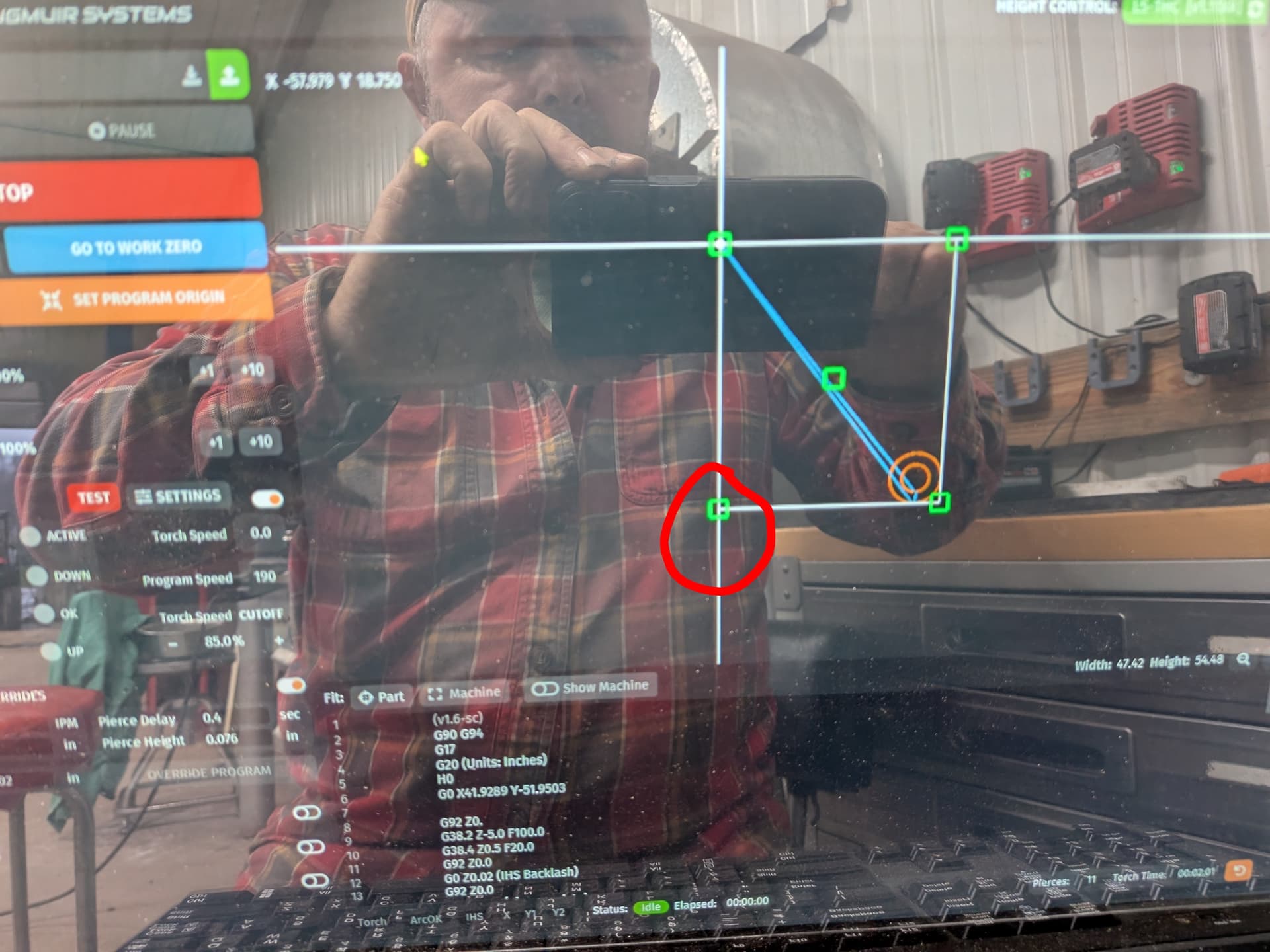
Click on the “set program origin” button and 5 green boxes should appear around your drawing. Click on the box in the lower left and it will make that the origin. Firecontrol does weird stuff when the drawing is a circle, so the origin might not align with the edge of the circle. Just keep that in mind when setting your zero location.
2 Likes
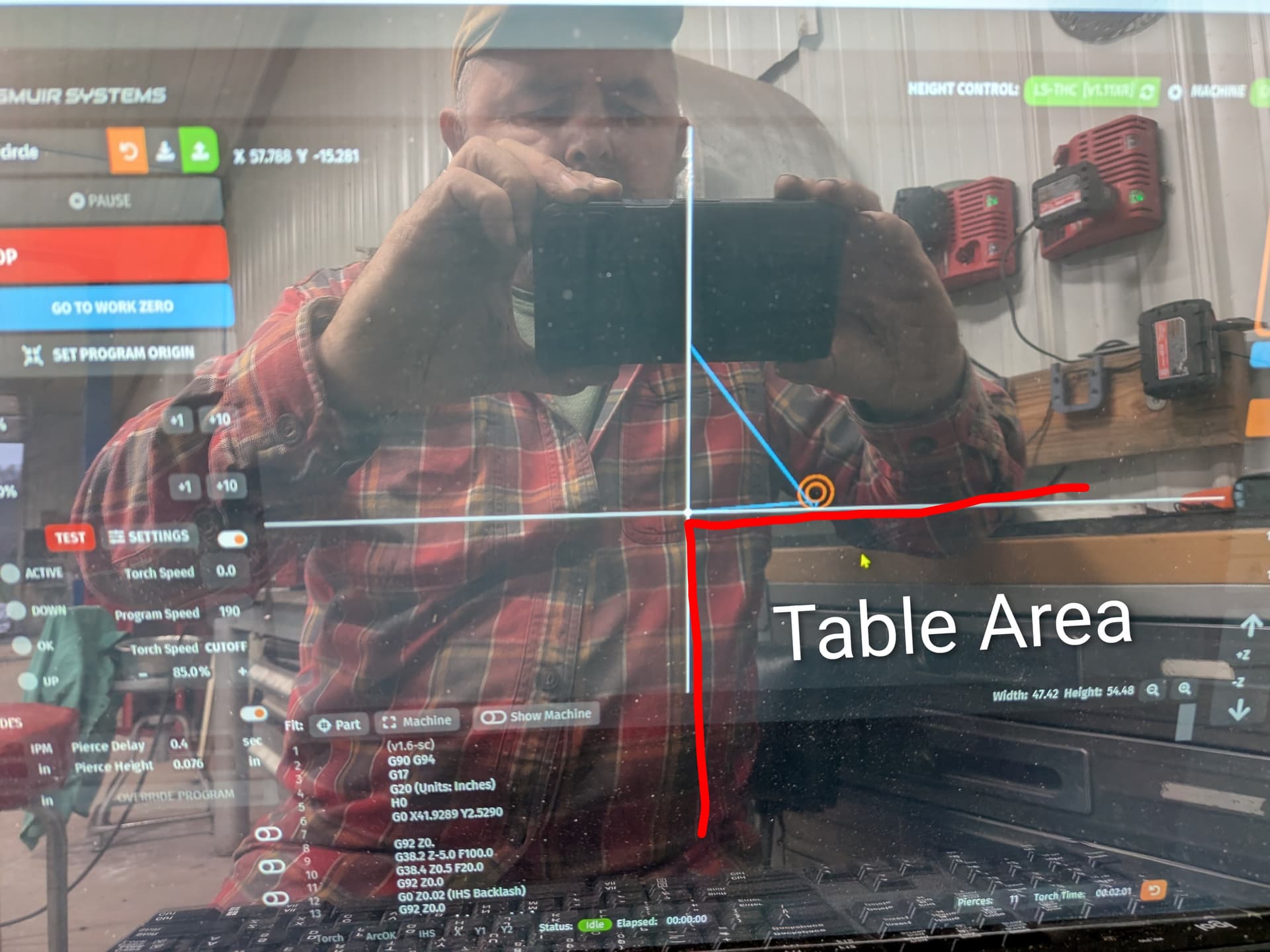
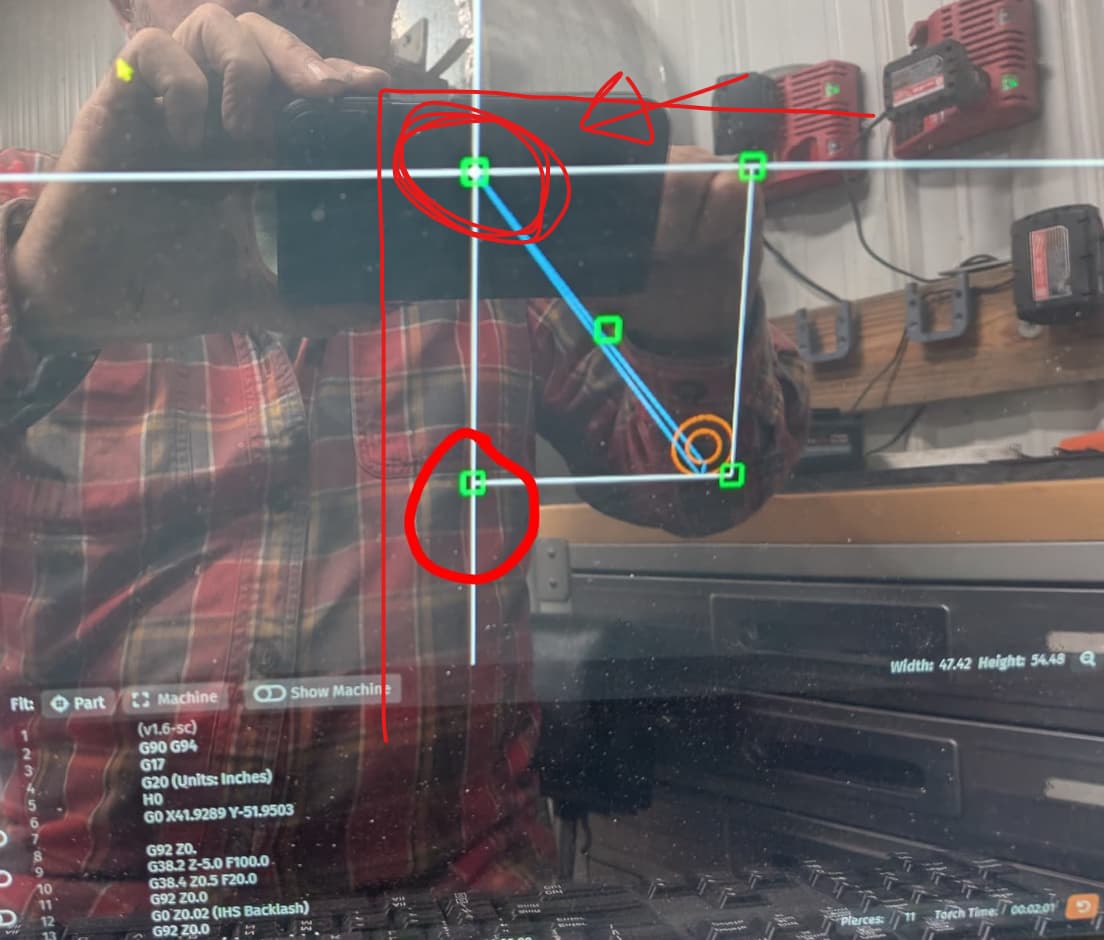
For what you are trying to do, you need to select top left.
Your bounding box shouldn’t be that large either, is there more on that cut than just the circle ? Your circle should be central inside the 5 boxes.
1 Like
That would make more sense. Only the circle is high lighted in the file. Sheetcam.
You select the square to say where your torch is going to start (dont forget to zero all axis at that point) It gives you the option incase you are starting above, below, right or left to the sheet or another part. Its a handy function. Sometimes you have to get creative and zero in a open space, knowing its going to move to good space once it moves to the cut.
In this instance you could cheat. Rotate your part 180 degrees. That will put your cut, top left. Still doesn’t solve why the box is so big. The center box should be the middle of your part.
1 Like
Thanks. Probably something I am doing in Sheetcam. Will play with tomorrow.
Not sure if it matters and I don’t have sheetcam on this computer to check.
Your circle (part) in sheet cam, do you have it in the middle of the red part, or to the corner ? If its randomly in the middle it could explain it. Try moving it to the bottom left and re process.
2 Likes
Did you use the shapes library to create the circle?
If so, you have to input the X and Y coordinates where you want the object in relation to the origin.
In my experience, Sheetcam creates the shape in the center of your work area and you have to define where you want it with the X/Y coordinates.
Sheetcam uses the center of the object to align it with the origin. So, if your circle is 6 inches, setting it at X 3, Y 3 will put it in the lower left corner.
1 Like
Guys, No matter which file I use from Sheetcam. The Green Boxes are very large.
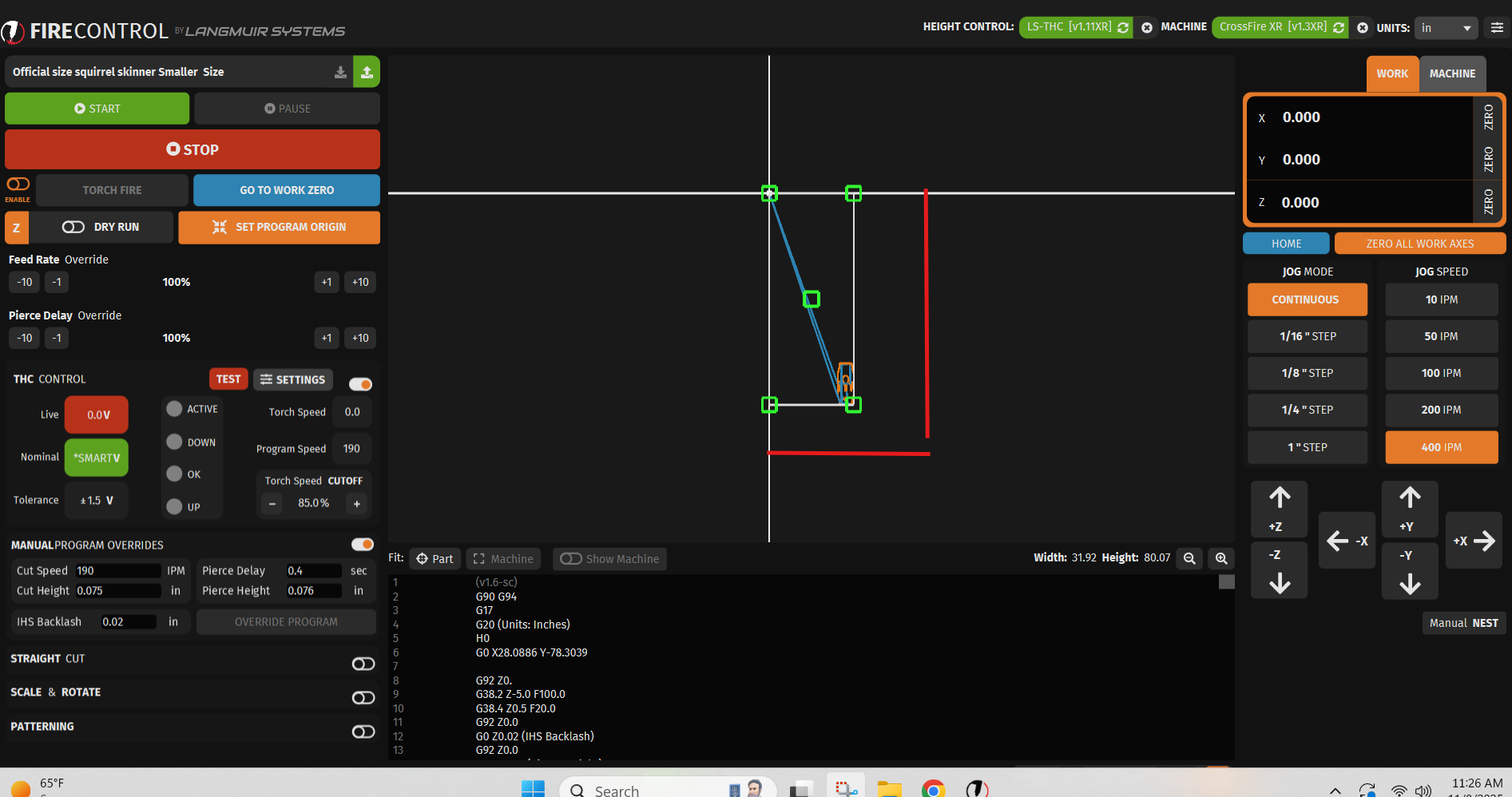
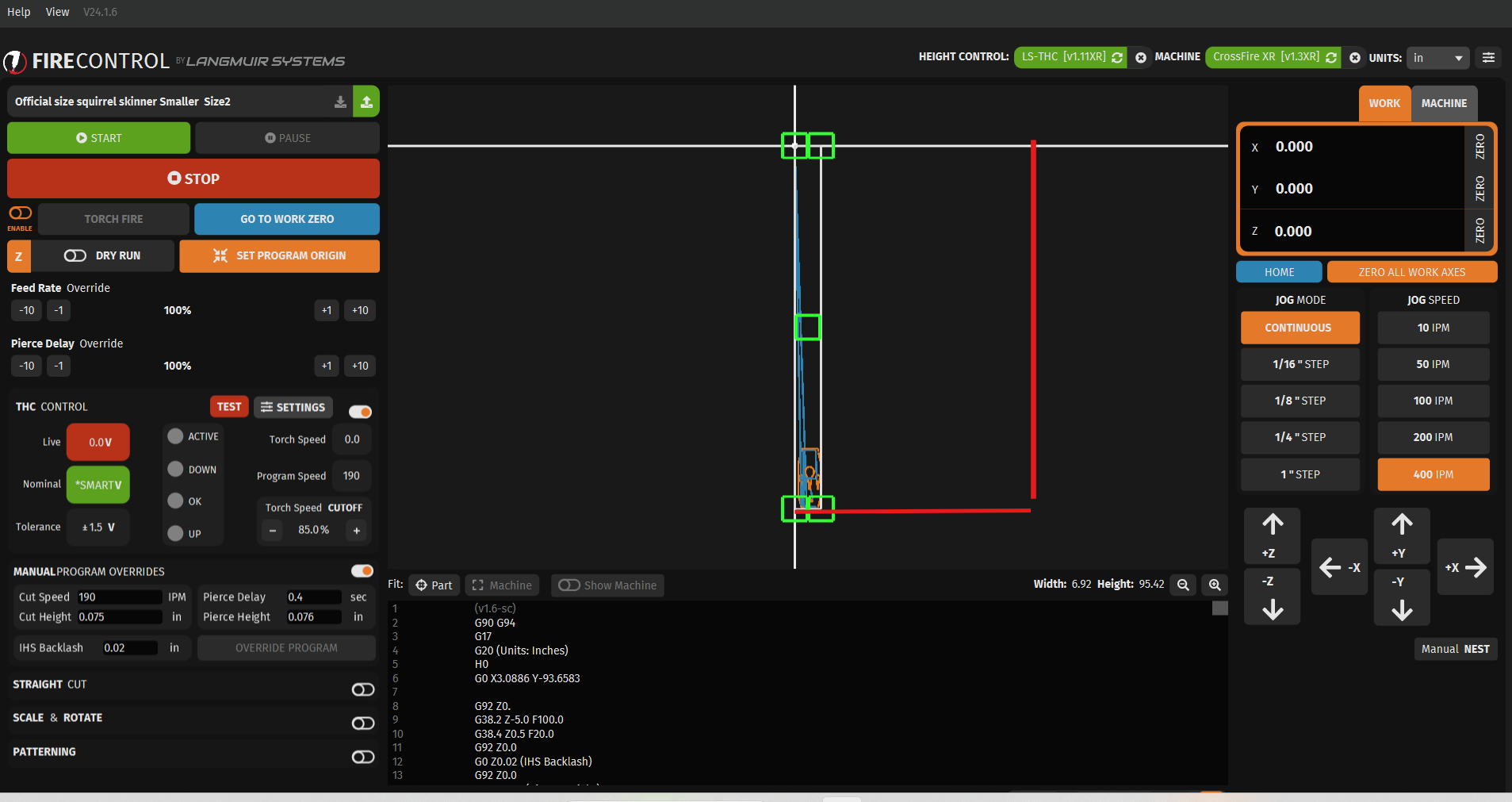
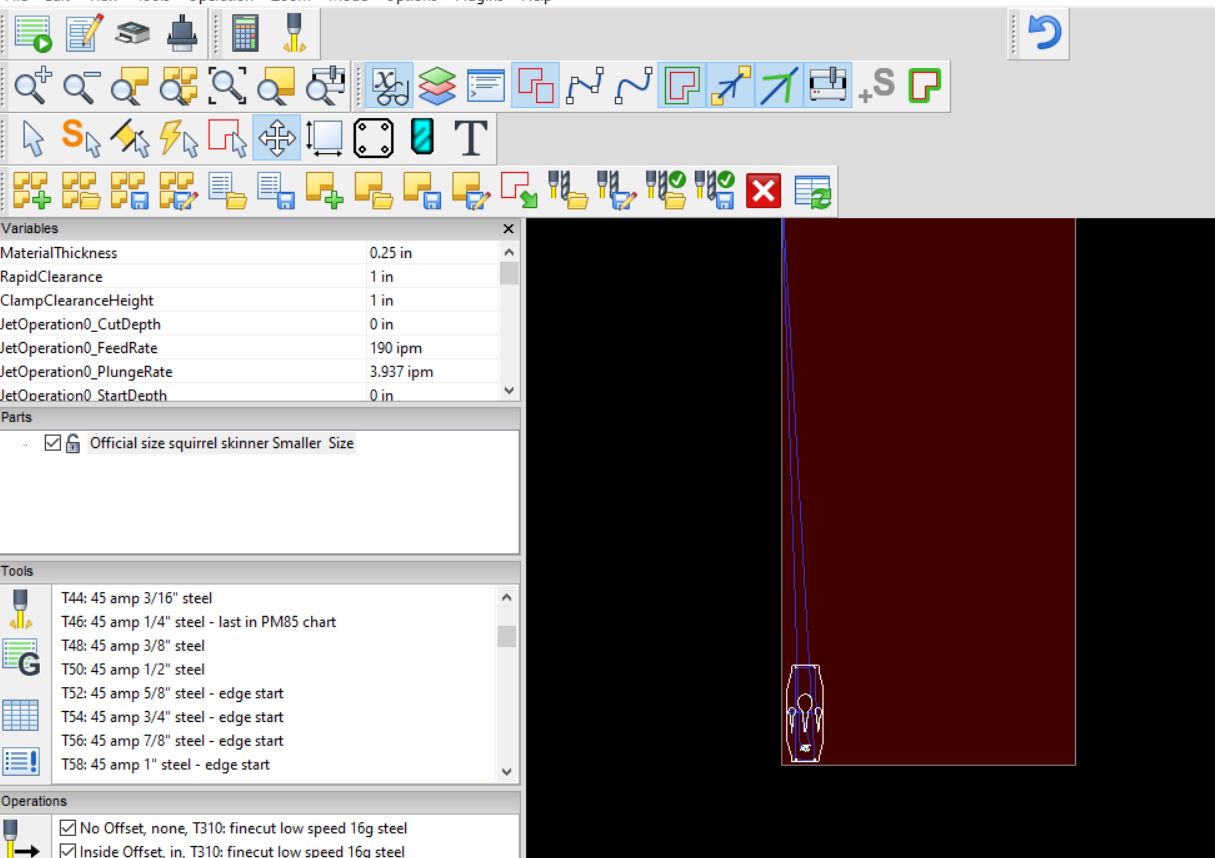
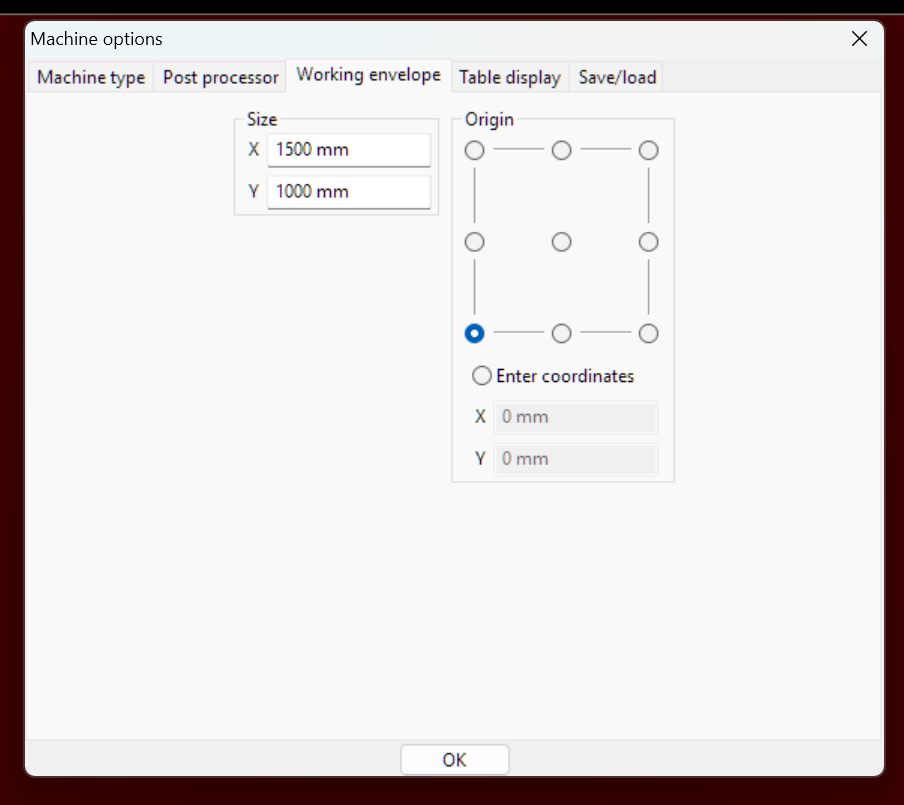
Machine and Job settings are set to 48 x 96 in Sheetcam. Tried a few drawings, same results.
There is something in that file. You can highlight that item in the upper corner and delete it.
Share your file here and someone can take a look.
2 Likes
@sheetcamCS2 can you guys give your customer some direction here.
1 Like
There is definitely something in the upper left corner on your drawing. The .tap files aren’t going to help very much. Post the DXF or SVG file.
1 Like
This is what ncviewer shows in the corner. I can look at your card file in a hour or so if someone else doesn’t do it first.
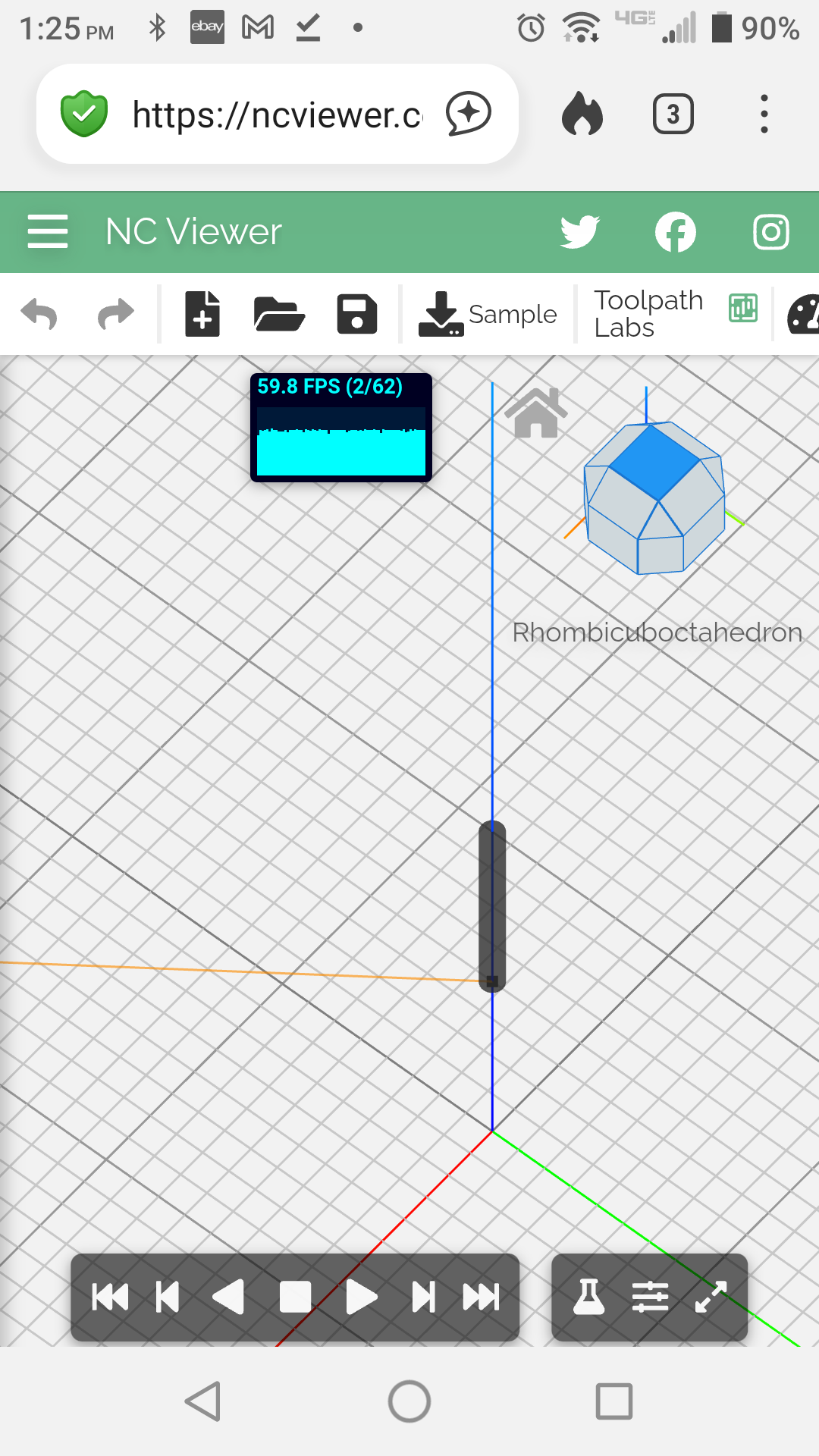
It doesn’t look like there is anything there in the file. The first move is X41, Y-54, so this looks like an origin setup issue in Sheetcam. I guess we would have to see the Sheetcam Job file to see where the issue is.
Edit: It must be an origin issue from whatever program created the drawing, because I can’t find a way to make Sheetcam do something like that.
1 Like
Possibly the new version? I see the newest comes with CAD as well .