So while playing with my CP and trying to perfect my “hole cutting” I seem to have screwed something up.
Here is a video and you can see that it is running the program twice for some strange reason.
The first time it happened I thought it was some sort of anonolmy, however I drew a “new widget” to make some changes and it happened again.
Here is a video of the “dry run”https://rumble.com/v5aavgt-langmuir-crossfire-pro-double-cutting.html
Any ideas of what I am doing wrong?
Did you by chance create 2 cutting operations in the same profile?
Did you save your sheetcam job file? You can screenshot it and we could tell.
2 Likes
Does it happen every single time you run that gcode?
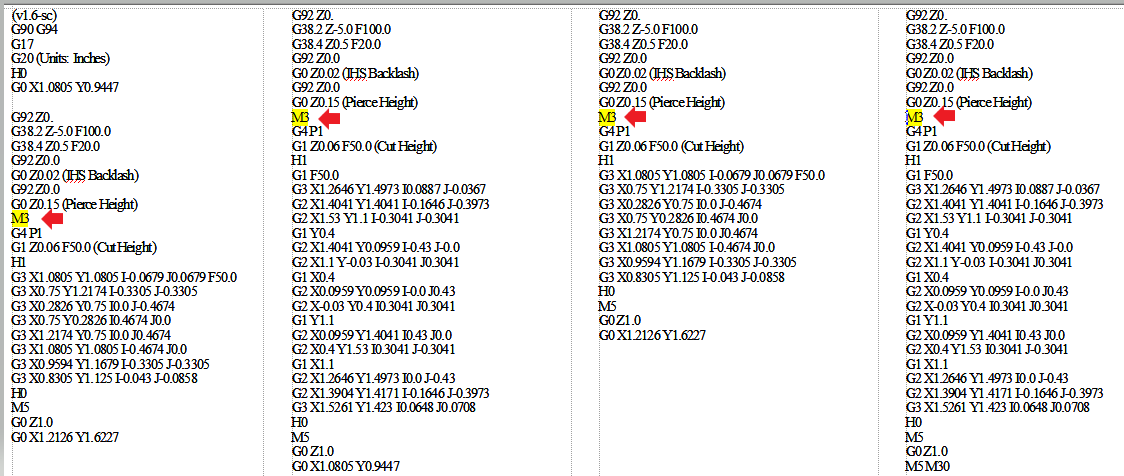
If it does then there is likely four separate times in the gcode where you will find a series of directions and the code M3 (Turn torch ON) will occur a total of 4 times since your widget only has two contours that it is cutting.
Otherwise M3 should only happen two times.
1 Like
I don’t know if I did Phillip. What ever I am doing, I have done it twice in a row so I am clearly screwing something up
I keep 2 different folder. one for “DXF” and one for “sheetcam” files
What do I need to “screen shot”?
Here it is in “live action”
https://rumble.com/v5aazt6-actual-double-cutting.html
When you close sheetcam it will ask if you want to save the job file are you doing that? That saves the operations you set up not the tap file your g codes.
When you open the dxf file are you going to operations and selecting plasma twice?
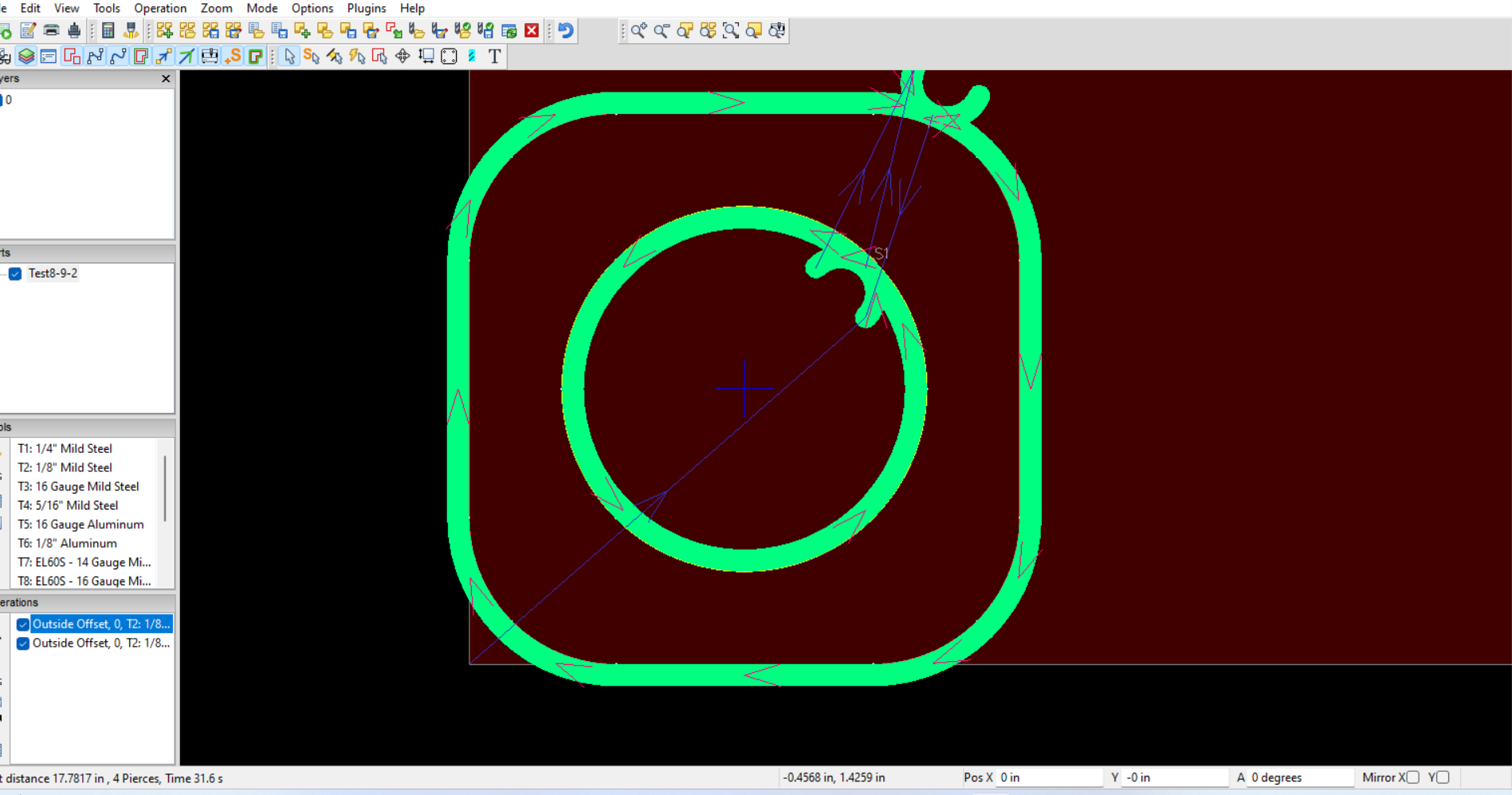
Open that dxf file and create your operation just like you have been doing. Right before you post process screenshot your sheetcam screen .
Are you trying to create a separate operation for the hole and outside profile? Doing that requires different layers.
1 Like
Yes it does Jim.
It happened on another “test widget” that I made earlier today.
So whatever I am doing, I keep doing.
The above video shows it “in live action”
The part comes out great, but its that 'dunking the torch underwater" that has me baffled.
(v1.6-sc)
G92 Z0.
G92 Z0.
G92 Z0.
G92 Z0.
Wow guys thanks for putting up with me. This whole CAD/CAM thing is difficult for me for some reason.
I don’t recall if it has been asking me to “save the job file”
I am not trying to create a 'seperate operation".
This is 'just before I post process" (I think…see Full disclosure)
Full disclosure: When I went to 'screen shot" this I found that I had about 5 Sheetcam windows open, so this one is the one “I Think” is the one that 'double cuts", but I can’t be 100% positive.
1 Like
You need to delete one operation. You have 2 created for the same profile.
Click on one and delete it then repost process.
2 Likes
Phillip got it on the first try!
And you can see in your gcode that M3 appears four times. The machine is just doing what you told it to do. Silly machine!
2 Likes
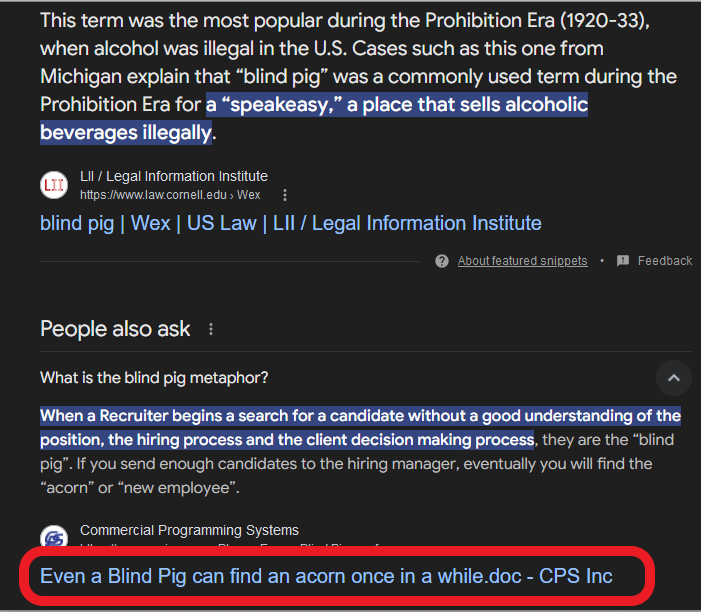
You know what they say about a blind hog right Jim?
2 Likes
You made me smile Phillip, but I don’t know why?!?!
Edit: Found it!
Edit2: You know what? I now feel like I am the “blind hog” in this scenario!
1 Like
We have a saying around here that" even a blind hog will find a acorn every now and then".
Which really doesn’t make sense because a hog can smell better than most dogs …
That meant it was my luck day! I found my acorn.
And Jim says “dumb hillbilly”… I come by it honestly!
2 Likes
I NEVER say that about you Phillip!
I wear the badge with pride!!
You know I am kidding.
Hey Jim look squirrel!!!
1 Like
bcg
August 17, 2024, 3:16pm
15
I’ve always heard it as a blind squirrel, which makes more sense to me.
2 Likes
For both you and Phillip, you get one point each for your question for this answer:
2 Likes
TomWS
August 18, 2024, 2:21am
18
Dang! I haven’t been Snipe hunting in a long long time!
3 Likes


 .
.