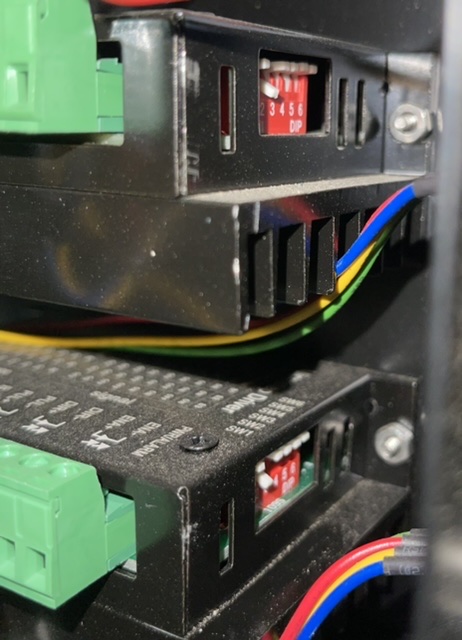
Hello, just got the machine and spent last week assembling it. Took a while but I got it to move today for the first time. The Z and X axis move as expected but the Y axis over shoots the commanded distance by almost double. Ruling out sheetcam because this is all through the FireControl software ONLY. Ive tried flipping the #2 dip switches(which were an issue previously because 1 motor moved faster than the other.) Moved them both to the “slow” setting and both to the “fast” setting and theyre both off when traveling the commanded 1”.
Ive made sure to download the latest FireControl software and updated the firmware of the machine and no change.
The motor driven by Y2 does bind when jogging over 200ipm(if I swap Y1 with Y2, the opposite motor starts binding.) so that might be part of the issue too but ive been jogging the machine at 200ipm and it sounds normal so ive left it alone. I’ve done everything to mitigate that problem but ive given up on it for now.
Spent $7500 on the package deal and this is the 3rd hardware issue I’ve had and I havnt even gotten to cut my first part yet. Kinda sucks tbh.
Any help would be appreciated, thank you.