I have a geforce RTX
We are going to need a bit more of a description of the problem. Not downloading what? Do you mean it’s not displaying the cut path in the visualizer?
1 Like
welcome to the forums…we hope to help…but knowing what your video card is and the title of the thread does not give us anything to help you with.
which table are you using?..Pro…Pro with THC…or the XR?..or even one of the older 2x2 tables?
what software are you using to design and to post process?
1 Like
Pro with THC I have windows 11 and it doesn’t download when I plug in USB which manuel down loads do i need for 7 or 11?
What doesn’t download? The machine doesn’t connect? The THC doesn’t connect? You can’t open a cut file? You have to help us by better explaining the problem.
I dont see a driver when I go to Devise Manager and then to other devises all the instuctions said that it would download automatic can you send me a picture of what it is suppose to look like
the screen is supose to look like i cant open a cut screen
I’m guessing you can’t see a cut path on the screen when you open a file. Does it show any lines of code in the lower window? If that is the case you probably need to use the “compatibility” version of Firecontrol.
Is the crossfire button green in the upper right? Is the THC button green? Those are the 2 things that drivers are needed for. The THC driver doesn’t usually download automatically, even though the instructions say that it will.
no, no where do i find compatibility version
ok i downloaded compatibilty and when i pull up crossfireit still says there are no connections
Now we are getting somewhere. Do you have the USB cable connected from the computer to the table?
1 Like
usb is connected to the laptop, its like there is no signal/communication coming from the panel to the laptop. laptop device manager shows no signs of change when plugging in.
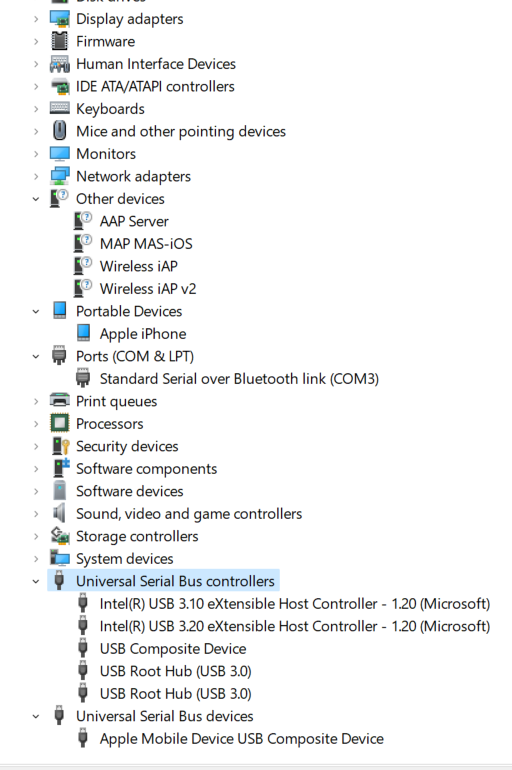
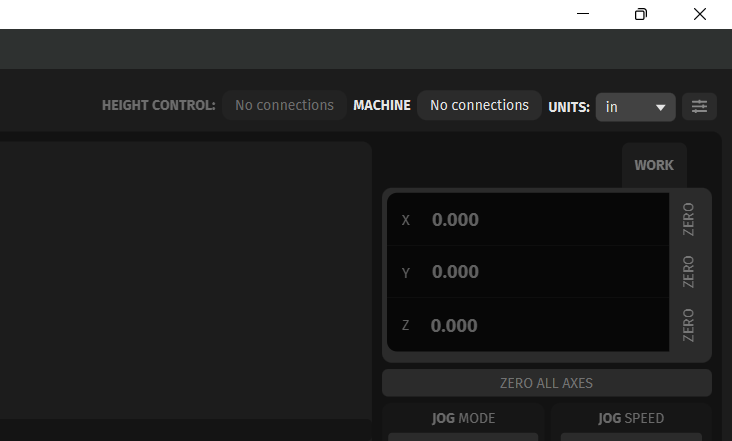
Does the USB port on the machine light up green when you plug in the cable? If not, try another USB port or USB cable.
Scroll down to the Connection Troubleshooting section on this guide. CUT with FireControl | Langmuir Systems
I have tested all ports with 2 cables, and plugged in my phone to each to make sure the USB port is functioning, and all are.
OK. Does the USB port on the table light up green when you plug in the cable. This indicates that the USB is connected and receiving power from the computer.
Very similar to this USB problem.
Power transfer but no data transfer.
1 Like