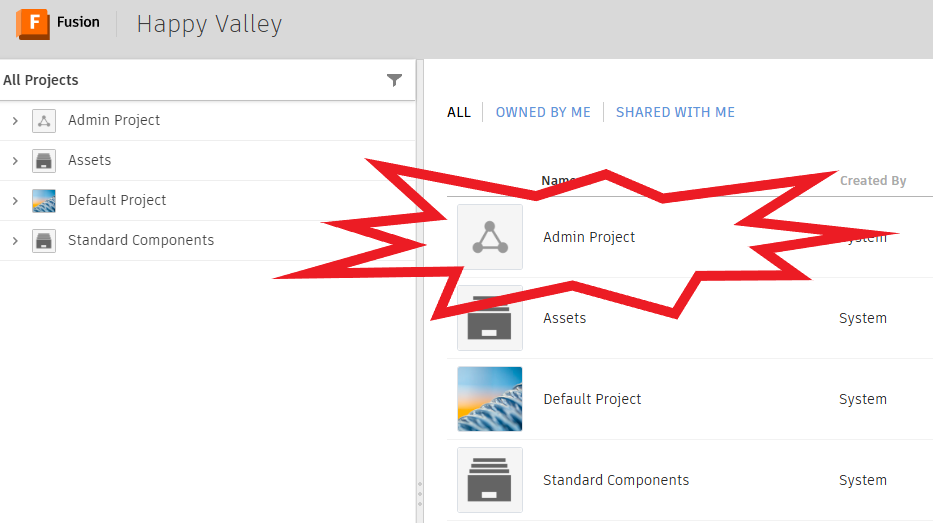
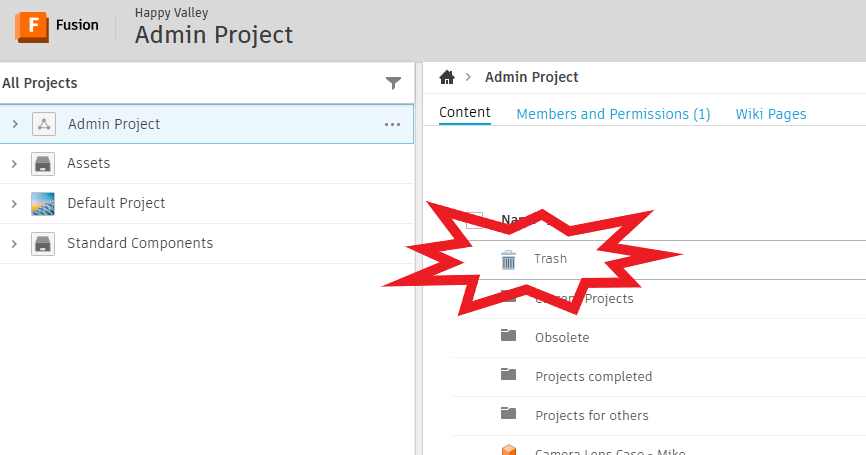
I had the need to ‘restore’ a file the other day from the Fusion “Trash.” I had to get help for the link since it is not readily available from within Fusion. You have to do it on the web.
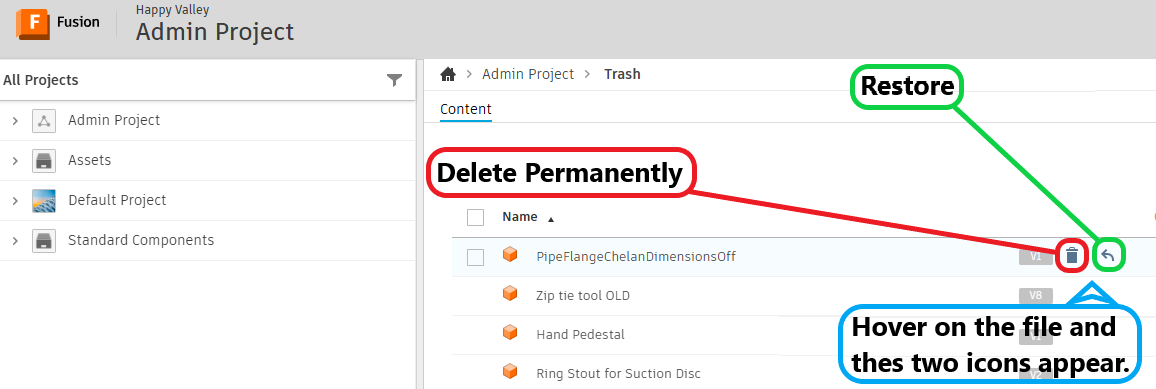
Open the Trash folder and you will see the files that you have moved to the Trash Bin. Now you can choose to permanently delete or to restore the file. Hover over the file you are interested in:
Thanks for the tip Jim. I haven’t accidentally deleted anything or needed to find an old file yet but I am sure I will at some point. Much appreciated.
BTW, I use the “Stay Signed in for 30 Days” option for F360 and I didn’t need to do any authentication to get to the trash bin site even though I didn’t have F360 or Autodesk in use. I know it says “…30 Days”, but I believe it stays active longer than 30 days. I can’t remember the last time I needed to actually log in to F360.
The only problem I have with getting into F360 is it constantly telling me I’m not connected to the internet, even though I have a great fiber optic service from Spectrum.
I’ve run into this same confusion before - it’s such a headache when you accidentally delete a file and then can’t find the ‘Undo’ or ‘Trash’ button in the software. If you’re still looking for it, one thing that helped me was checking if the file actually just moved back to the original local folder on your PC or stayed in the ‘Recents’ tab of the cloud storage if you’re using something like Fusion. Sometimes just ‘cleaning up’ your file path or even searching the exact filename in your system’s main recycle bin helps to see if the software just handed the deletion off to the OS. It’s a bit of a manual hunt, but it usually turns up there.