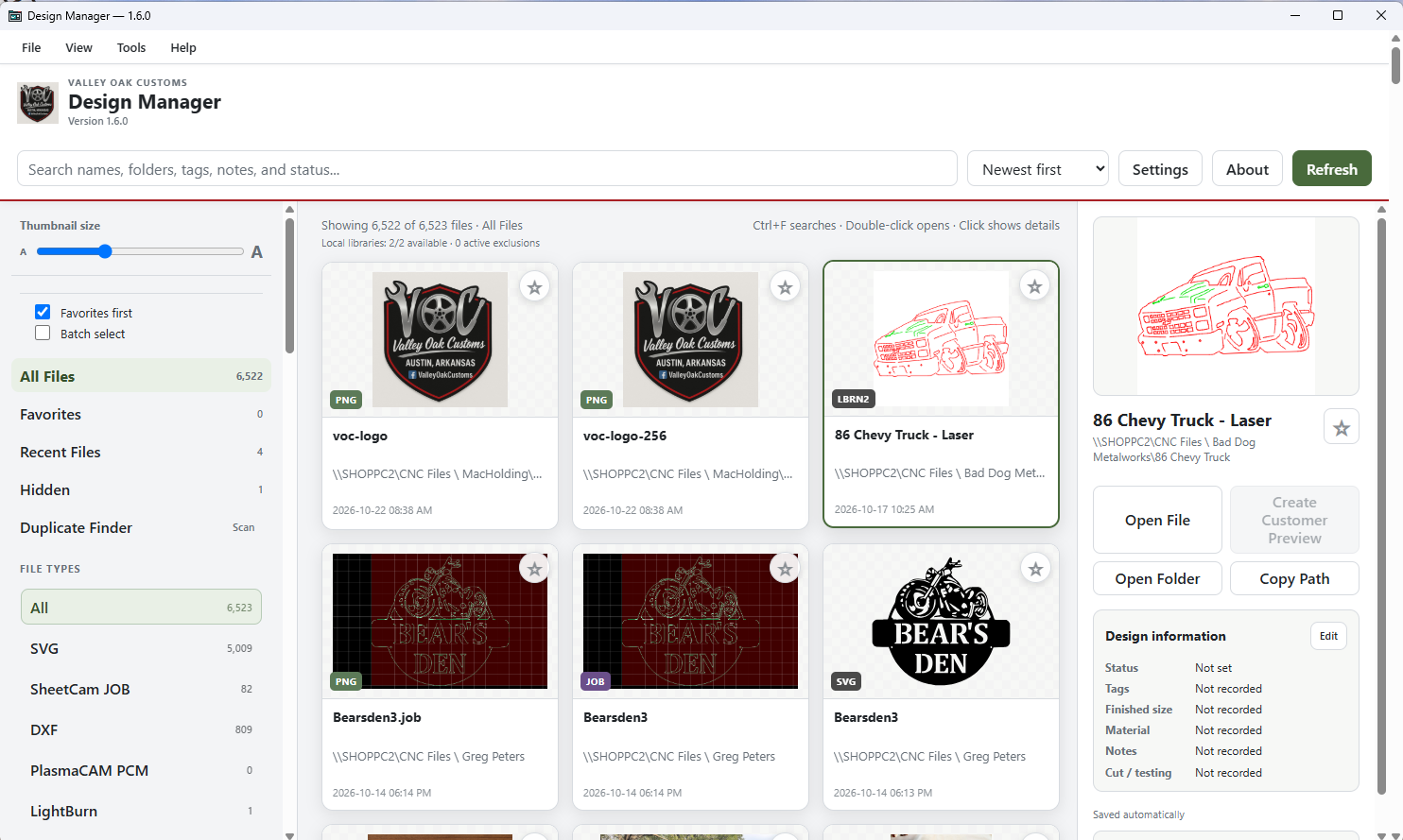
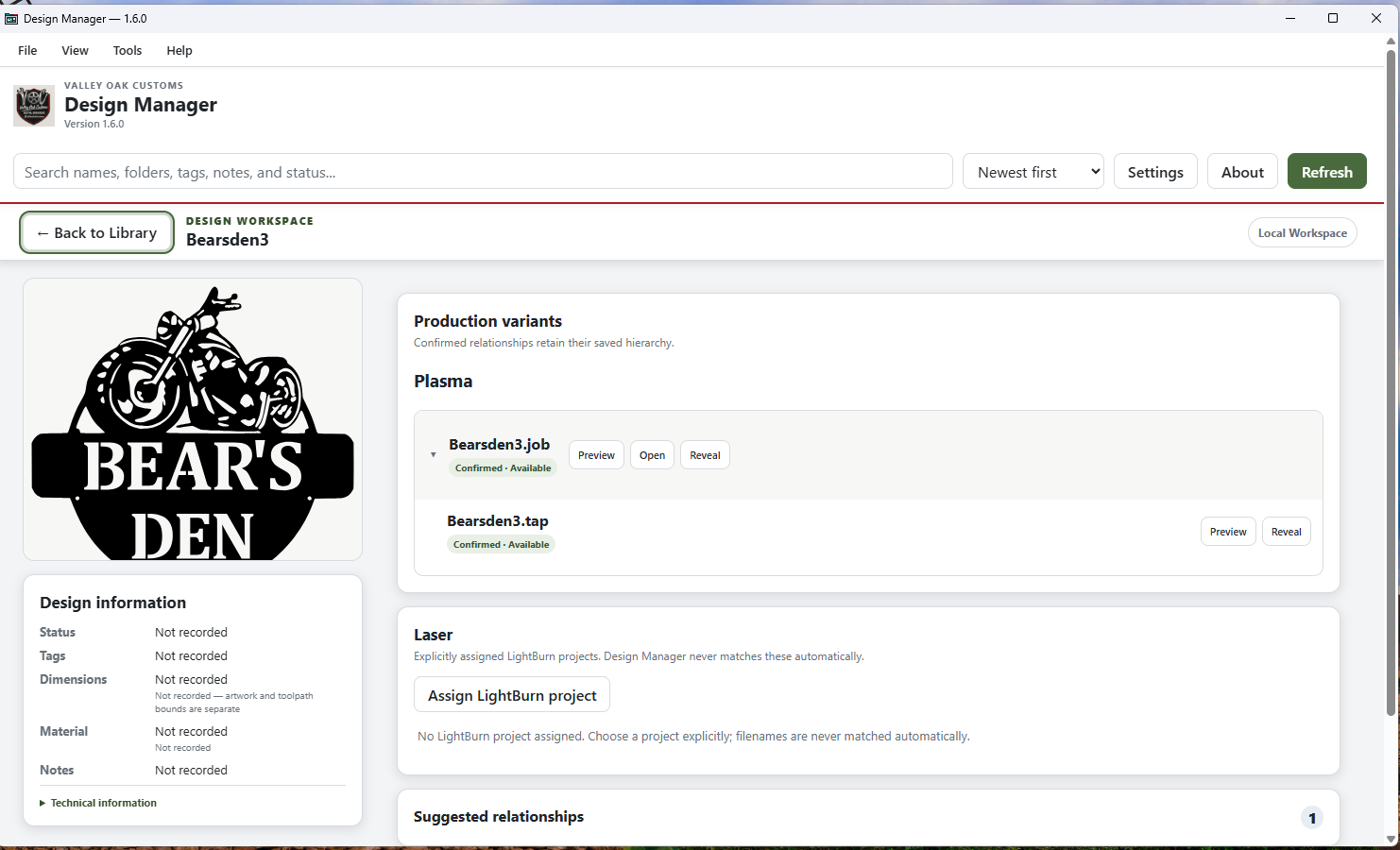
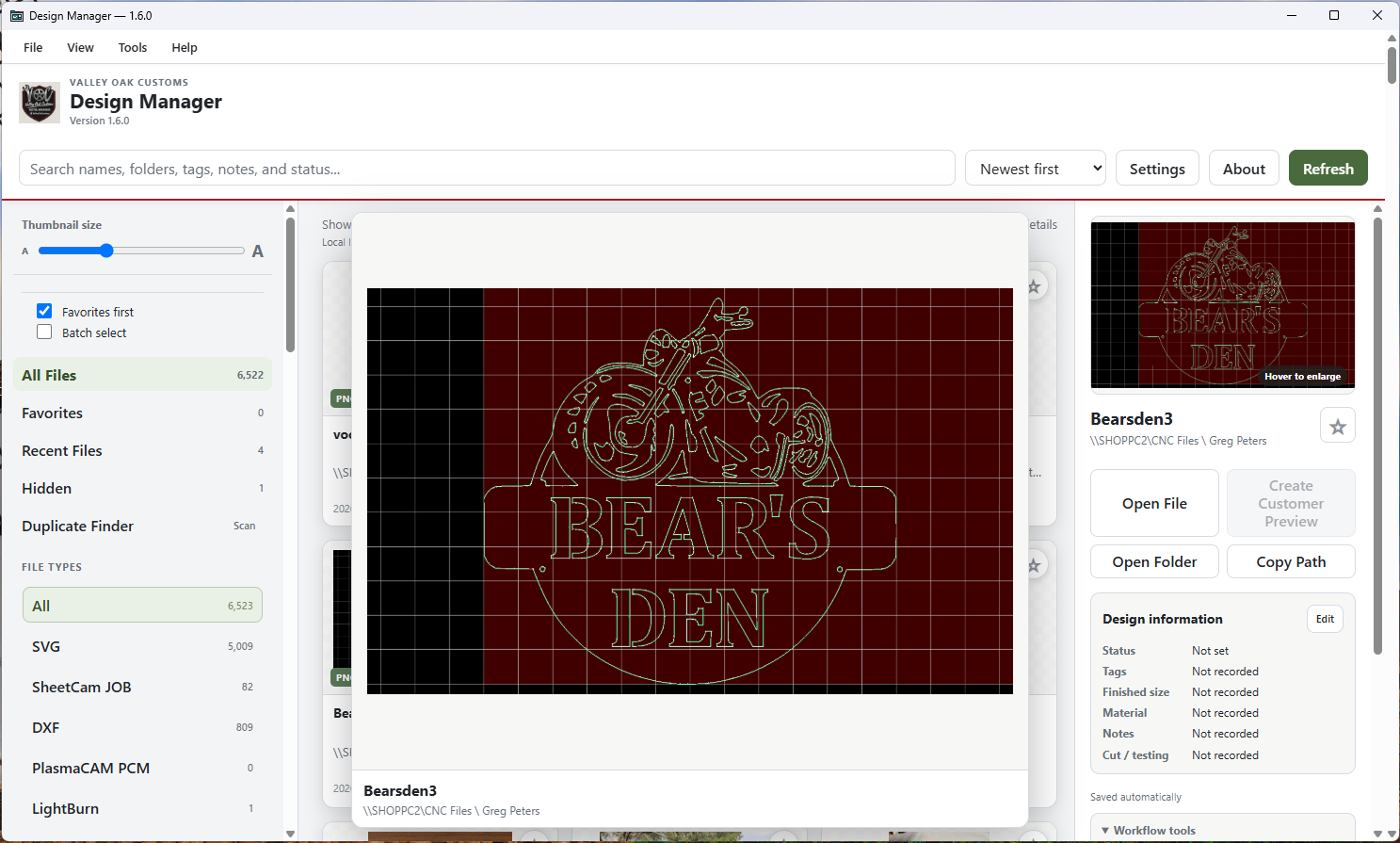
This release keeps building on the Design Workspace and related-file workflow from v1.5, but adds better support for shops that are working with both plasma and laser files.
Some of the bigger additions in v1.6.0:
• PCM read-only previews — supported PCM files can now be previewed directly in Design Manager without modifying the original file.
• LightBurn LBRN2 preview support — Design Manager can now show embedded previews from supported LightBurn project files.
• Plasma and Laser workflow relationships — clearer handling of which files belong to which manufacturing workflow.
• Improved Design Workspace relationships — better visibility into confirmed, available, and related manufacturing files.
• File Activity improvements — clearer information about file changes and relationship activity.
• Better refresh guidance — improved wording and prompts when workflow information may need to be refreshed.
• Automatic verified upgrade backups — Design Manager now creates and verifies a backup before an upgrade is applied.
• Additional UI and usability cleanup — including scrolling, menus, and general workflow improvements.
The goal is still the same: help manage a growing CNC file library without forcing you to reorganize your folders around the software.
Design Manager still works with your existing file structure and does not move or reorganize your CNC files behind your back.
Existing 1.x licenses continue to work with v1.6.0.
I’ve attached a few screenshots showing the new preview and workflow features.
If anyone here is using both plasma and laser, I’d especially be interested in hearing how you currently keep those files organized and whether this kind of workflow separation would be useful in your shop.
Download it here Valley Oak Design Manager | CNC Software by Valley Oak Customs