I have read many posts about this that all seem to be from 2020-2024 so I’m going to give a shot asking this again.
Running the latest Fusion version, and the Langmuir provided post processor, is there a simple or robust method for piercing the center of a small diameter hole to then drill out?
I can’t seem to get anything under 0.25” to not have divots or oval-ing on the cut. The two common hole sizes I’m looking to cut are 0.25” (for a bolt hole) and 0.159” (to tap for 10-32 machine threads).
I’m working with 0.125 (1/8”) steel. I’m running the RazorWeld 45 set at 45A and the CrossFire Pro machine.
The best results I’ve gotten are by doing the following:
Apply a hole diameter of 0.150” in the design.
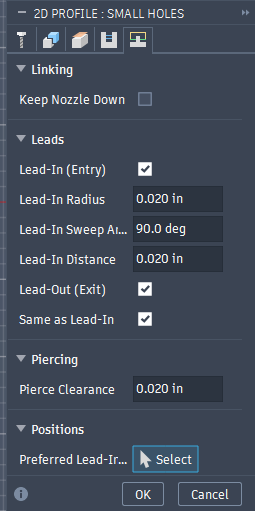
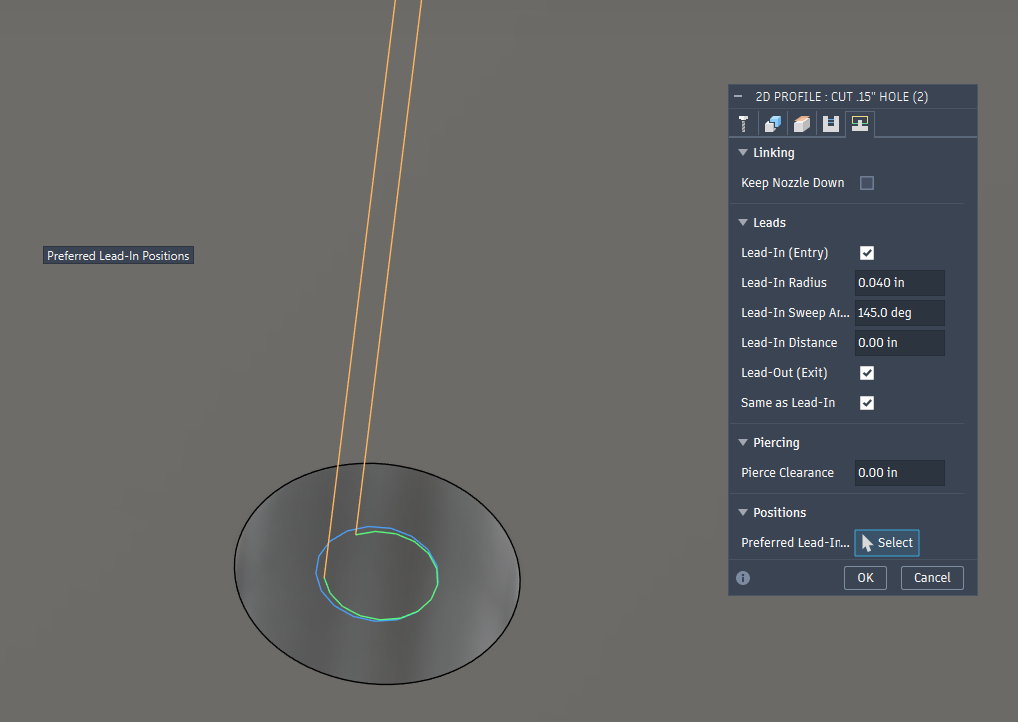
Set a Lead-In Entry of 0.020” at 90 degrees with a distance of 0.020.”
Set Pierce Clearance to 0.020.
100 IPM cut speed.
This allows me to drill out for a #10 thread hole using a 0.159” bit, but sometimes it is still too large of a hole. I would love to easily tell Fusion to just pierce the center of a hole, or a point that I put in the design. What are the best and latest workarounds for this?
Any help with this would be much appreciated. Thank you.
If you cut the holes out in a separate operation. Pick the center and then turn off the lead-in and lead-out boxes. I cut .150 holes on occasion. Here is the issue. The plasma arc will case harden the steel around the holes. They will eat the best drill bit up like butter.
After the holes are cut, your next operation will start with the outside edge.
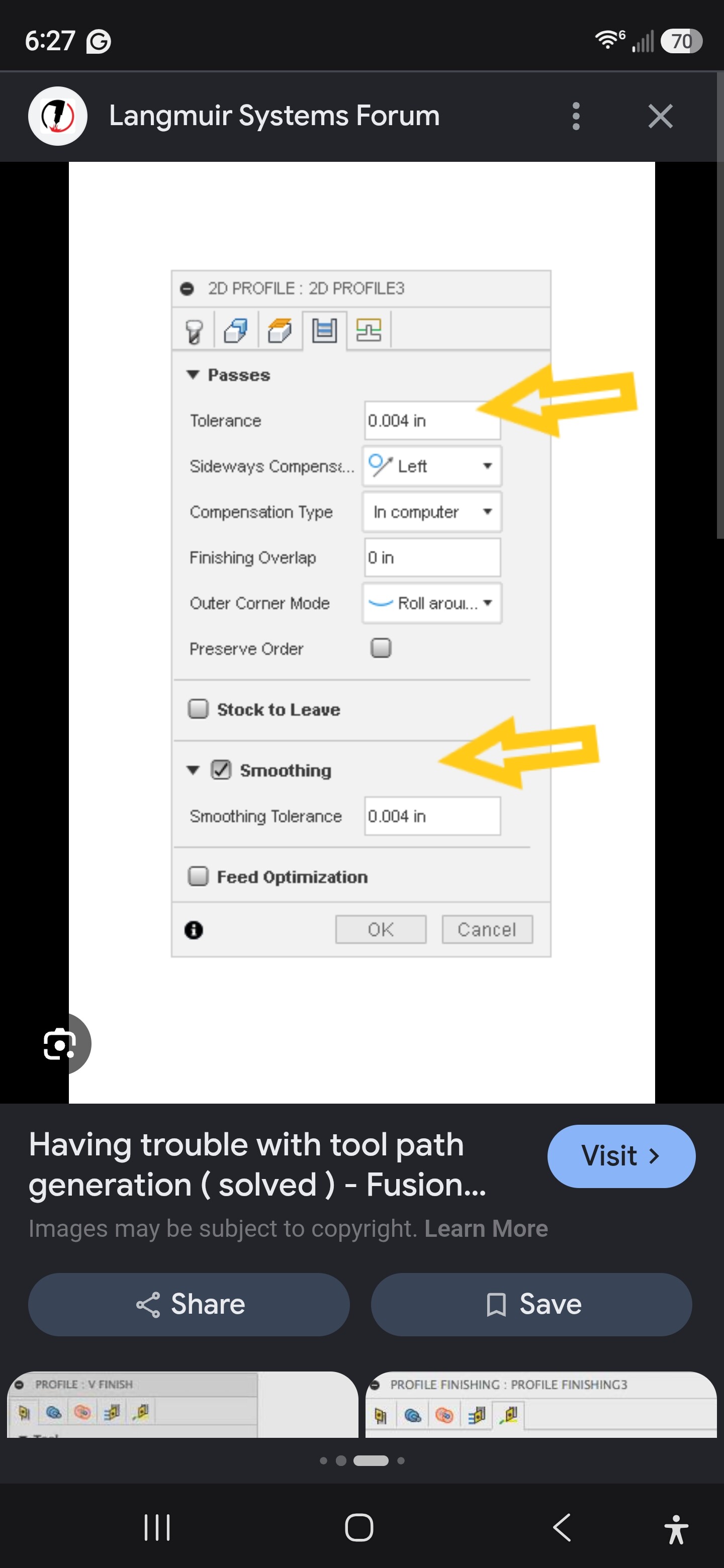
See the sideways compensation. Change it to CENTER. Just for the hole operation. Disregard the arrows. It’s the only picture I had on my phone.
Watch this video. It has nothing to do with holes but it explains the multiple operations scenario.
It will explain the using the center compensation tool.
IMO, piercing is a mistake. A short blast at the center point (at normal Pierce Height) makes a nice center punch divot that you can then drill a ROUND hole to the correct dimension. There was some discussion on how to do this with Fusion but I didn’t pay attention since I use SheetCam, where it’s trivial to do this.
@manoweb did up a post processor that will mark the center of holes.
Tip, turn down your amperage to about 15, do not connect your work clamp, just let it lie on the floor, or hanging from anything that will keep it from touching the table, shorten the pierce time to .59, lower the pierce height to .06.
Your center mark will be slightly larger diameter than the kerf from cutting.
If you need to have absolute precision on the hole placement, like +/- .001, and have a good reference point from your work piece, skip marking your holes and start laying out all the hole positions with what ever metrology tooling you have.
Yeah, I forgot about this. Good point. I would always use the work clamp on the workpiece, but my set up uses the Mach3 controller so I have precise control of the Pierce timing. I think I use 125 mS, but I’m not totally certain of that and would have to check later.
I would be thrilled to know how to perform this operation with Fusion, if anyone has a workaround. I’m willing to move to sheetcam if they make this operation easy.
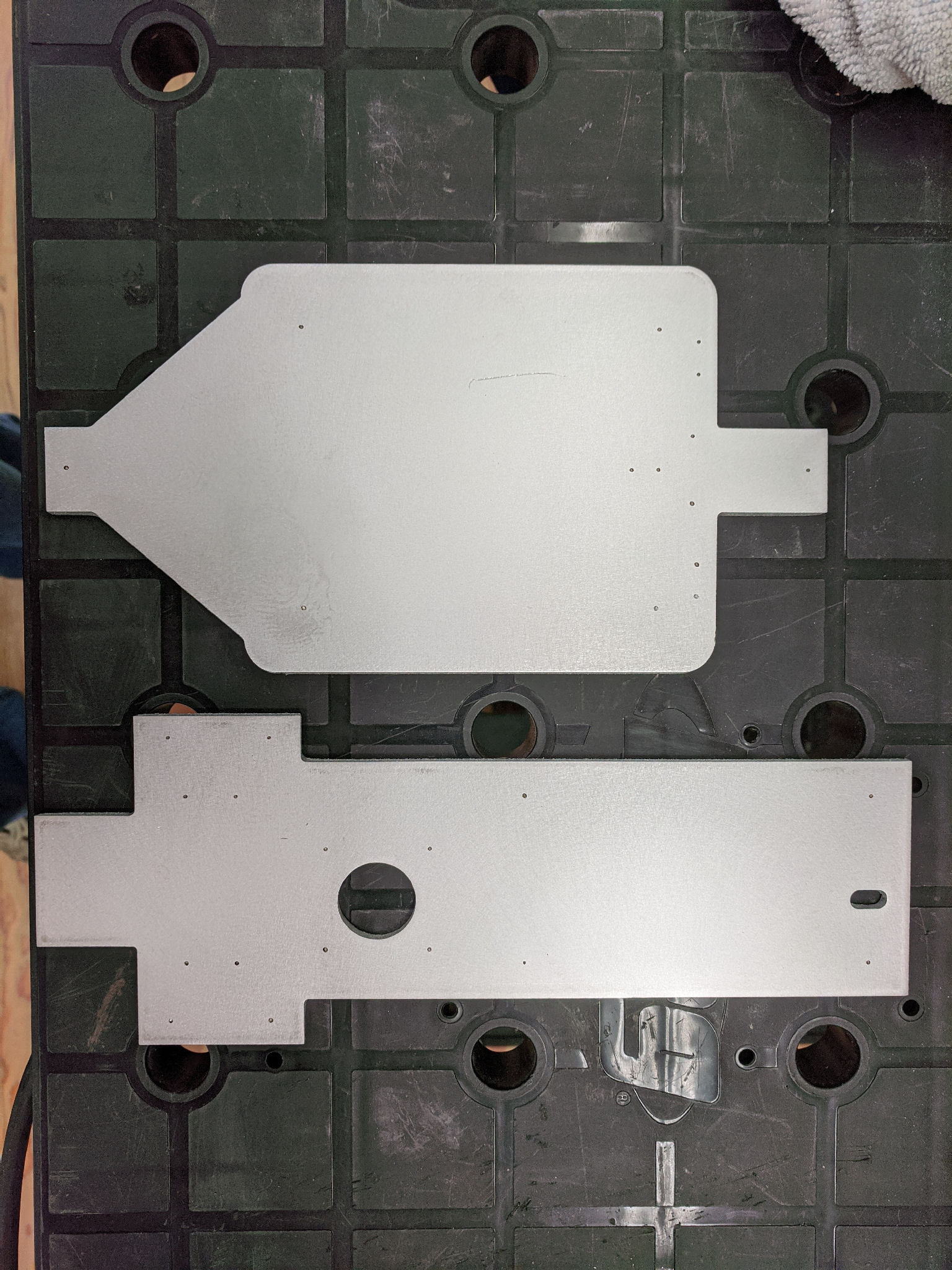
For example, the two holes on the top right of the top plate were then drilled and tapped for M2 screws to mount a limit switch where the holes HAD to be 9.0mm apart. No problem.
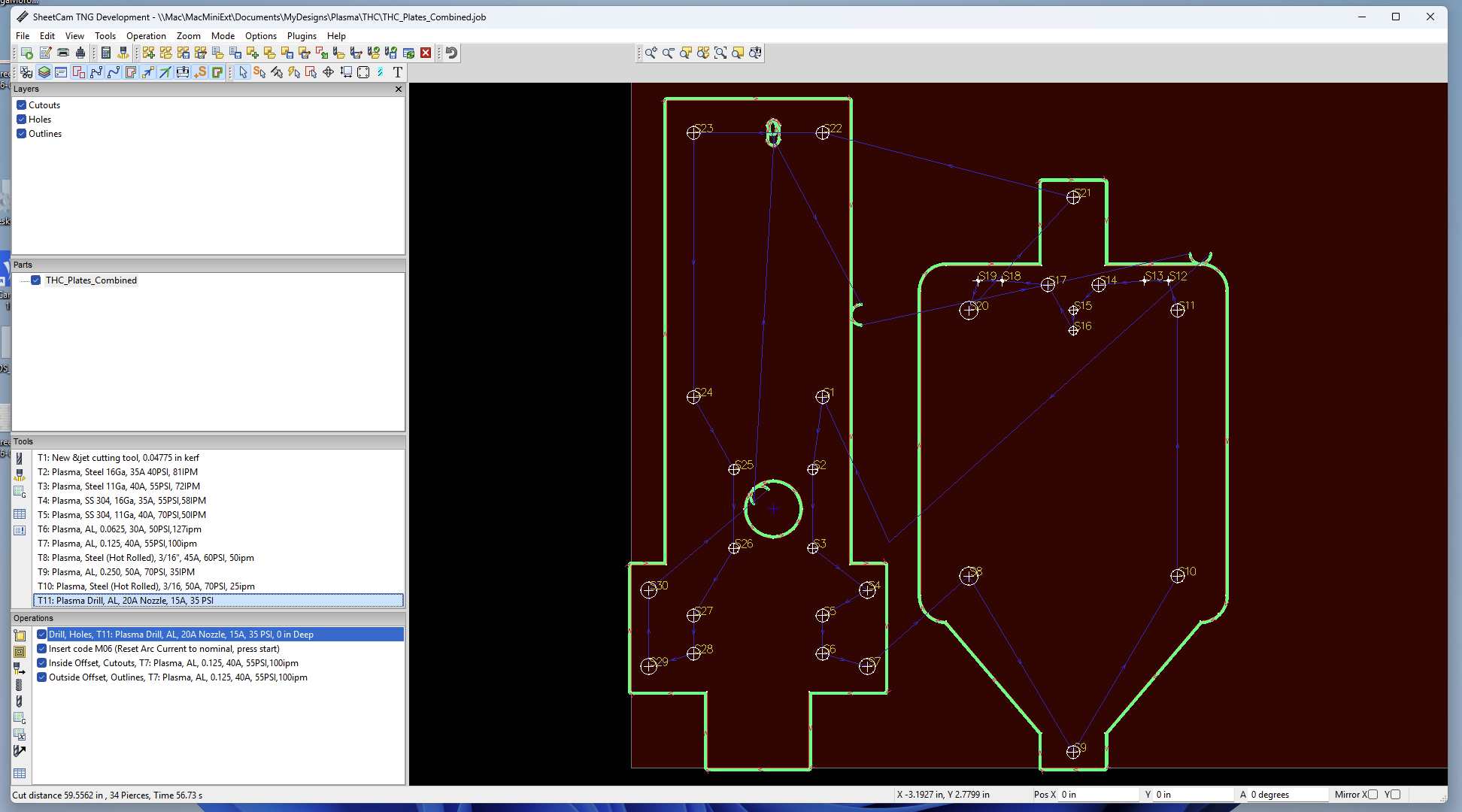
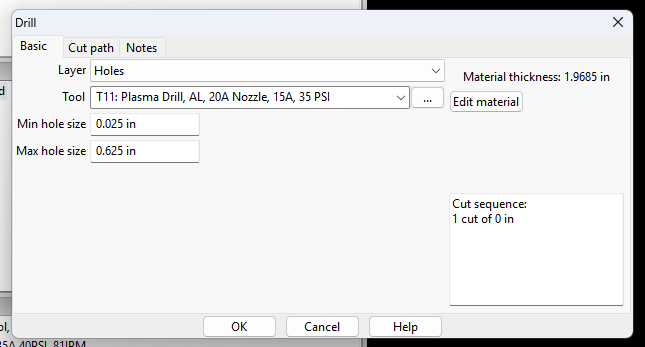
So you actually do a jet tool operation? What diameter hole do you use in cad? Seems like I can remember a conversation where someone use the drill operation as well.
This looks friendlier for plasma CNC compared to Fusion. I’m assuming SheetCam is specific to 2D cutting operations? I may switch and give it a try, I like that result you have.
So you can see in this job, I ‘drill’ all the relevant holes, insert a ‘pause’ so I can change the Plasma Cutter Cut Current, and then it goes and cuts all the pieces out of the stock.
Yeah, I’m gonna get SheetCam going and use this method, this is exactly the operation I’m looking for. After further testing I just can’t get a circular hole that I’m comfortable with. Thank you very much for helping out.
Check with others who use Firecontrol and SheetCam whether this operation works the same. The PostProcessor needs to put the right code in your GCode file and FireControl needs to respond correctly to those commands.
You can get a trial period with SheetCam so you might be able to check with that…
Hi @TomWS, is there something in the Langmuir post processor code that needs to be changed to allow the torch to fire on a drill operation?
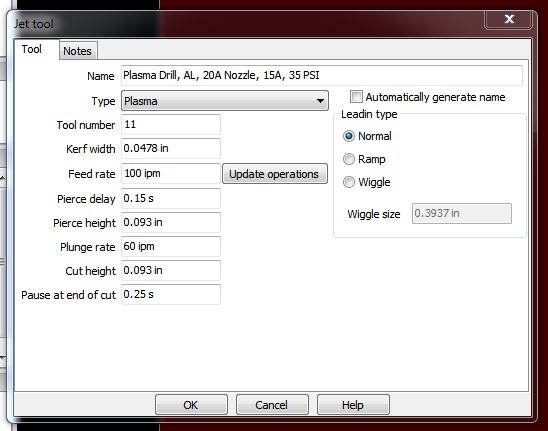
I have a tool made in SheetCAM and set the drill operation to work on the hole sizes we’re looking to mark. It compiles the code fine, and dry runs in FireControl fine.
However, the torch does not turn on during the drill portion of the operation. It does turn on and works as expected during the outside edge operation. Any suggestions?