yepp I am now past that step and into the setup portion of the CAM process. In the setup menu on the side you have to select your tool but it is not in there when you go to select?
Do I have to add it again?
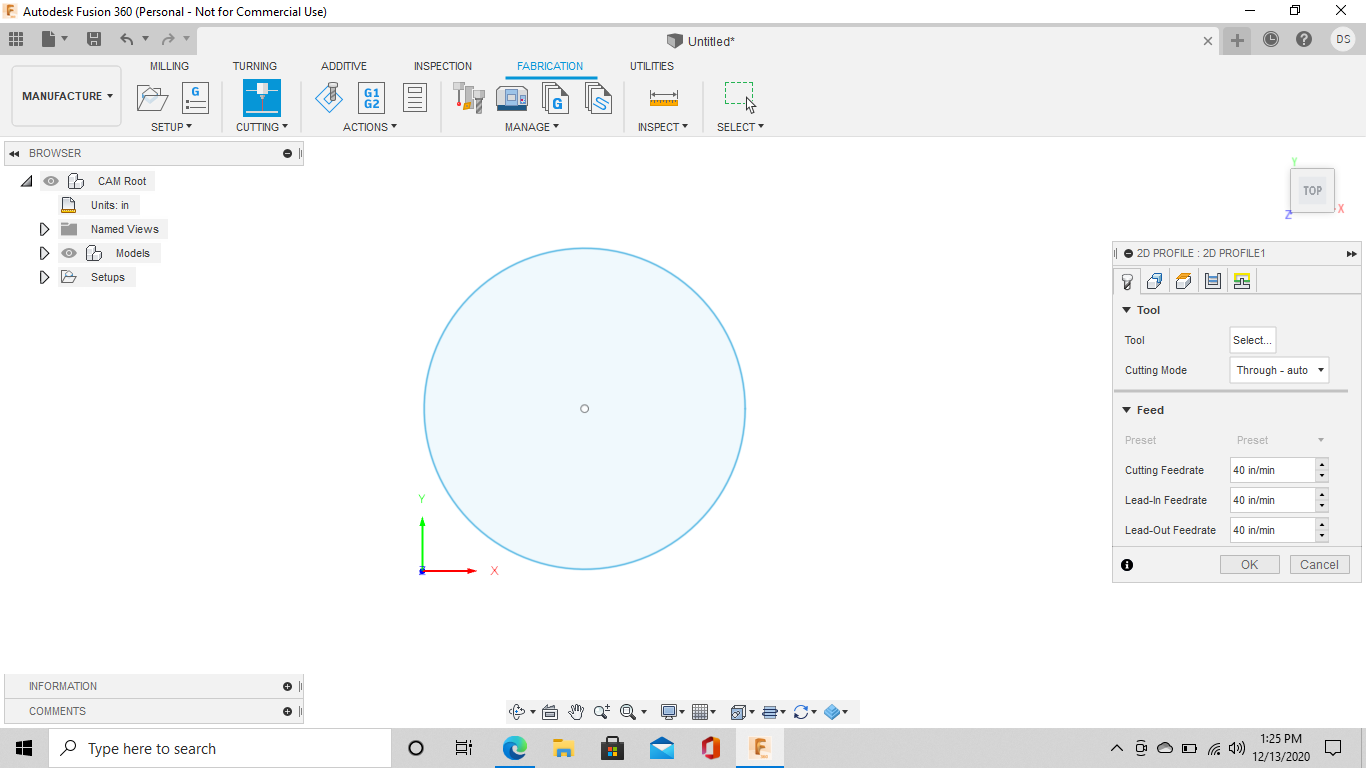
that is correct
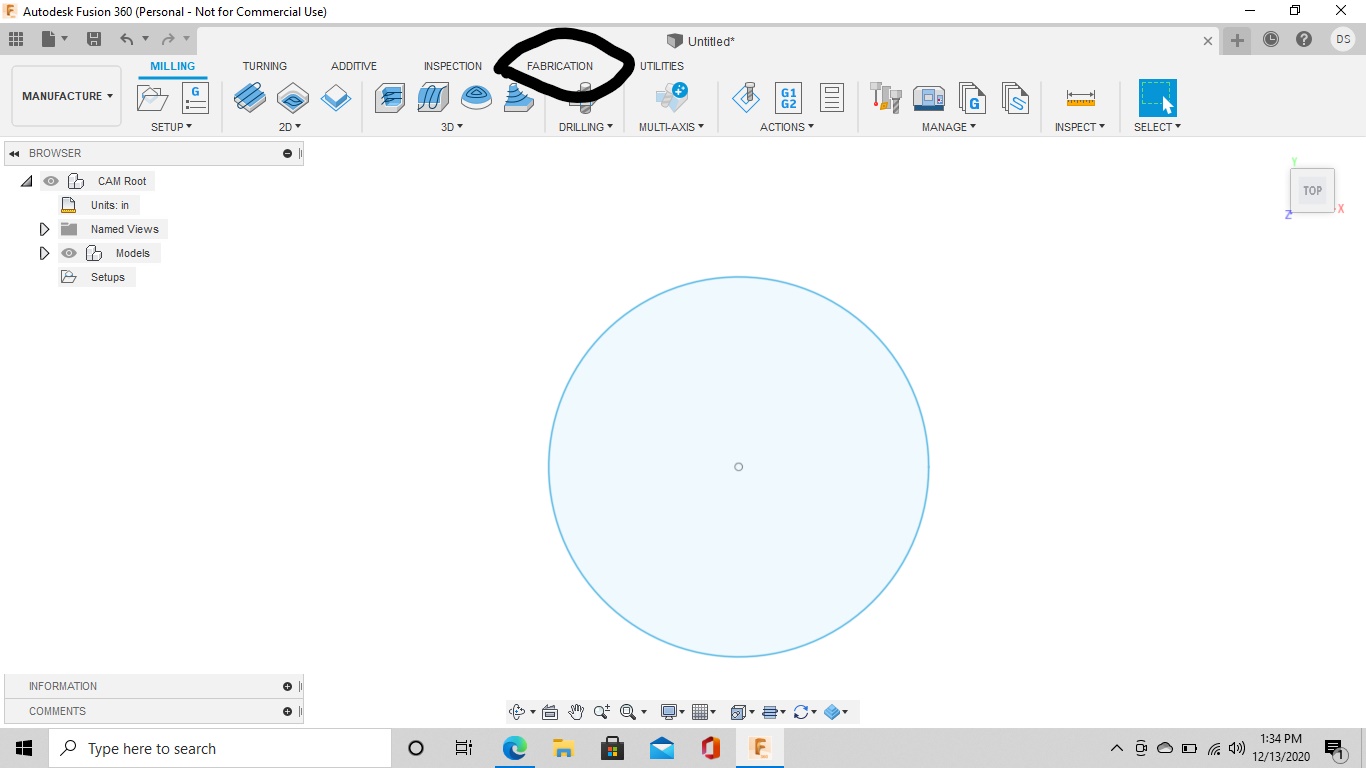
When you select tool on the popup menu on the right hand side of the screen the tool you just made isn’t there?
In the cutting portion it shows up but in the set up section with the pop up box to the right where you can update stock, work coordinates, and post process there is also a part in set up to select your machine and when I click on that its not there. It is in the 2D cutting section just not the setup section.
1 Like
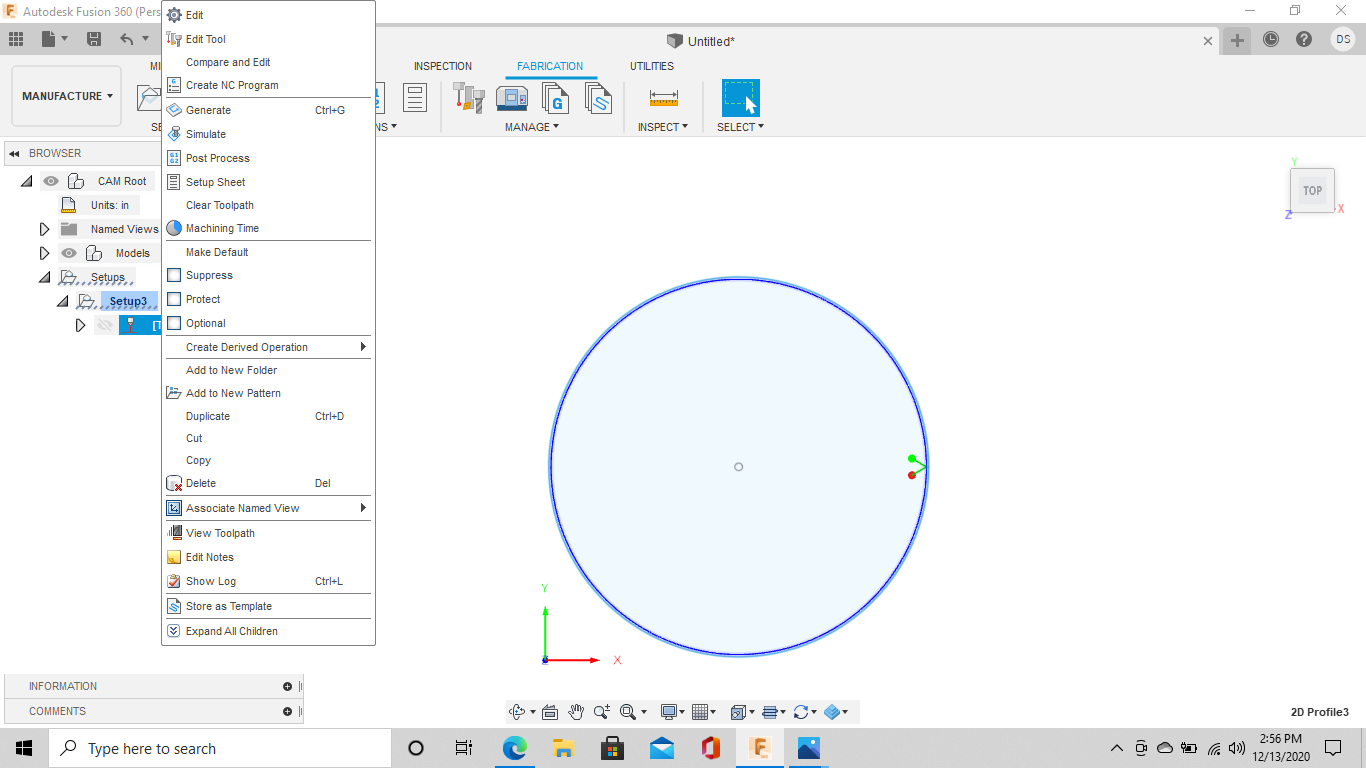
I’m not 100% sure what you mean. The setup on the left hand drop down menu?
Once you make a 2d profile in the popup menu on the right then you can select the setuip on the left hand side.
1 Like
nope just to the right of the Manufacture drop down box there is a subfolder that says setup and NC Program. When you click on Setup which is the next step according to the instructions the box pops up on the sketch and you have to select your machine then there is a tab for stock and then one for process. so on that box where you select your machine my tool does not show up in there. this is all before the 2d cutting.
1 Like
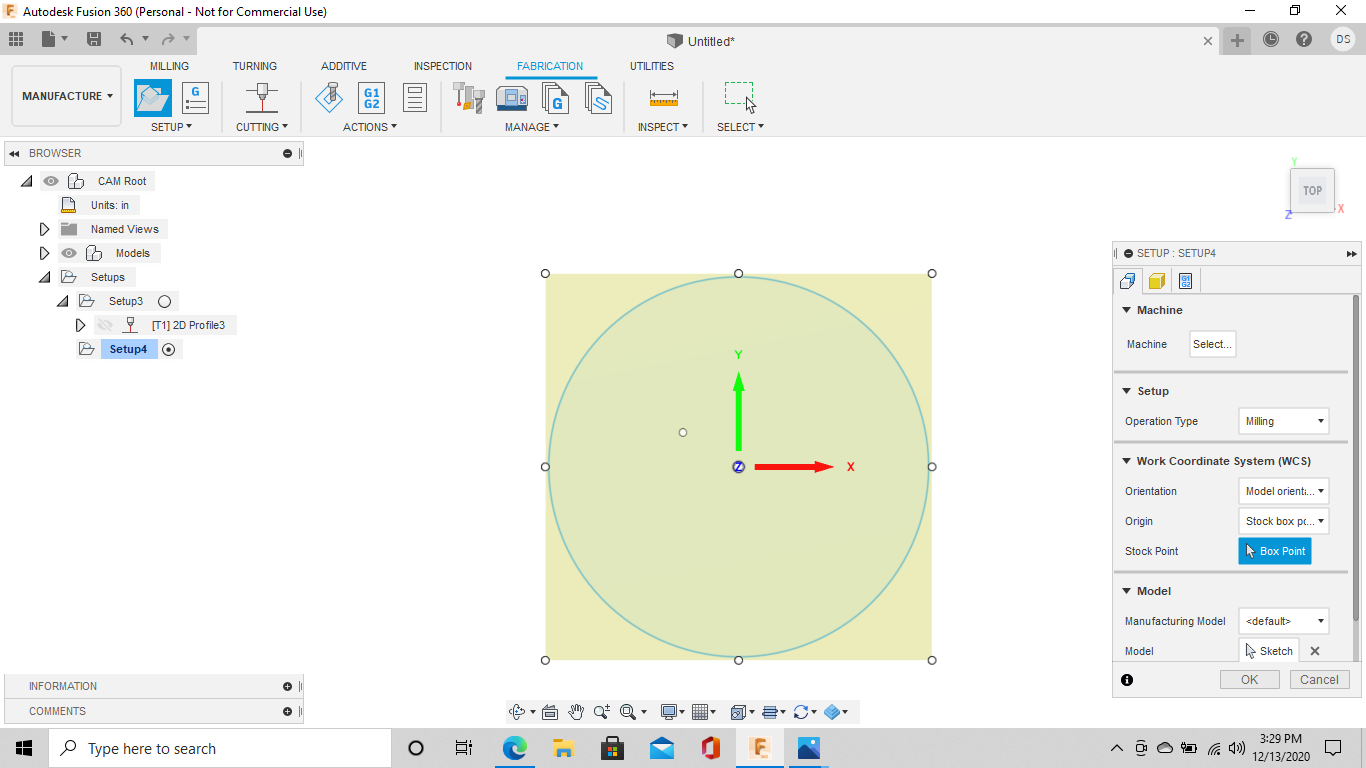
yepp that would be it
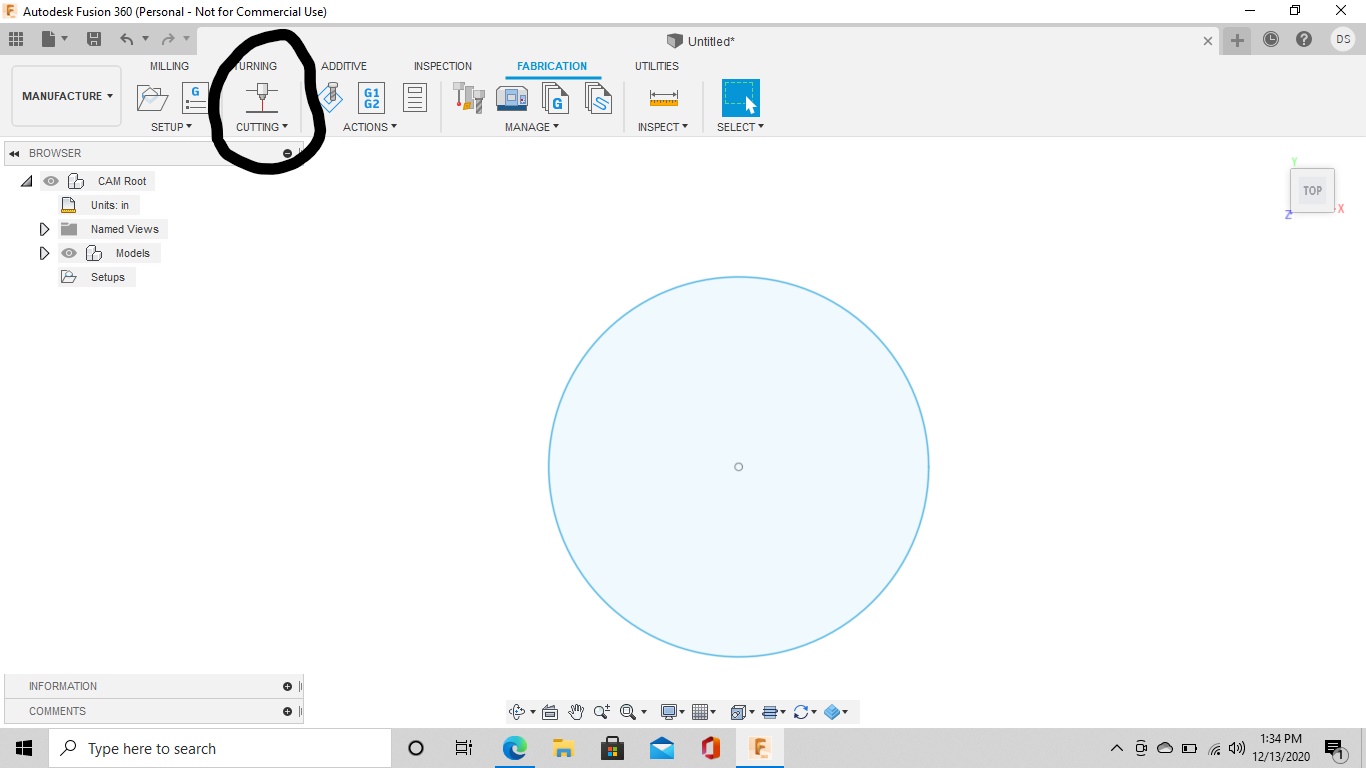
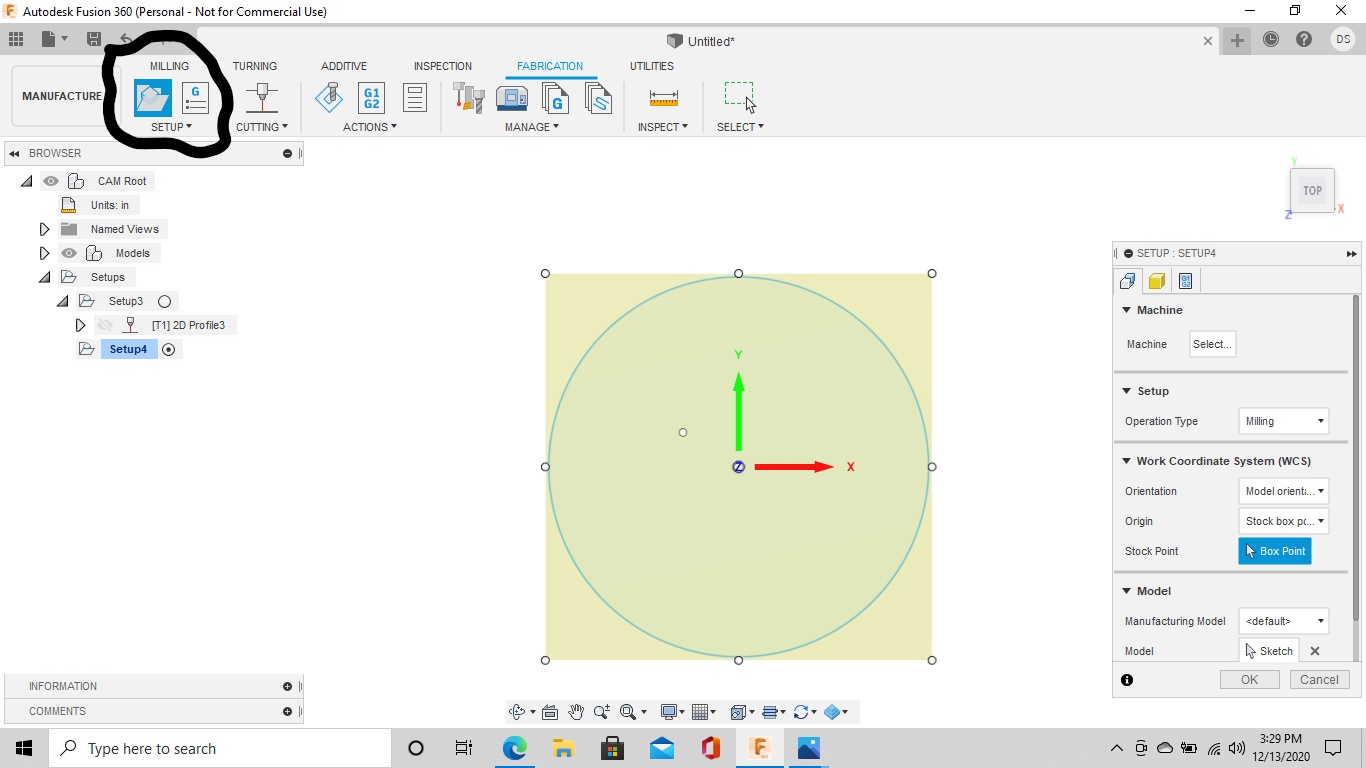
If you are selecting the fabrication tab then select cutting icon right beside the setup icon the 2d profile will pop up on the right hand side.
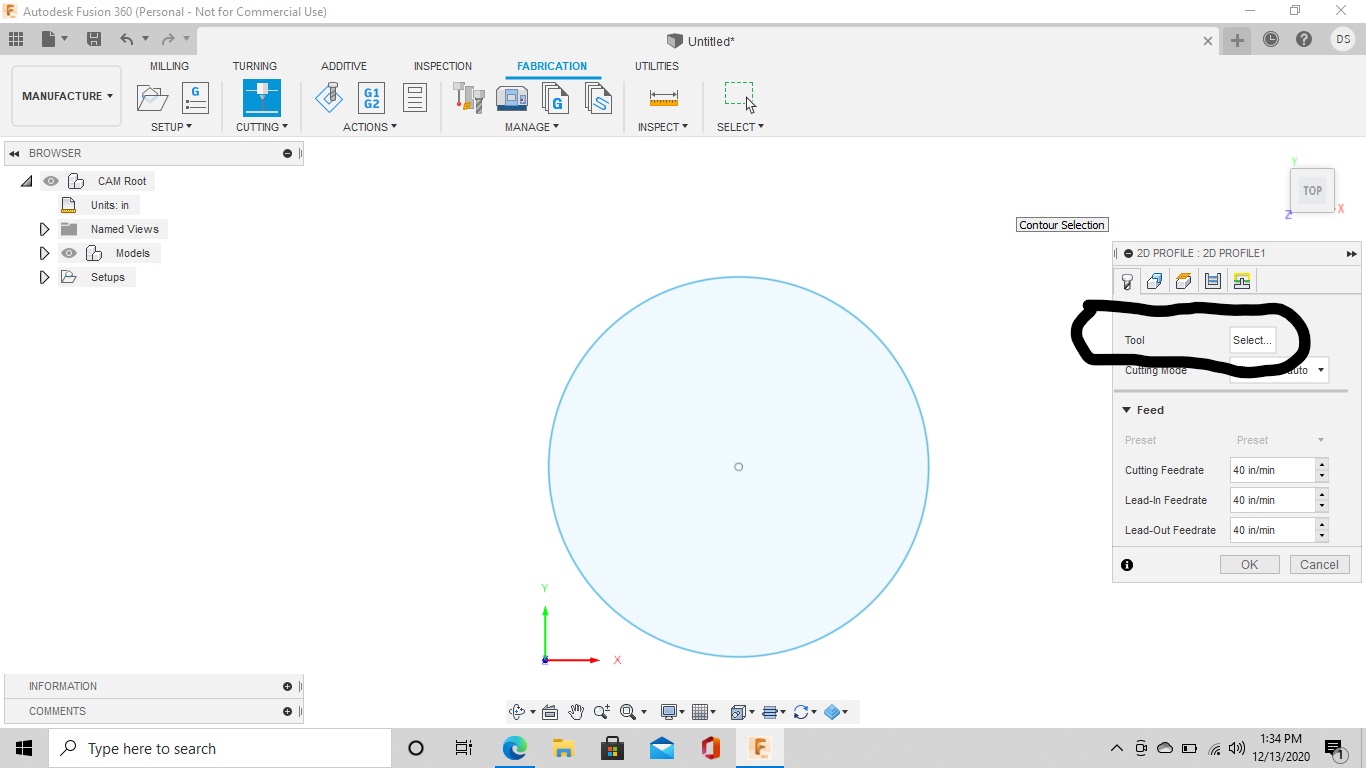
That is where you select your tool that you set up earlier.
Then set feedrate
then select your contour selection and when you have that all done click ok and it will make a cut path
ok so this other set up section that they are talking about in the videos we do not have to worry about is that correct?
I’m not sure what videos you’re watching but I’m pretty sure you should be good.
If you try to make a cut path in the the 2d profile and let me know what happens I’ll have a better idea.
You should be able to click in the fusion generic, copy , go to local library then edit to your tool
Have you made any headway yet?
I may be wrong but! You stated that you select machine? Do not select machine. Just select your operation type for the set up. Then when you start the cutting process ( the icon with the single cutter showing turning cutting). It is circled above. Here is where you select your tool. Fortifyfabworks has it circled. If your tools are in the local library they will show up here.
good afternoon, I was able to add the tool like you had described now im just trying to figure out how and where the projects save to?? this thing has been driving me nuts and especially when I was doing christmas orders.
After going through that 2d profile setup and create a cut path you save that by clicking on the g1/g2 icon.With the window pop up you save the tap file and you can put it wherever you want in this section.
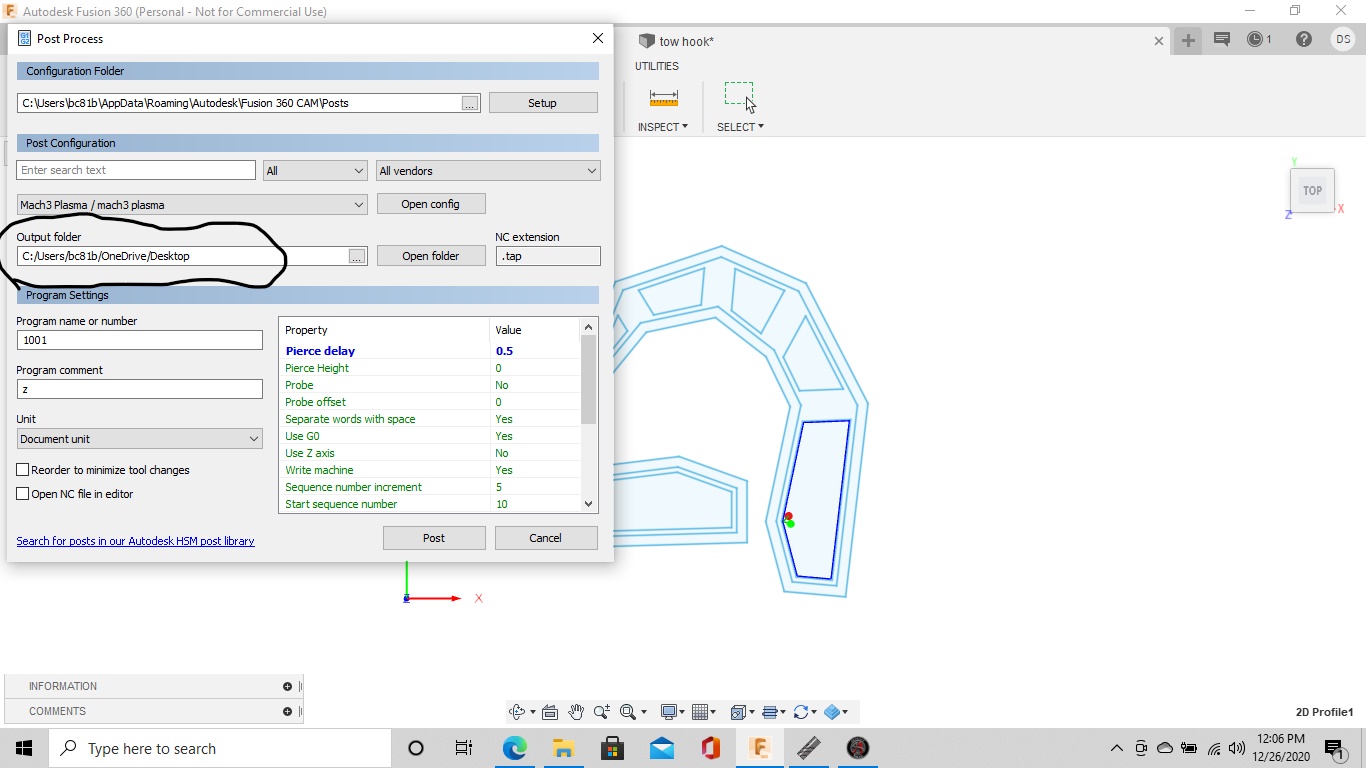
ok im not sure what I am doing wrong but I dont see anything and then when I open up fire control there are no g code files
The files aren’t going to be in fire control there going to be wherever you saved them to on your computer.
You open the file up from fire control.