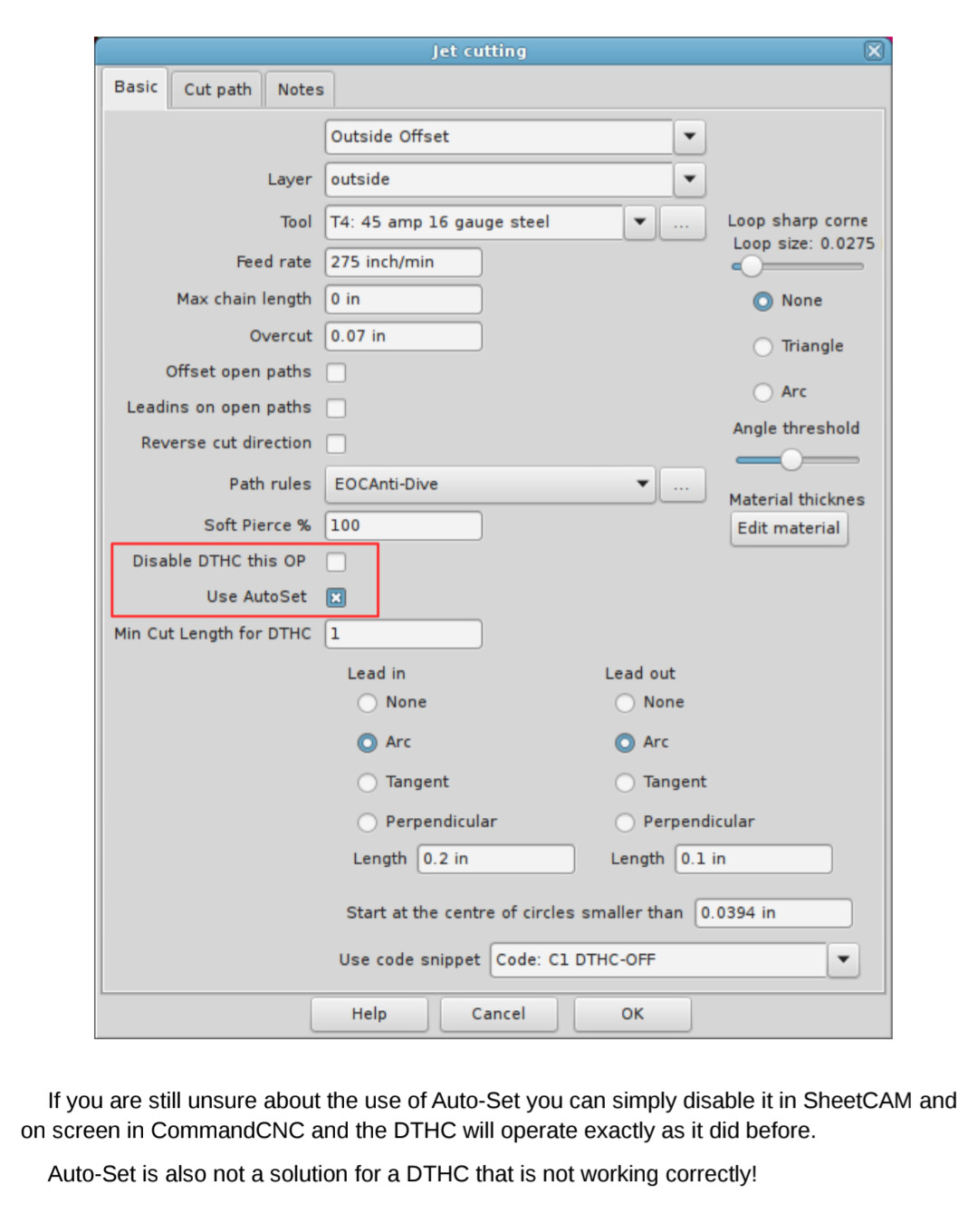
Using SheetCam and hypertherm 85…..when I am cutting the part out the letters cut fine but when it cuts the rectangle, the torch raises way higher than it should and as a result it does not cut the part out that well….any ideas? I have been working for hours on this.
I design in fusion360 then import into sheetcam for generating
The F3D file doesn’t help or matter because you created your g-code with Sheetcam. Sheetcam produces the commands for what your table is instructed to do.
Sharing an F3D file does not have the commands, as that would be an NC file once it is processed (which you’re not using).
So let’s ignore the file itself; did you see either of the above two items mentioned as being the issue?
There are 2 main things that could cause the torch to rise during the cut.
1 - is the THC voltage drops and the software raises the torch to try to increase the voltage. This could be caused by electrical interference from a number of sources, one of them being run from a laptop that is plugged in.
2 - is the IHS circuit opening during the cut. This could be caused by a broken switch or a loose IHS wire. If the IHS indicator in Firecontrol turns Green during a cut, the software will raise the torch to prevent a crash.
Record the Firecontrol screen during a cut, so you can see the THC voltage changes and/or IHS indicator.
It probably cuts your letters OK, because the THC is not active during those cuts.
The Firecontrol post processor adds the H1/H0 commands, as long as there is a pierce height and cut height entered in the tool. Those just enable and disable the THC. Disabling of the THC during slowdowns is software controlled by Firecontrol. The default is THC off when speed falls below 85% of the program speed.
Any additional THC on/off commands added by Sheetcam will be redundant or cancel each other, even if they use the H1/H0 commands. Most of the THC commands that I have seen added by path rules or code snippets are in a format that Firecontrol doesn’t recognize.
AND the dialog in SheetCam is not set to THC disabled. This isn’t magic. The SheetCam dialog provides settings to the Firecontrol PP - it’s just another control. This, of course, requires an updated PP but SheetCam is perfectly capable of making that change.
Which is why it would be nice to see the code with and without that option selected. Very few of us have used the new version of Sheetcam, so we don’t know if deselecting that THC option has the effect of triggering the post processor to remove the THC on/off commands.
The DTHC was a red herring….the real issue I have found out was my tool. I was using a 45amp fine nozzle tip but my tool setup in the software was just a 45amp. Once I created a new tool in the software for the finecut 45amp….it now works perfectly. Thank you to all and sorry to have wasted anyone’s time