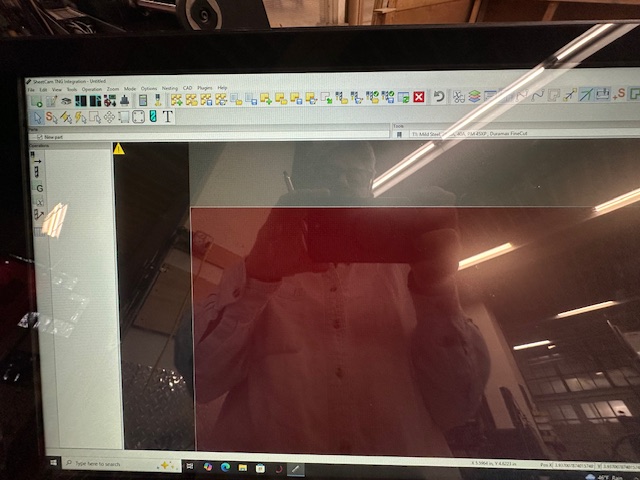
This is occurring on the touchscreen provided by Langmuir for the Crossfire XR.
The Parts and Tools panels got moved from the default positions as the left column in the app. Now they span the app window and go beyond the right boundary. I can’t seem to pull them back down into the default positions where they’re actually usable.
Is there a menu setting for restoring them to a stacked vertical column?
If not, is there a preference file somewhere that I can delete and start over?
The photo shows the Parts and Tools panels at the top.
I don’t have a Windows machine other than the touchscreen. At least, not yet.
I should have included what I’ve done thus far because I have tried and tried to drag the panels down, expecting them to behave like in any other program. It hasn’t worked for the Tools panel. That’s why I’ve submitted this question.
Great idea. At this point, I’ll be uninstalling SheetCAM from the touchscreen computer and running it on Mac using crossover. Overall a win. Gives me an excuse to rebuild my tools library now that I almost know what I’m doing.