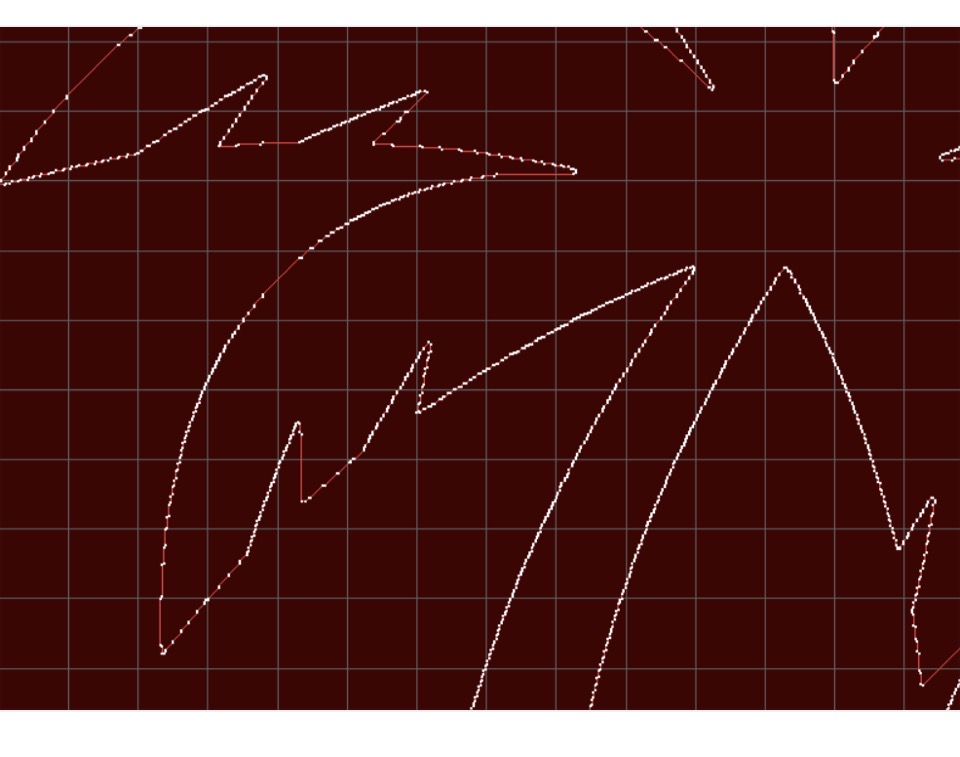
Hey y’all I finally got my crossfire finally, all set up and I’m gearing up for my first cuts. I’m having a problem in SheetCam and something doesn’t look right. I’m seeing lots of nodes and I don’t think I’m supposed to have this many. Created image in Inkscape and exported as DFX into SheetCam.
does inkscape show that many nodes on the drawing? Also, DXF’s tend to be a lil “dirtier” when imported into sheetcam. Importing as SVG’s should have less nodes.
There is more to the story on the difference between SVG and DXF files. Since there are SOOOOO many versions of DXF format, some CAD mfrs take the easy way out and format a curve as a series of short, straight line segments requiring LOTS of nodes. SVG files, however uses spline and bezier curves in the standard format so a CAD program ‘may’ keep the natural curve and express it as a curved shape, requiring only a few nodes to define each curved segment, no matter how long it is. Hence a much smoother rendition and smaller files.
 I’m such a noob