Alright MR-1 crew, I’m back with round two! 
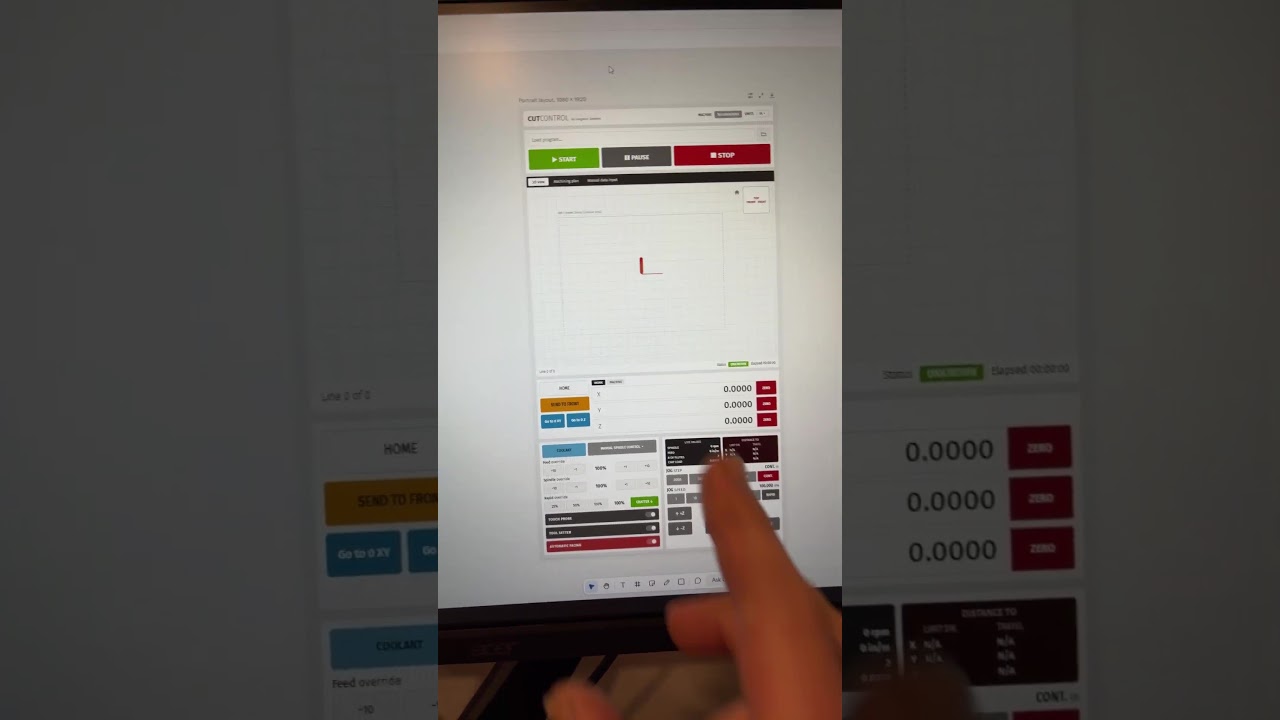
My MR-1 runs CutControl on a touchscreen mounted vertically (portrait), the way most real CNC controls are set up. The problem is that CutControl is laid out for a wide screen. On a vertical screen, the two side panels got squished into skinny columns, everything was tiny and hard to read, and hitting buttons with a finger was hit or miss. It just didn’t look right or feel right.
So I rearranged it to flow the way a portrait screen should:
- Start / Pause / Stop go big across the top, so Stop is always right there
- The 3D view runs full width in the middle, with the machining plan right under it
- The X / Y / Z readout gets its own full-width strip with big numbers
- Both side panels sit side by side at the bottom, way wider than before: overrides, chatter, touch probe, tool setter, auto facing, live values, jog step, jog speed and the jog pad
- Everything is bigger and crisper, about 20% bigger than stock on my screen
Here’s how it looks now:
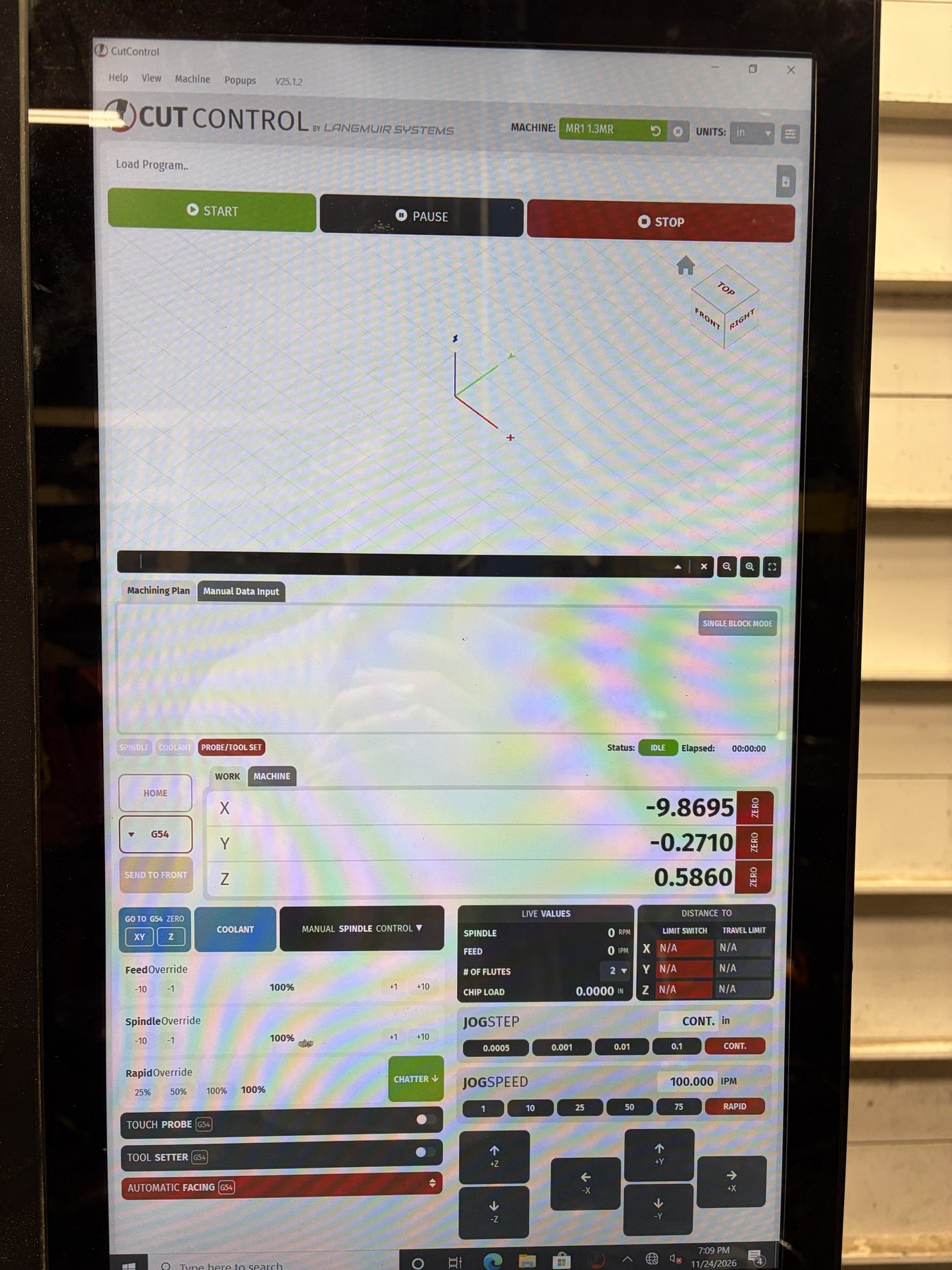
What I didn’t change: anything that talks to the machine. These are all Langmuir’s own panels, buttons and colors. I only changed where they sit and how big they are. Mine is set up for CutControl 25.1.2 on a 1080 x 1920 screen at 125% Windows scaling.
Want it on your machine? If there’s interest, I’m happy to share how I did it. Just let me know below. And Langmuir folks, if you ever want to add a portrait mode to CutControl, I’d be glad to send over what I changed. 
 Heads up: CutControl 25.1.2 won’t open on a fresh install
While setting this up, I installed 25.1.2 on my desktop, and it wouldn’t open at all. It just said “Failed to launch JVM.” It turns out that on a computer where CutControl has never run before, it tries to read its saved settings file before that file exists, and crashes. Computers that already had CutControl on them (like my mill PC) aren’t affected.
Workaround: create a file named local-settings.json in C:\Users\<your name>\.CutControl\ containing CutControl’s default settings below, then open CutControl. (That folder gets created the first time you try to open it.)
Default settings (copy all of this)
{
  "programLoadFolder": "",
  "virtualInputMode": "ON_TOUCH",
  "currentUnit": "INCH",
  "jogContinuous": true,
  "jogStep": {
    "millimetersValue": 2.5,
    "inchesValue": 0.1
  },
  "jogSpeed": {
    "millimetersValue": 2500.0,
    "inchesValue": 100.0
  },
  "spindleSpeed": 1000,
  "sendToFrontLocation": {
    "x": 11.5,
    "y": -18.0,
    "z": -0.5,
    "unit": "INCH"
  },
  "numberOfFlutes": 2,
  "decreaseChatterAmount": 2,
  "alarmsSuppressed": []
}
This pairs great with my jog pendant build:
Full disclosure: Claude (AI) did the digging inside CutControl and the layout work. I did the testing, the photos, and the excited yelling in the barn. 