Today I’m trying to get some signs cut and I lose my connection from firecontrol and the electronics box. The fitting is extremely loose and if you touch the wire it goes off and on. They are sending another new white board. When I could get it to start halfway through the cutting either the torch wouldn’t fire or the THC would not lower and fire from 3 inches above??? The wires all look ok and they have never been tripped over or stretched. Any ideas what is going on with the THC??? The alarm always says make sure there is plenty of slack in the torch cable or make sure the THC light is gray and both are as they should be???
1 Like
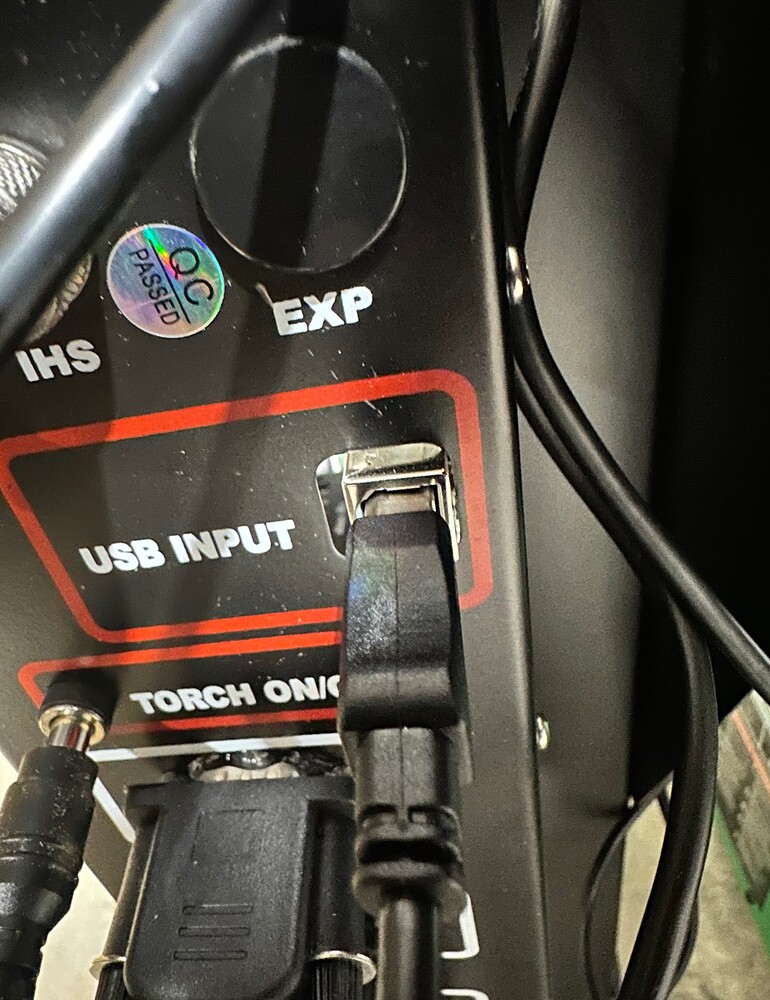
Make sure the USB is not touching the housing ( see the picture, the shielding on the USB is touching the control box, making a ground loop issue)
We need more information and pictures of your torch setup. Plasma cutter, torch, etc.
3 Likes
So we all understand the terminology, the Z axis is the thing that moves the torch up and down. The THC only controls the torch height during cutting, based on voltage readings.
The only reasons the torch could fire from that height are:
1- it was programmed to fire at that height.
2- the IHS(initial height sensing) switch is stuck.
3- the Z carriage is getting hung up and triggering the switch early.
4- the IHS wires are not connected.
3 Likes
I haven’t changed my torch height, I’ve been cutting the same gauge metal and similar files.
Ill check to see if the height sensing switch is stuck. I’ll have to figure out how and where?
The Z carriage isn’t getting hung up I make sure all my wires are free and not ever binding
The wires all appear to be connected well but that gives somehing else to check and eliminate. Thanks
2 Likes
The easiest way to check the wiring and the switch is to lift up on the Z axis carriage. When you lift the carriage, that the torch is attached to, the IHS indicator in Firecontrol should turn green. It should also go back to gray when you let the carriage drop.
You can also jog the Z axis up and down and watch for the IHS indicator to turn green. It should not turn green unless the torch is resting on the metal.
If the IHS indicator turns green at any other time when jogging the Z axis up and down, the switch is getting caught on something or the carriage is sticking on the way down.
2 Likes
The light functions as it should on the bottom of the firecontrol screen. Here is the error message that keeps popping up but when I clear it I can cut again for a very short time and then the error comes back?
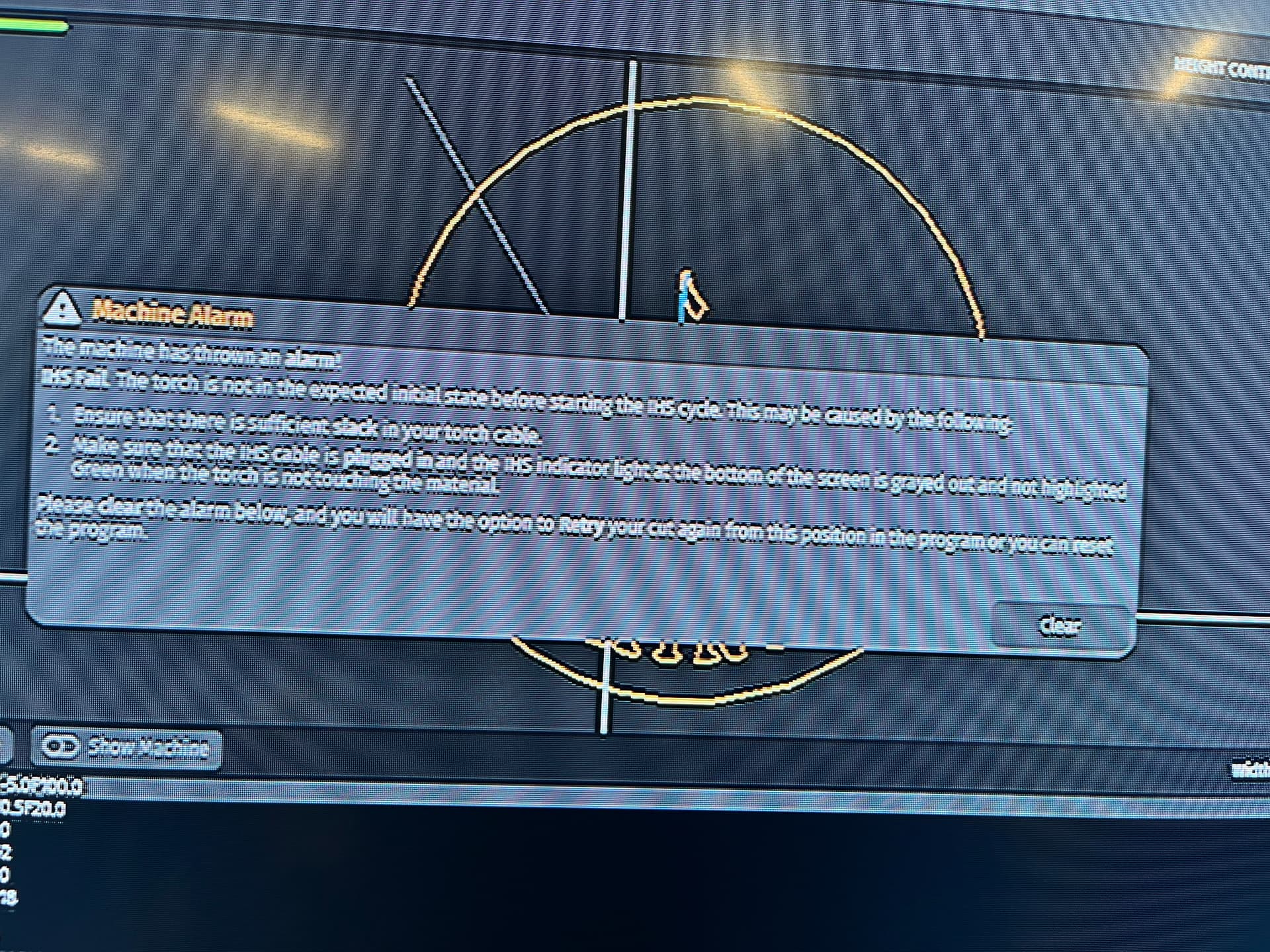
1 Like
When that error comes up, check the IHS status. The only reason for that error is that the IHS circuit is open(light is green) when the expected state is closed(light is gray).
You have an intermittent connection issue with the IHS circuit. The most likely cause is the two connectors on the back of the Z axis. They can look connected, but not be fully pushed together.
2 Likes
After reading some other posts, could it be an air issue. I have a 60 gallon compressor right next to the cutter and it’s the only thing on that one. I have a transmission cooler and a 2 filters. Maybe I need to just turn up the air pressure on the cutter?
1 Like
That error message cannot be caused by the plasma cutter or the air supply. It is only related to the IHS circuit.
2 Likes
Thanks, tomorrow I’m going to rewire all my connections to eliminate that as an issue.
Hey Jon, I’ll shoot you a text and maybe we can get a video call going on Facebook messenger or something
I missed this thread but maybe you can catch me up real quick live tomorrow.
2 Likes
Make sure you have a good ground on the material you are cutting. If like me you do a lot of small cutouts, you can get a lot of dross on the slats preventing a good ground. The IHS and THC need a good ground. I use a small grounding clamp attached to the main plasma ground to attach directly to the stock being cut. Don’t ask how I know this….
His IHS was sticking.
1 Like