Are you setting this up in fusion or sheetcam? if in fusion care to share a file with this procedure in it?
Knick, I use sheetcam .
In Fusion 360 you can make this happen but you need to make your holes in the sketch all the same size and then create a tool that has a kerf width just slightly less than the hole size. You can set the amperage on the cutter to whatever you want depending on an actual pierce to only a mark.
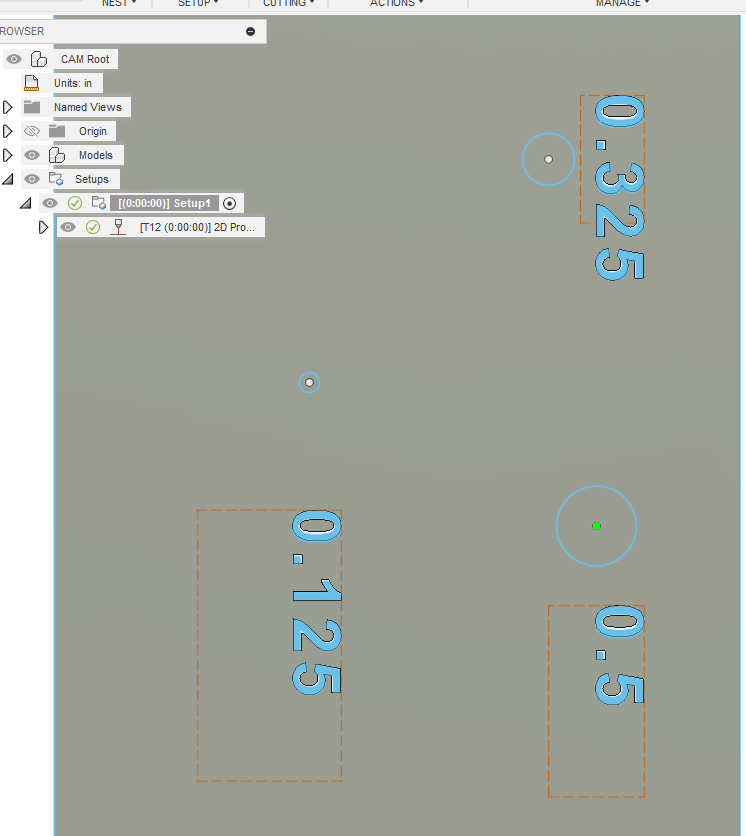
Here I have three holes. For illustration I labeled each hole. In the tool path I select my tool that has the kerf width that will just barely fit into the center of the hole: 1/2" hole tool will have a kerf width set to 0.499.
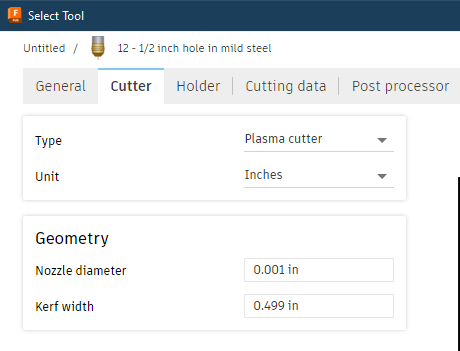
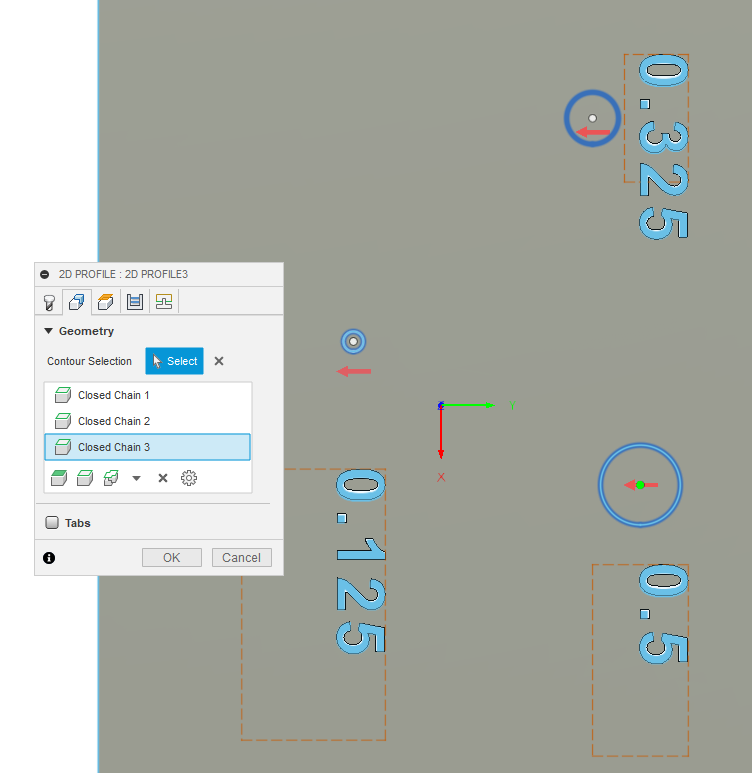
I select all three of my sample holes, knowing that it will reject the holes that will not fit my “tool” that has a kerf width of 0.499 inches.
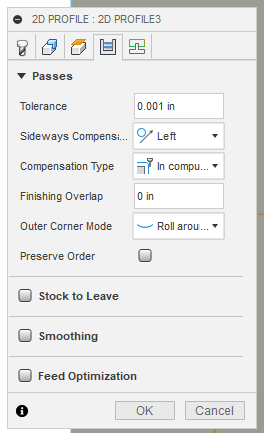
I don’t want any finishing overlap and I still want left compensation otherwise it will cut on my line.
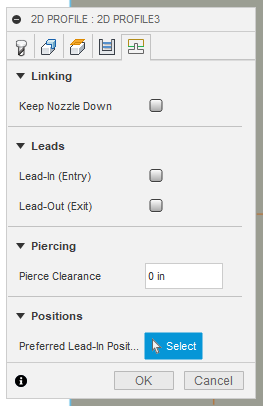
You don’t want any lead-in or lead-out:
Notice all you see is the green dot. The hole has been selected and it will mark/pierce the center. It disregards the two smaller holes.
If I edit all the holes to be 0.5 inches, then they will all be included. You just have to remember the size that they need to be drilled later:
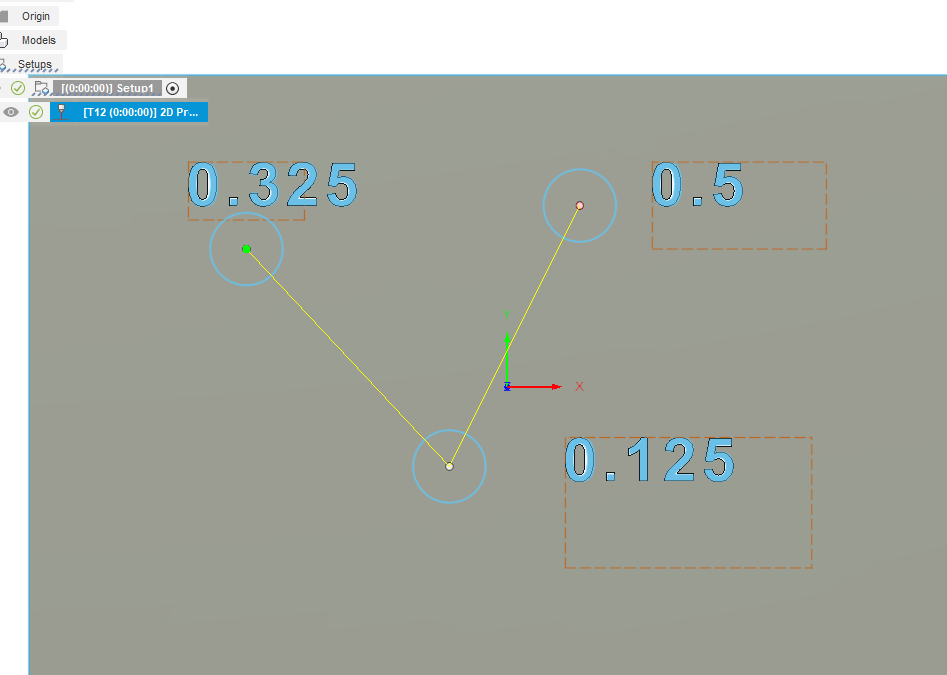
Edit: conversely you could make all of your holes 0.001 inches larger than your current tools kerf width and select all the holes as above without creating a new tool. They just might be hard to see on the sketch.
When I’ve done that type of marking I just use centerline cut it will make absolutely no difference in circle size when circle is .001" and then you don’t need to create specialized tool. At least in the testing I’ve done.
Here is a link for the op to where we discussed this topic a few years ago.
There’s also a link on this topic that goes to the autodesk forum where it’s also discussed.
In this topic I was experimenting with open contour cuts with micro length lines instead of closed contour cuts which seem to work very well also.
I guess the kicker with these methods though is you have to add either a microcircular line to whichever whole you plan on marking.
2 Likes
Yes, that is right. I forgot how you did it. Your way would also make it past the hobby/personal license limitation of Fusion as you would use the same tool.
I realize we are off the OP topic for advice with SheetCAM…blame Knick this time. 
2 Likes
No problem at all here. I also use Fusion it’s just that SheetCAM has the drill function and that seems pretty straight forward. I’m good with knowing how to perform the marking function on both systems.
Tim