Is it possible to non fire the torch for some of your toolpath? I have some large shapes and two sides are the edge of my material. Rather than cutting a 1/4" from the edge is there a way to manipulate those two lines of g code so the torch doesn’t fire. I realize I can pause it and restart skipping that line. Just wondering if there was a way to put non fire into the g. (Crossfire pro)
While not cutting out a full shape is undesirable, you can in Fusion 360 or SheetCAM have the ability to select which contours get cut or not.
Which software are you using?
And @Witts Welcome to the Forum
I am using fusion 360
Not to jump in here but this is one of my “often” needed processes because I like to cut things out of 4 inch wide plate. I want to use the full 4 inches and don’t want the cutter to try and cut out the top and bottom. I only want the ends lopped off.
The easiest way is to create two tool paths. In the first one, you would select the inside geometry. You can do this with face selection (only inside loops selected) or select each individual chain.
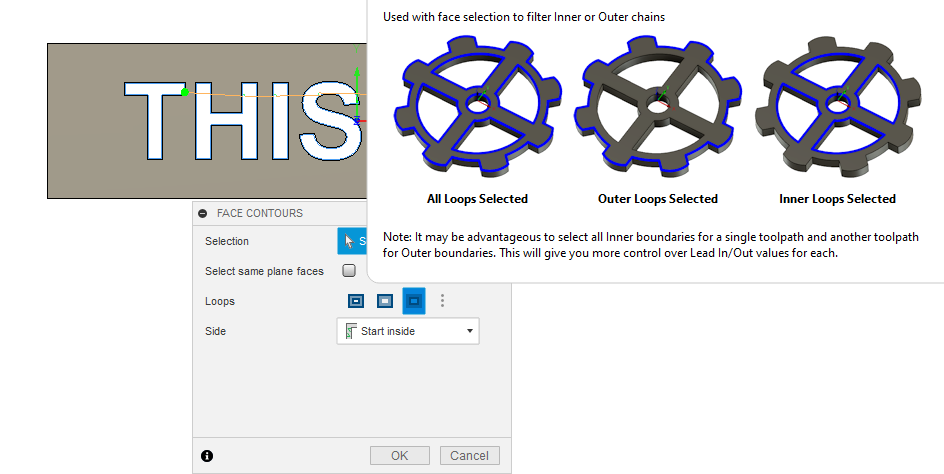
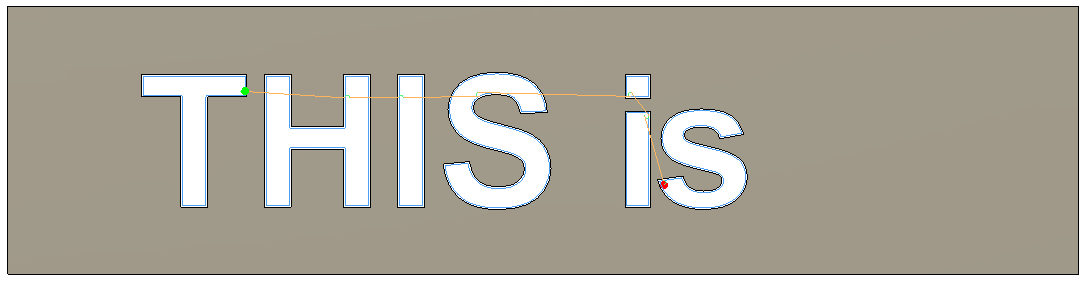
Now I have the inside “stuff” selected:
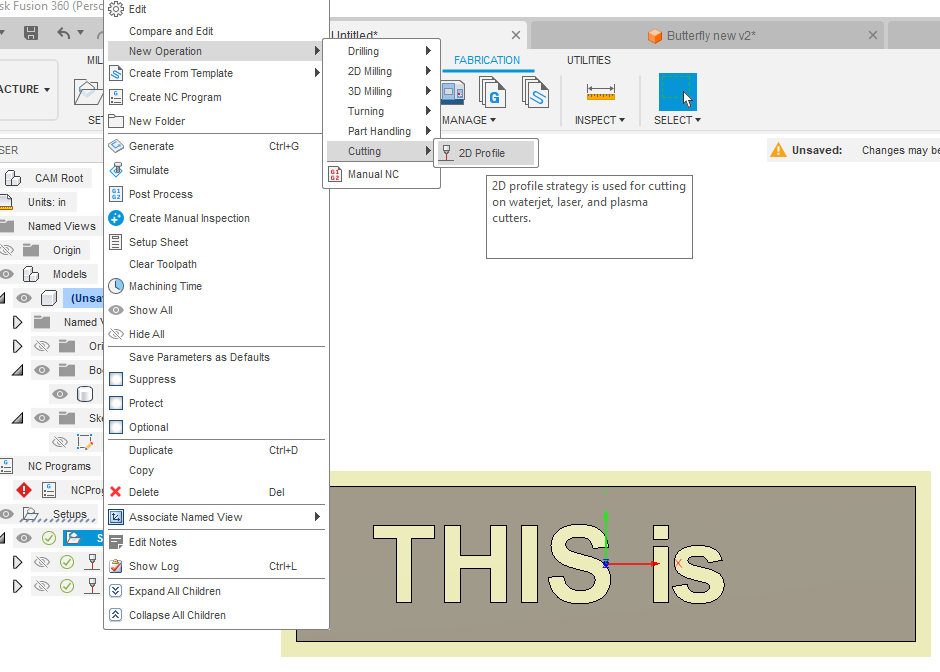
Now you want to create a second tool path. Right click on the setup and select new cutting operation:
Now you will pick the chain selection tool and click on an edge that you want to cut. It will pick the entire contour: No worries. Move your mouse over the contour until it changes from light blue to white and Click again. This will bring you the selection box where you can change it to “open chain.”
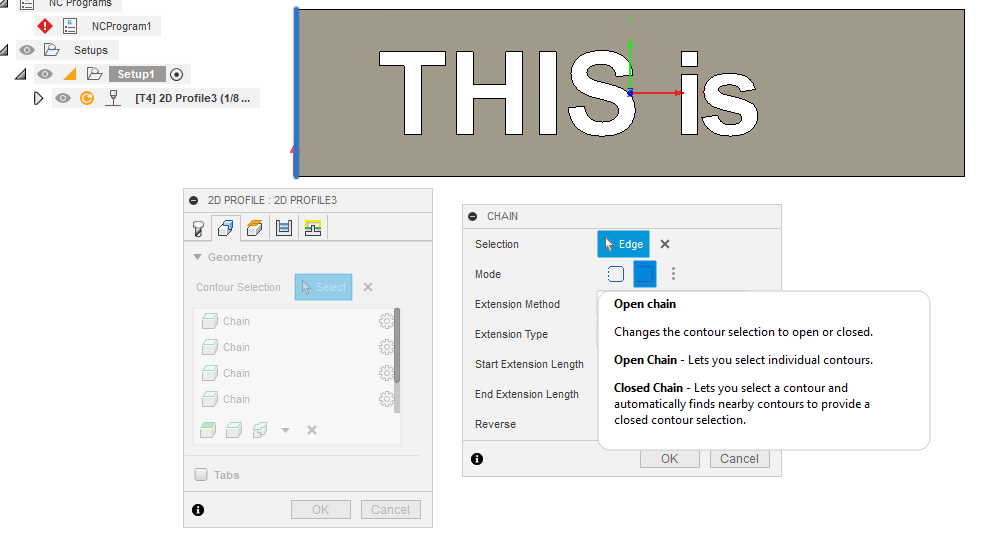
Click okay and you will see that it is only including the one line segment. If you want another line segment of that same contour, repeat the above step.
Now you will see I have the interior detail and the two outside vertical lines in the pathway.
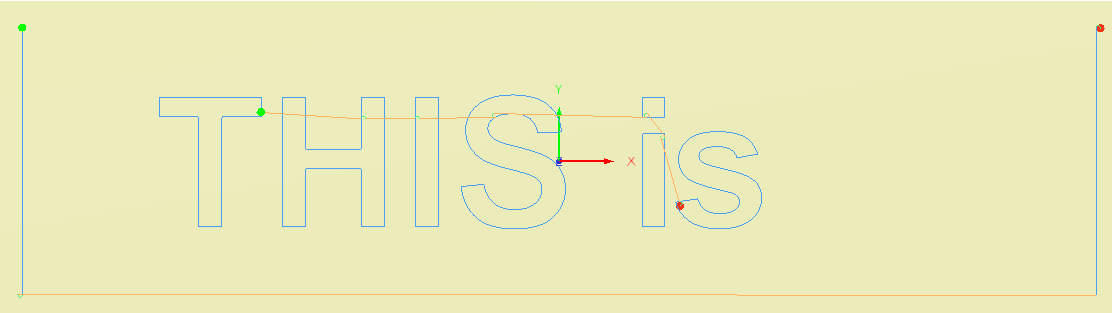
Note: I have tried this a number of ways by selecting everything I wanted on a single tool path but I am never able to get it to avoid cutting one of my outside lines first. So, the separate pathways corrects that. Sorry about my visualizations of the tool paths. I am still trying to figure that out.
4 Likes
ChelanJim I can’t thank you enough. I just tried this on 3 different projects and it worked great. Had no idea you could make multiple toolpaths.
1 Like