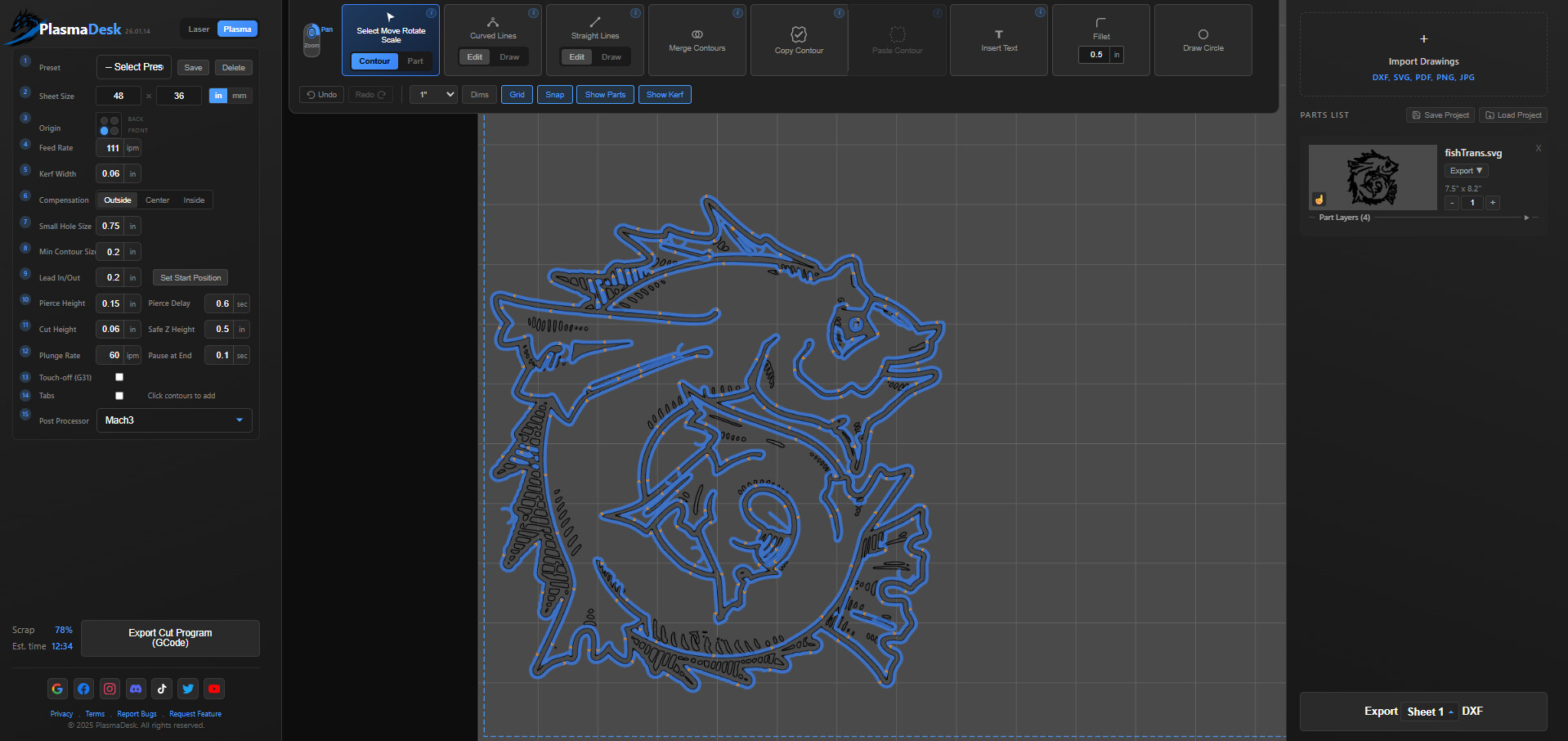
Its a cad cam app i made at plasmadesk.com, runs in browser. Draw parts, import dxf/svg, nest, export gcode. Need feedback on how to make it better, any help appreciated.
7 Likes
@Plasmadesk looks like a hell of a good start. I’ll have to dive into it more later. Welcome to the forum
2 Likes
This looks pretty cool. I think a very basic version would actually be the most successful. Right now, it seems like it does too much, which could be intimidating for new users. Or you could have and advanced and basic mode.
The more features you add, the more you appeal to advanced users who already use Fusion, Inventor, or SolidWorks, and the less you appeal to beginners. The real gap in the market is a simple CAD/CAM app that focuses on the essentials.
At its core, it should do things like:
-
Create basic shapes
-
Add hole patterns
-
Create bolt circles and simple gussets
Keep it extremely simple. For every feature, ask: Can this be done with fewer buttons and fewer clicks?
Imagine being able to draw a plate with four holes, a bolt circle, or a basic gusset directly inside Fire Control—no exporting, no extra steps.
Another cool feature would be simple grouping and consolidation of geometry. Users should be able to select multiple shapes and group them into a single part with one click. That grouped part should then be easy to copy, rotate, and modify as a unit.
Once grouped, those parts should be easy to nest automatically or manually. The user shouldn’t have to understand complex nesting rules—just group the geometry, hit “Nest,” and let the software handle spacing, rotation, and layout.
Overall what you’re doing here is way outside if my abilities. I’m just a long time consumer of such products. Been running CAD software for 23 years. I love a clean interface. An icon is normally better then text.
4 Likes
Great input Richard.
@Plasmadesk, I totally agree with Richard’s input and offer that I can use things like Fusion but what you are doing is quite impressive and way outside of my “wheelhouse.”
Please keep it up.
4 Likes
I haven’t looked at it yet, but adding to @Richarddbeck83 ‘s list, I’d say an esstential tool is the ability to simply edit and fix 2D vectors (easily drag/connect segments, trim, join, check for closure, etc.) without a lot of gee-whiz (like stroke widths/shapes, multi-colored/patterned fills, and other frills that tend to complicate most drawing programs (like Inkscape, for instance). However, converting Text Fonts to paths would be essential also.
5 Likes
You could even start with a super basic program and then sell add-ons. As people get to know the software, it could grow with their skills.
You could have tons of plugins / upgrades. Created it with a modular architecture.
1 Like
I spent about two hours working with it. It’s pretty functional. I tested a customer jpg and it did import but when I export the dxf it was blank.
I imported this jpg
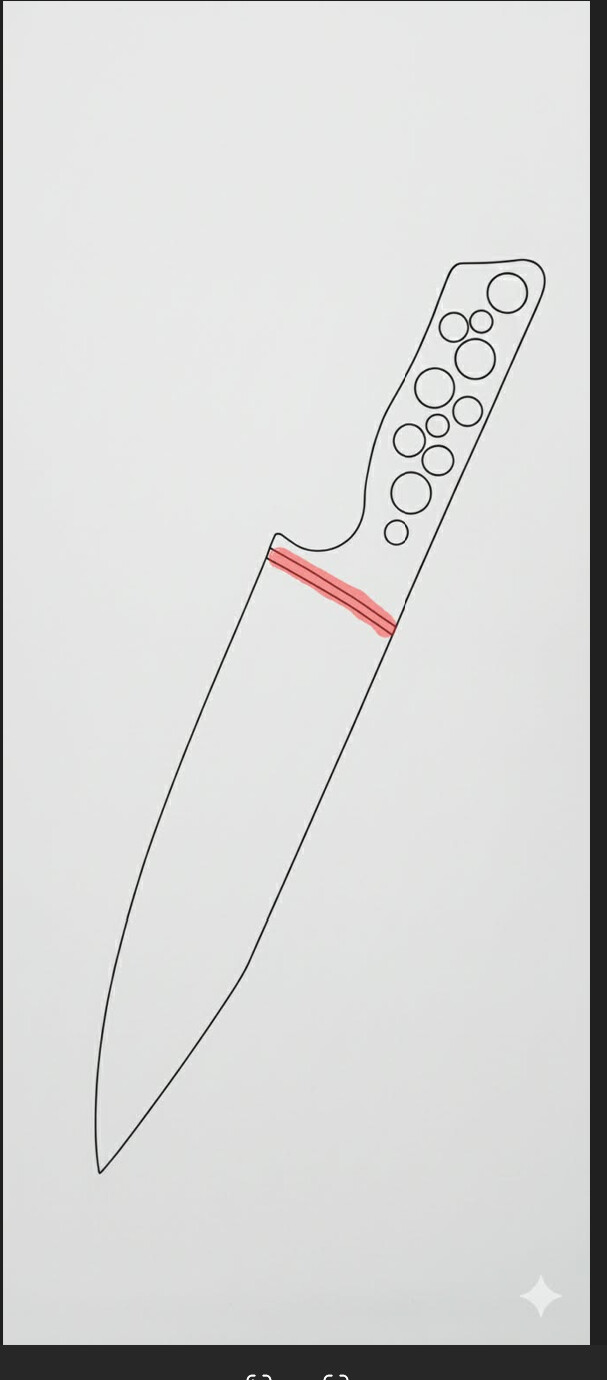
it totally identified the edges and I was able to rotate it.
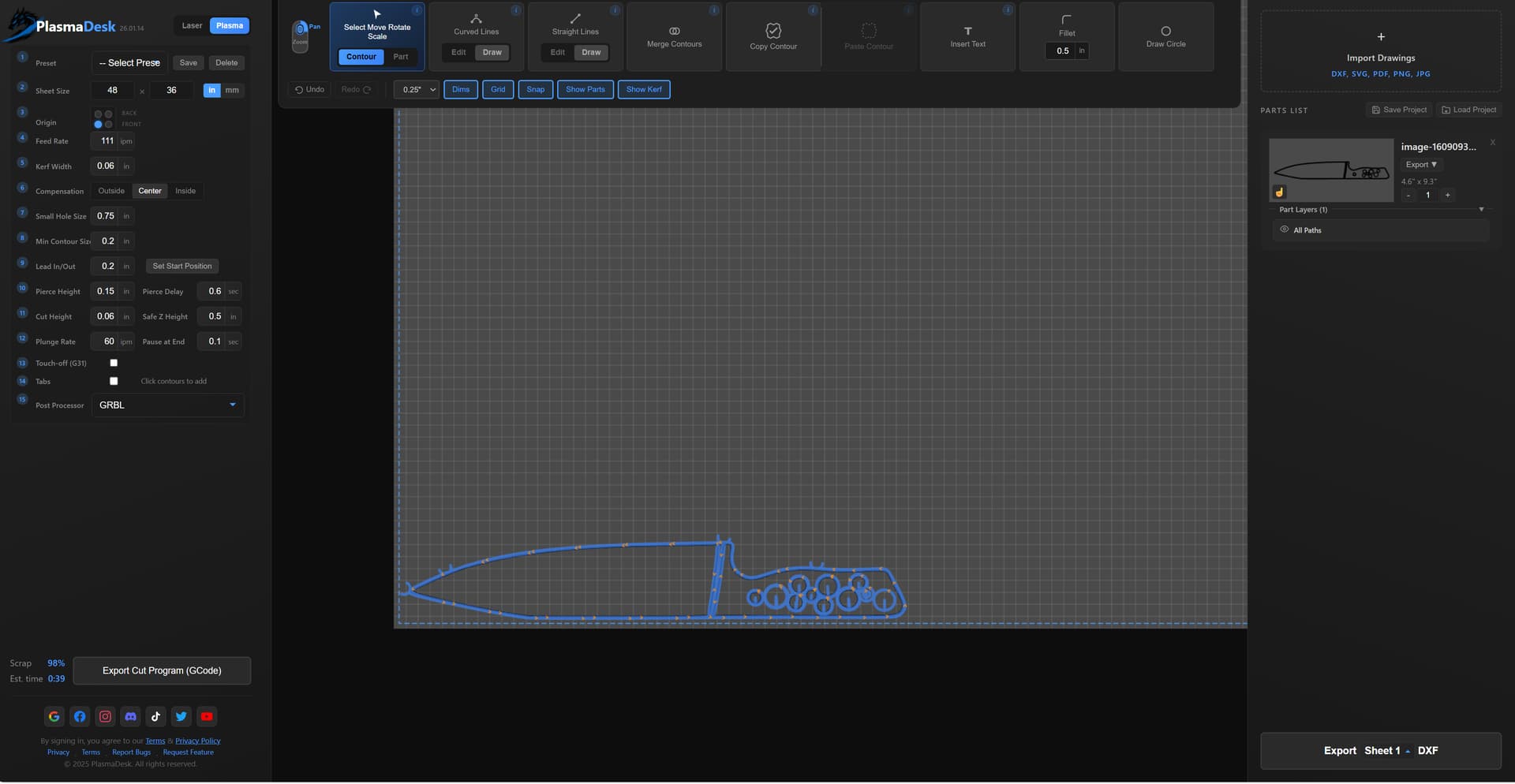
If I could get the dxf export to work I would use this a lot.
one other thing when drawing holes i can only define the radius. I don’t like doing math. I wish I could type in its diameter. outside of snapping I don’t have any other way of locating features. on the part below I need to locate the 4 holes outside of just snapping.
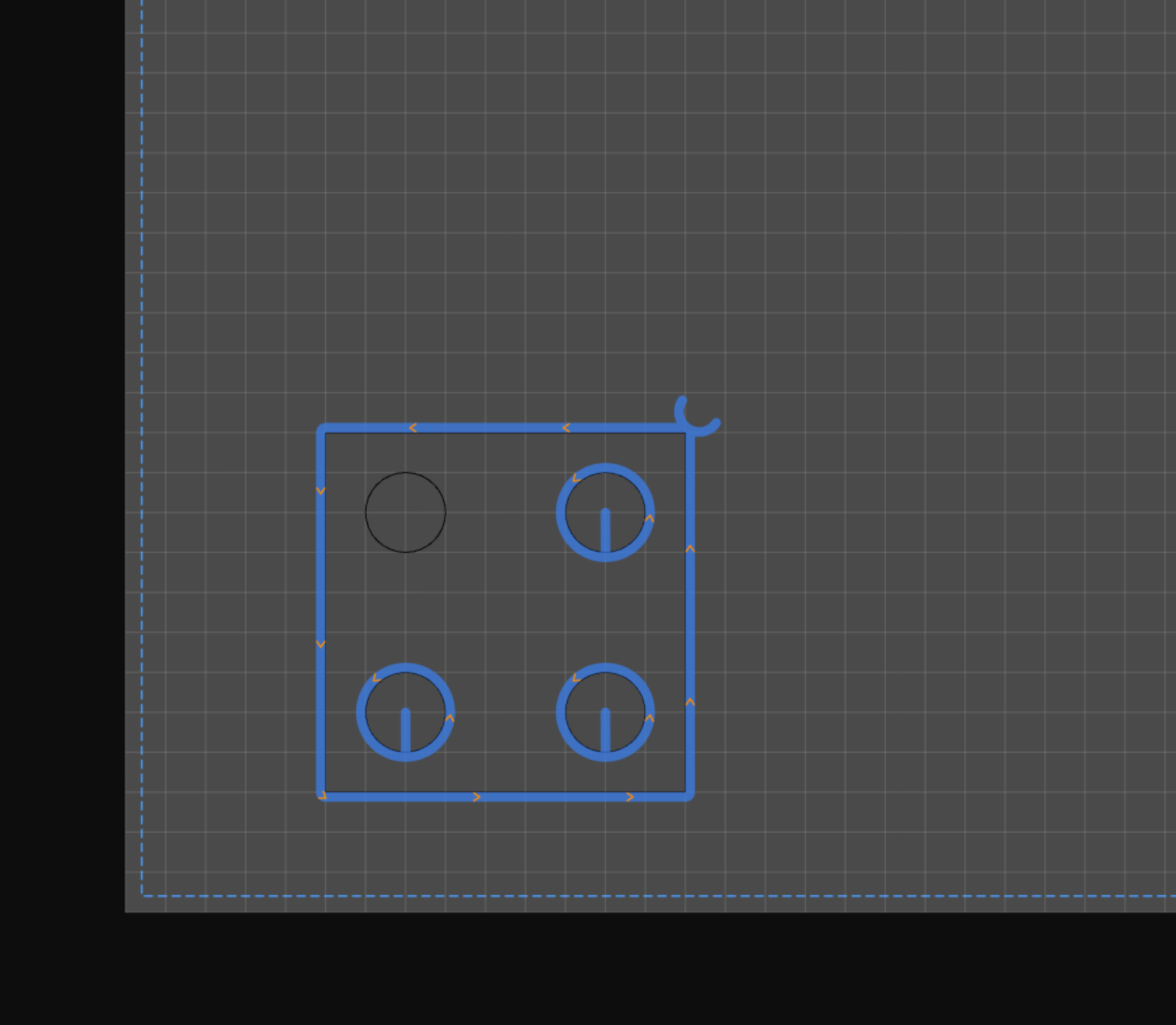
also notice how it didn’t put a tool path on the one circle but it did on the others? what causes this and how would I fix it.
Most likely I’m just doing things wrong. once you get it to a stage your happy with some tutorial videos might help. I did like the opening basic instructions that you have. That’s helpful.
3 Likes
I drew two overlapping circles and tried the “Merge Contours” function. The function works but the contour selection needs adjustment.
In order to select each circle, I had to position the pointer about four grid boxes away from the target circle, outside of the perimeter of either circle, in order to get recognition of the figure I was trying to select.
1 Like
Interesting is that the cut direction is the same for both inside and outside cuts. Definitely needs work here…
2 Likes
So tbh, been working on this app for around 3 months full time for free. I did fix most of the stuff you guys mentioned yesterday and I am planning on releasing after doing the changes Richard suggested with the simplicity stuff, but I need more interest for me to continue. So if its not too much to ask if I can get 25 unique replies in this thread then ill continue with the next big update (were at 5/25 right now).
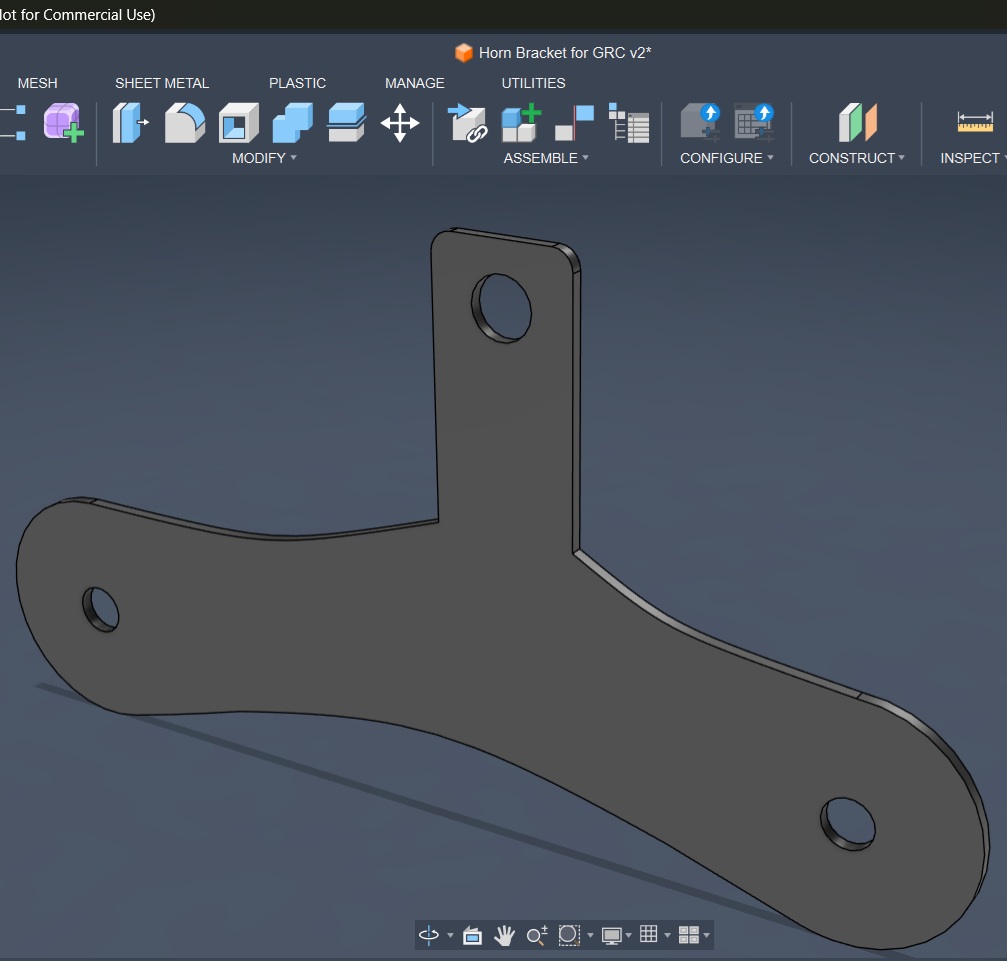
Ok. Here is a small horn brkt I have designed in F360:
Here is what I see when I open the dxf in your program:
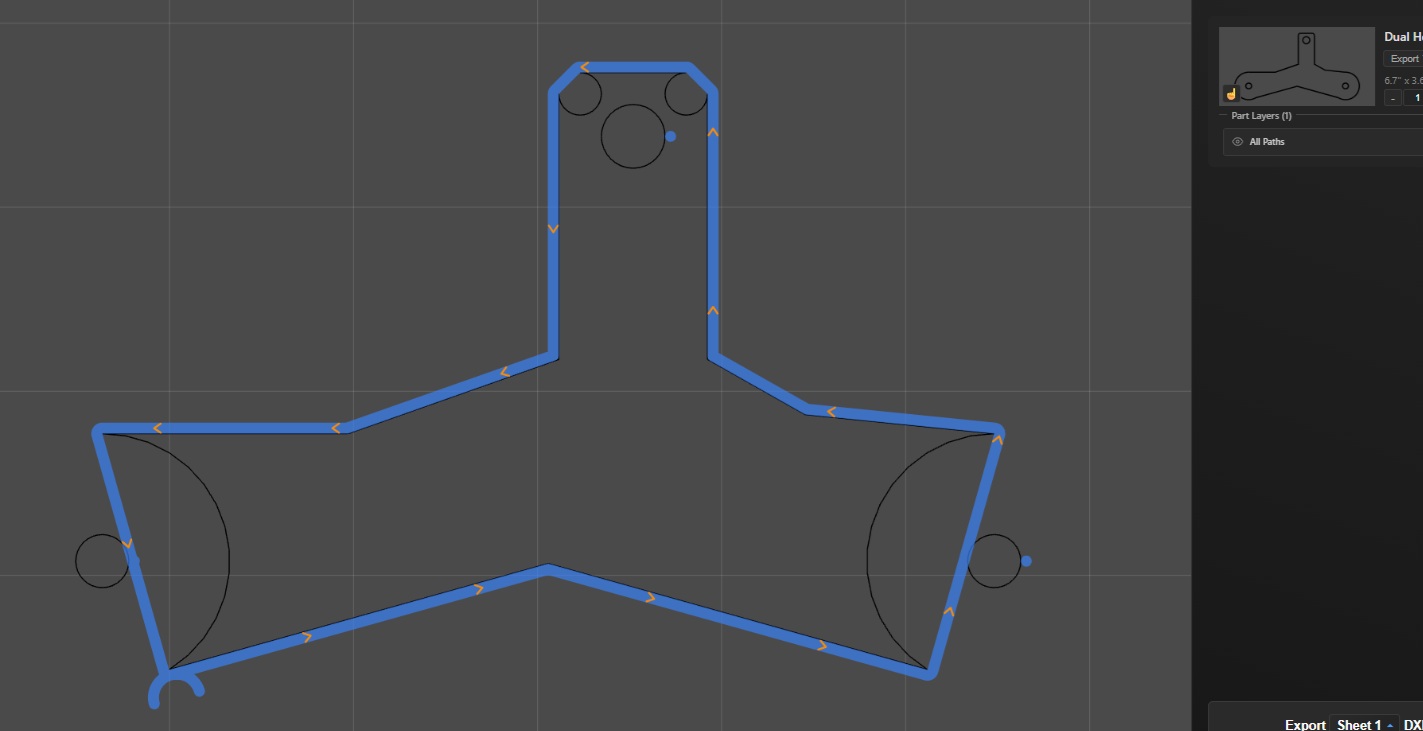
You can see the dxf loaded okay by the view in the upper, right hand image. However, the outer half of the circular ends of the bracket are not visible in your program. I toggled the “Show Parts” but that only eliminates the black circles in the sketch.
Dual Horn Bracket for GR Corolla.dxf (4.8 KB)
3 Likes
I tried several different files, both svg and dxf, and some imported fine while others did not. There were added or missing contours on some of them for some reason.
1 Like
The outside contour is cutting in the wrong direction. Changing the compensation in the left panel does nothing, it still appears to be on the outside.
1 Like
that looks like what happens when you flip the start and end points in a DXF interpreter. I use python to work with DXFs and i have the same thing happen when I flip the start and end. I think whatever language is being used always traces DXFs in one direction (clockwise or counter). at least that’s how python and the libraries I used work.
4 Likes
I’m interested. Traveling to much right now to dig into it. Don’t give up.
1 Like