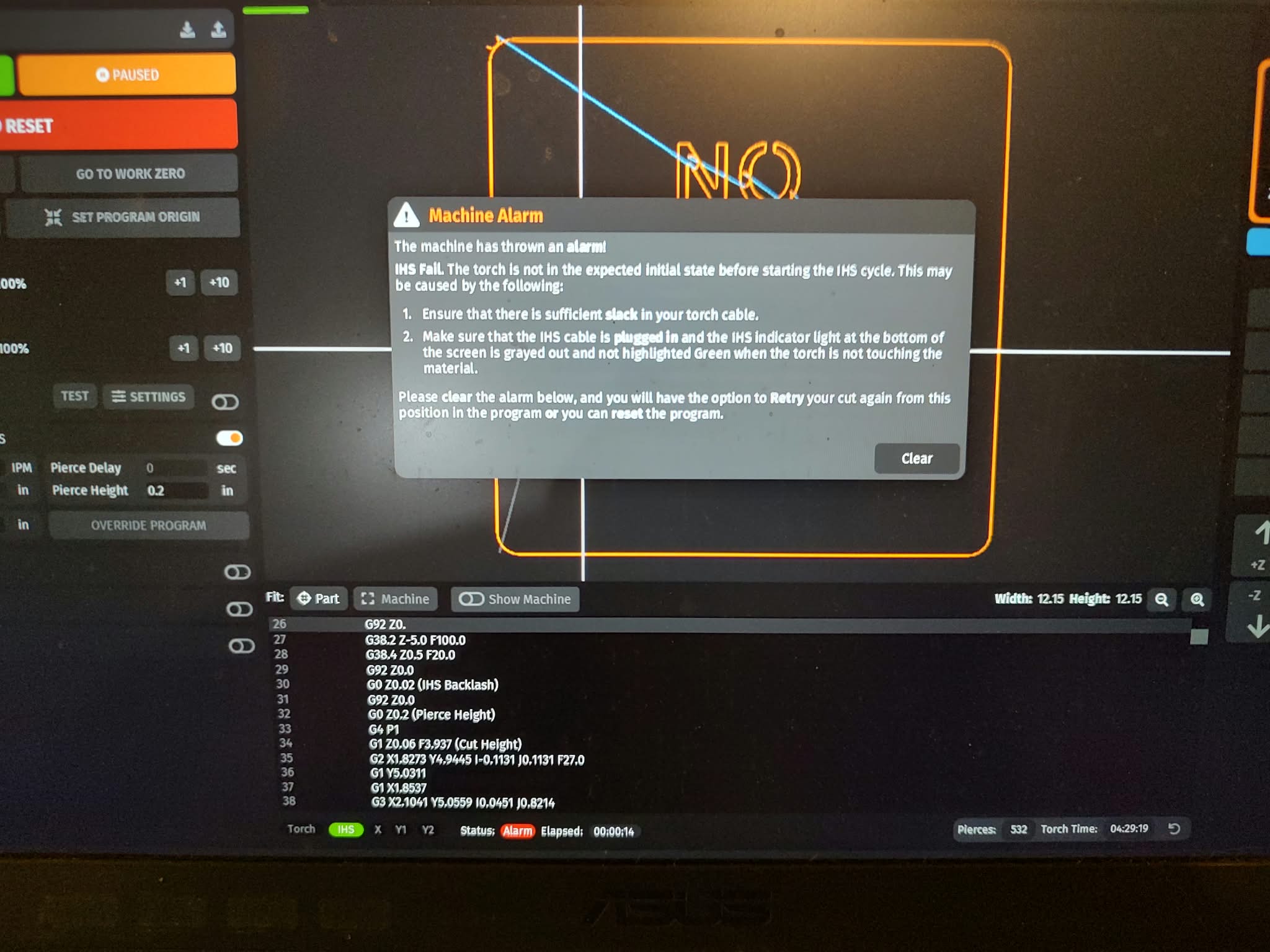
When I try to run a program on the dry run option it starts to go through then just stops giving me a warning (pictured below). If this is referring to the cable that goes directly to the torch. Yes that has full movement. I have tried this a number of times. It starts going through and randomly stops at different places. Also notice the bottom of the picture the light it mentions is green. I am using Sheetcam to generate my code. Can you help me figure out what I’m missing here. Thank you for your time on this.
I take it you’re doing a dry-run with Z axis enabled?
I ask because only the latest iteration implements Z axis movement, whereas every version before it doesn’t. You can select to turn off Z axis movement and try your dry run again.
With that said, you do have a Z axis assembly installed right? I ask because you do not state what table you have. Not to mention, your IHS isn’t stuck right? No foreign debris? No spring missing?
IHS can get finicky and trigger causing your Z axis to essentially ‘reset’ when in actuality, it should be running code in the form of X and/or Y movements.
Lastly, ensure your torch has enough travel (Z + and -). You want to have some remaining down travel left even after your torch touches off your material. Don’t bottom it out.
1 Like
That green light means your IHS circuit is open. That could be a loose or disconnected IHS wire or the switch is stuck open.
That light should only be green when the torch is lifted, which opens the IHS switch. It should never be green at the start of a program.
2 Likes
I am using the Crossfire Pro table. I’ve had it work great before when I was using just FUSION. My time renting the program ran out. I’ve been learning a different CAD and using the Sheetcam instead. I’m not sure how I would go about not using the Z axis. This is something I’m interested in trying. I’ll look into this. Thank you for your help on this.
Fusion is completely free, you just used the wrong version.
You need the Hobby version as you probably downloaded the other one that’s good for a 30 day trial.
I say this as someone that’s had Fusion for years, using the free version.
As for not using your Z axis, you simply click the Z axis to unselect it during dry run mode.
But like both DS and I mentioned, check your IHS.
“Free” with some caveats
The “Personal” version of Autodesk Fusion is “free” to hobbyists and is available through this link .
https://www.autodesk.com/ca-en/products/fusion-360/personal
The caveats for “free” use are
Use for up to 3 years.
and
Generate less then 1000usd in revenue annually ( which i assume is gross revenue ) Most people selling at all would cross this threshold quite quickly.
This is from the FAQ’s under the question .
https://www.autodesk.com/ca-en/products/fusion-360/personal#faq
“How long is Autodesk Fusion free for hobbyists or for personal use?”
“Autodesk Fusion for personal use is free online CAD for 3 years for qualifying non-commercial users. A hobbyist user must generate less than $1,000 USD in annual revenue, using Autodesk Fusion for home-based, non-commercial design, manufacturing, and fabrication projects.”
1 Like
I found a ground wire that came disconnected. I’ll come back after I get that connected. Thank you.
2 Likes
Ssshhh!
According to my oldest saved file, I’m at 3 years and 7 months on the Hobbyist version.
4 Likes
It was a ground wire that came disconnected. I have run it and seems everything is in working order. Thank you all for your helping me on this.
3 Likes
I am coming up on 5 years. Seems like when I first started using Fusion you had to re-up every year. I think the 3 years just means at the end of 3 years you have to re-up your free subscription. I think they do that to remind you of the conditions of the free license periodically. I remember the first time I had to re-up I was super nervous about whether all my files would still be there… thankfully they were still there… talk about a huge sigh of relief. I have only ever sold 1 item (well 3 of the same thing) and it was well below the $1000 threshold. Most things I make for others I just have them buy me the steel. Sometimes they even let me keep a little extra.  Doing it this way just feeds my hobby and makes it a little less expensive. That being the case, I certainly qualify as a hobbyist. However, I am considering just paying for the license next time it’s time to re-up. To me, Fusion is certainly a valuable program that is worth paying for.
2 Likes
@72Pony I guess the only way Fusion would find out that you are violating the hobby/personal use clause is posting on forums and YouTube.
It is pretty clear things that you make for yourself and those things made for others.
2 Likes