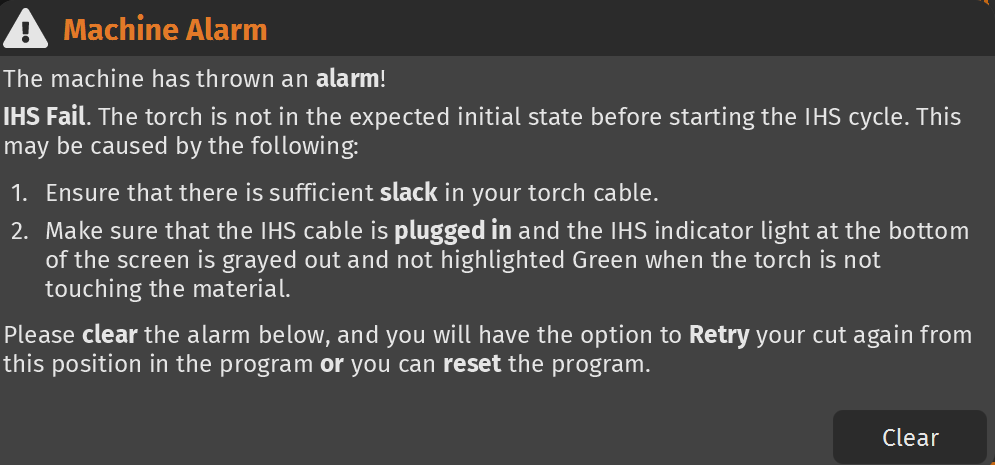
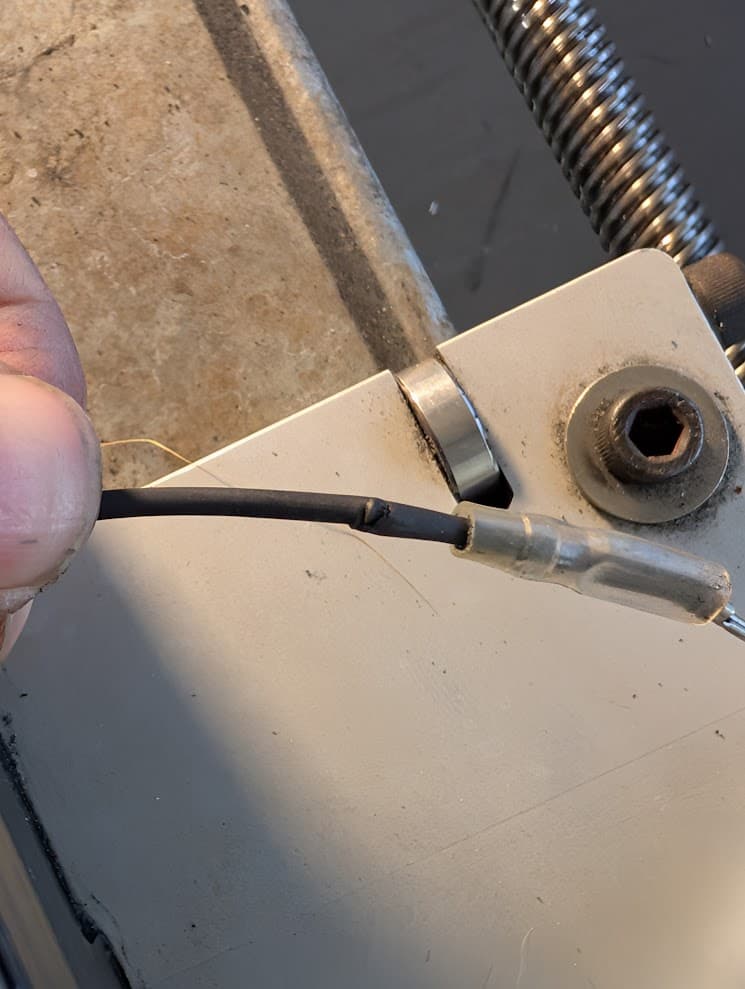
I’m running a CrossFire Pro and I’ve hit a hard stop with an “IHS Fail” error. Specifically: “The torch is not in the expected initial state before starting the IHS cycle.”
The IHS indicator in FireControl is stuck Green (indicating an open circuit) and will not turn Gray under any circumstances. I have spent the last few hours digging through the forums, but most of the similar threads I found are a few years old and haven’t solved my specific scenario.
A strange symptom before the alarm: A few cuts prior to the total failure, the torch would start a cut, but then suddenly lift to the very top of the Z-axis (topping out) and continue to fire in the air. I initially suspected a bad ground, but after 3 occurrences, it now refuses to run and throws the IHS state error.
Troubleshooting completed:
Mechanical: Z-axis moves perfectly, no binding, and has full range of motion. Torch cable has plenty of slack.
Connections: All terminals cleaned with QD Electronic Cleaner and reseated.
Electronics: Swapped USB cables and even tried a second computer; the Green light persists.
Isolation Test: I unplugged the IHS cable directly from the Langmuir control box—the light stayed Green. On this machine, shouldn’t it be Gray if the port is empty, or does a disconnected port default to “Open/Green”?
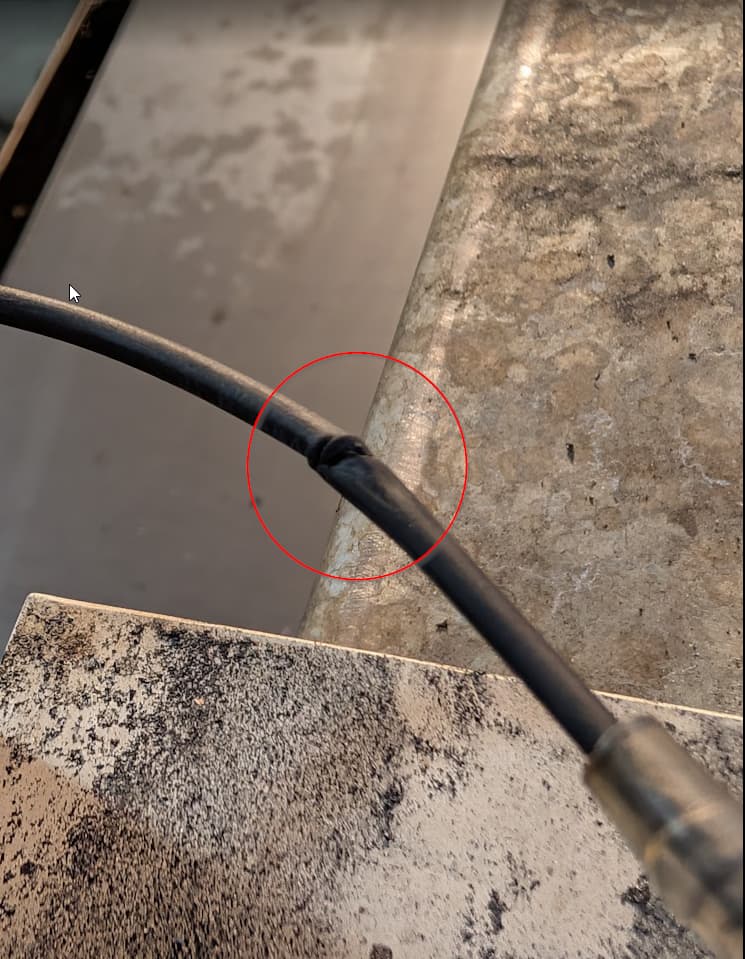
Physical Inspection: I followed the cable from the box to the torch. I found a section where the shielding is rubbed off, and a mounting screw on the Z-carriage was extremely loose (I’ve since tightened it).
Could the loose screw or rubbed shielding have caused a short that fried the IHS input on the board? Or is there a specific reset for a “latched” IHS signal?
I have looked through the forum already and that’s where I got some of the troubleshooting that I have tried although most of the articles I found were a few years old
The IHS system is just a loop circuit. The loop is normally closed, which is indicated by the grayed out IHS indicator in Firecontrol. The IHS indicator turns green when the loop is open, either by the IHS switch opening or by disconnecting one or all of the IHS wires.
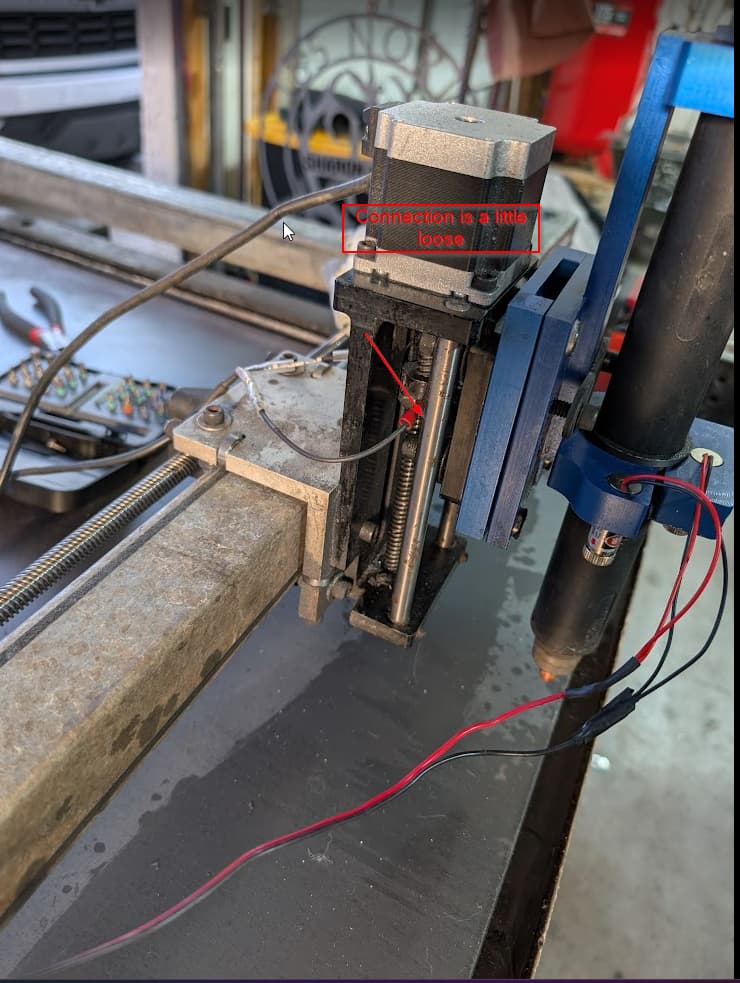
The IHS switch has one half connected to the Z axis carriage and the other half connected to the Z axis lead screw nut. The contacts from each side are normally touching and keeping the circuit closed(IHS indicator gray), until the carriage is lifted and the switch contacts separate(IHS indicator green).
If your IHS indicator is green all the time, the switch contacts are not touching or one of the wires is broken or disconnected between the switch and the control box.
The Firecontrol software has a safety feature built in, where the torch will raise by .060” if the IHS circuit is opened during cutting. It does this because it is assumed that the switch is open because the torch is in contact with the metal surface. It will continue to keep raising the torch until the IHS circuit closes or the torch flames out.
Your issue is either the switch or the two wires that go back to the control box. if the switch appears undamaged and the screws that hold the wires on the switch contacts are tight, then you have a disconnected or broken wire.
Lower the Z axis, so that the torch is lifting the Z carriage and holding the switch open. Then start testing for continuity between each side of the switch and the end of the connector that plugs into the control box.
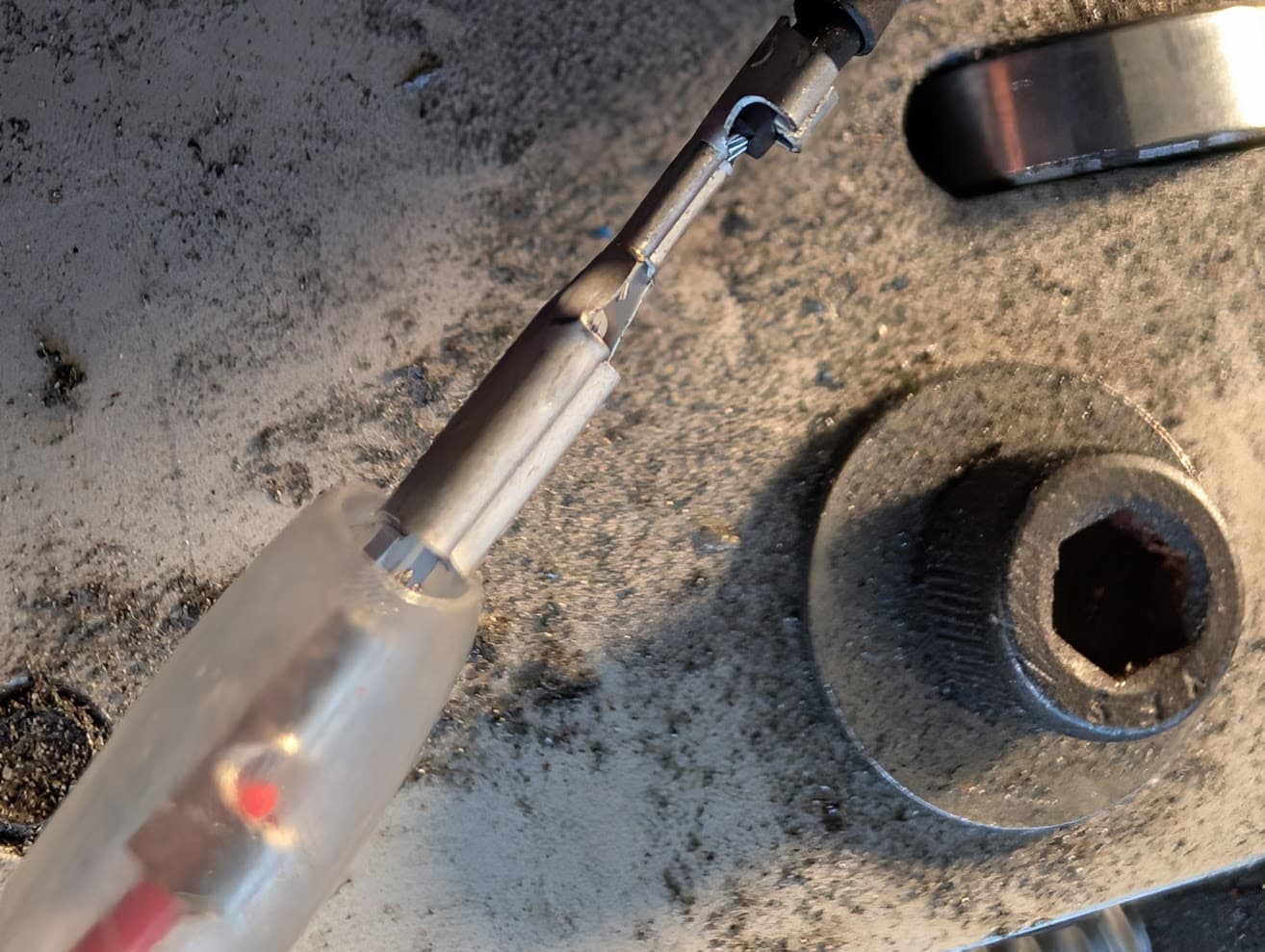
If all of that tests good, raise the Z axis and test for continuity between both contacts at the connector that plugs into the control box. If there is no continuity at the connector, the switch contacts are not touching for some reason. They could be bent or broken. They have been known to be damaged by getting hooked on the lead screw threads.
Update on Troubleshooting: I disassembled the housing and found that the IHS terminal screw was indeed loose (because its not just a screw it has a nut on it too) . After tightening it and cleaning the contacts with QD electronic cleaner, I saw some progress—the IHS light finally turned Gray.
However, the fix seems inconsistent. When jogging the machine, the indicator occasionally flickers Green. More importantly, as soon as a program starts, the torch moves into position and the light flips to solid Green, causing the torch to fire way above the metal and produce the error.
I also noticed that the light only stays solid Gray if I manually top out the Z-axis (which I know isn’t ideal). It seems like the contacts are either slightly misshapen or have lost the ‘spring’ tension needed to stay closed during the vibrations of a move.
I’ve decided to order a replacement switch and cable assembly to be safe, but tomorrow I’m going to attempt to reshape/re-tension the existing tabs and clean off any micro-pitting to see if I can limp it through next weeks deadline.
Thanks again for pointing me toward the continuity/loop logic—at least now I know I’m fighting a mechanical contact issue rather than a ghost in the control box!"
Sounds like you have it narrowed down to a problem with the switch. There is a small spring that is supposed to keep tension on the contacts. They have a tendency to go flying and disappear when disassemled.
It could also be that one of the contacts is slightly bent and making contact with the lead screw. When the lead screw turns, it could pull the contacts apart.
Funny you say that I went out to the machine and pushed down on the connection on the right side which rotated the connection down and I pulled it in some pulling it closer to the torch and away from the torch lead screw and the light turned off and it is working. Thanks so much for your help @ds690. You know these issues that happened are a blessing sometimes (although it sucks because it can cause delays) it really makes me break down the machine to fully understand it an how it works and how to fix the issue and troubleshoot the issue