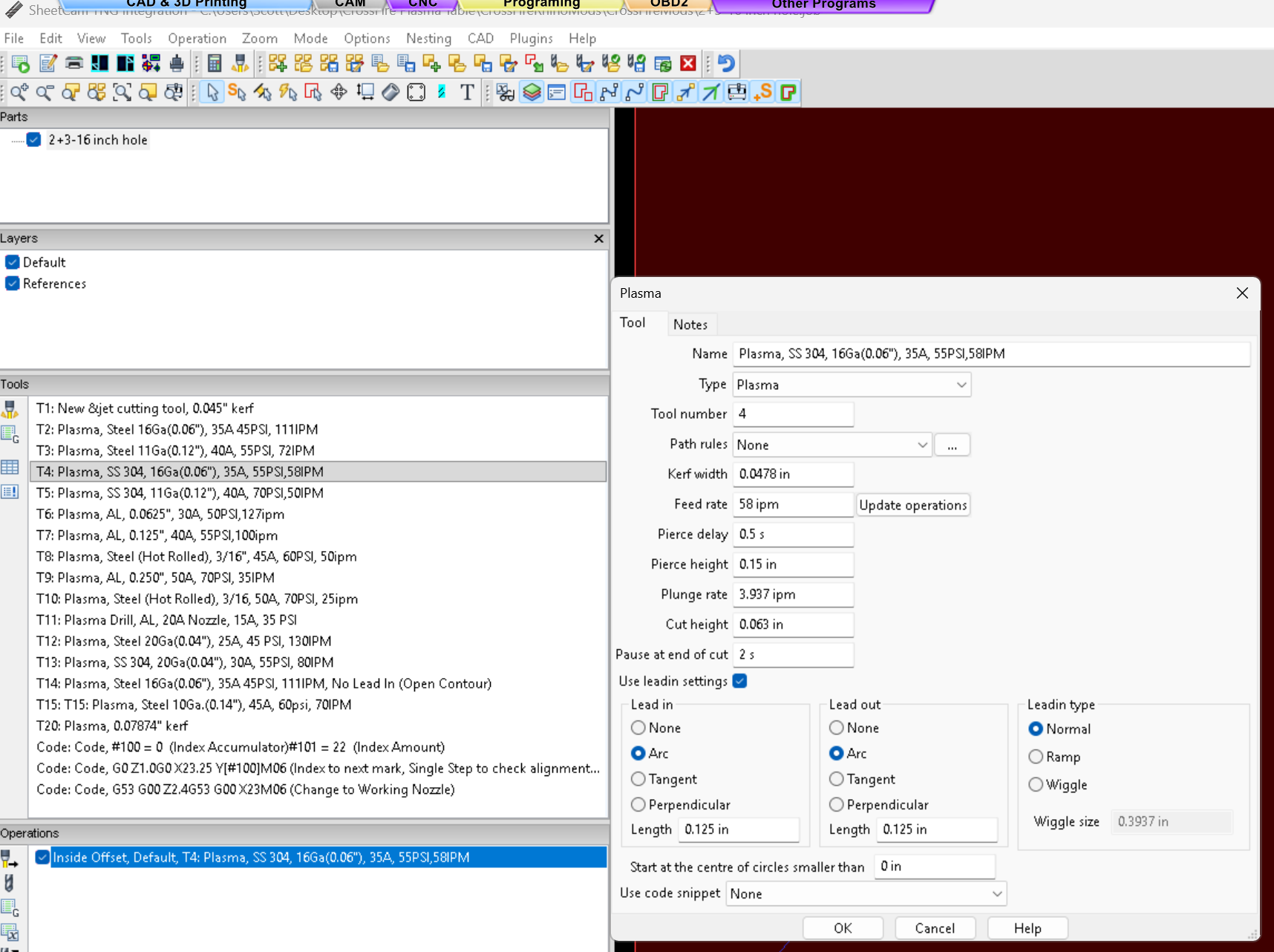
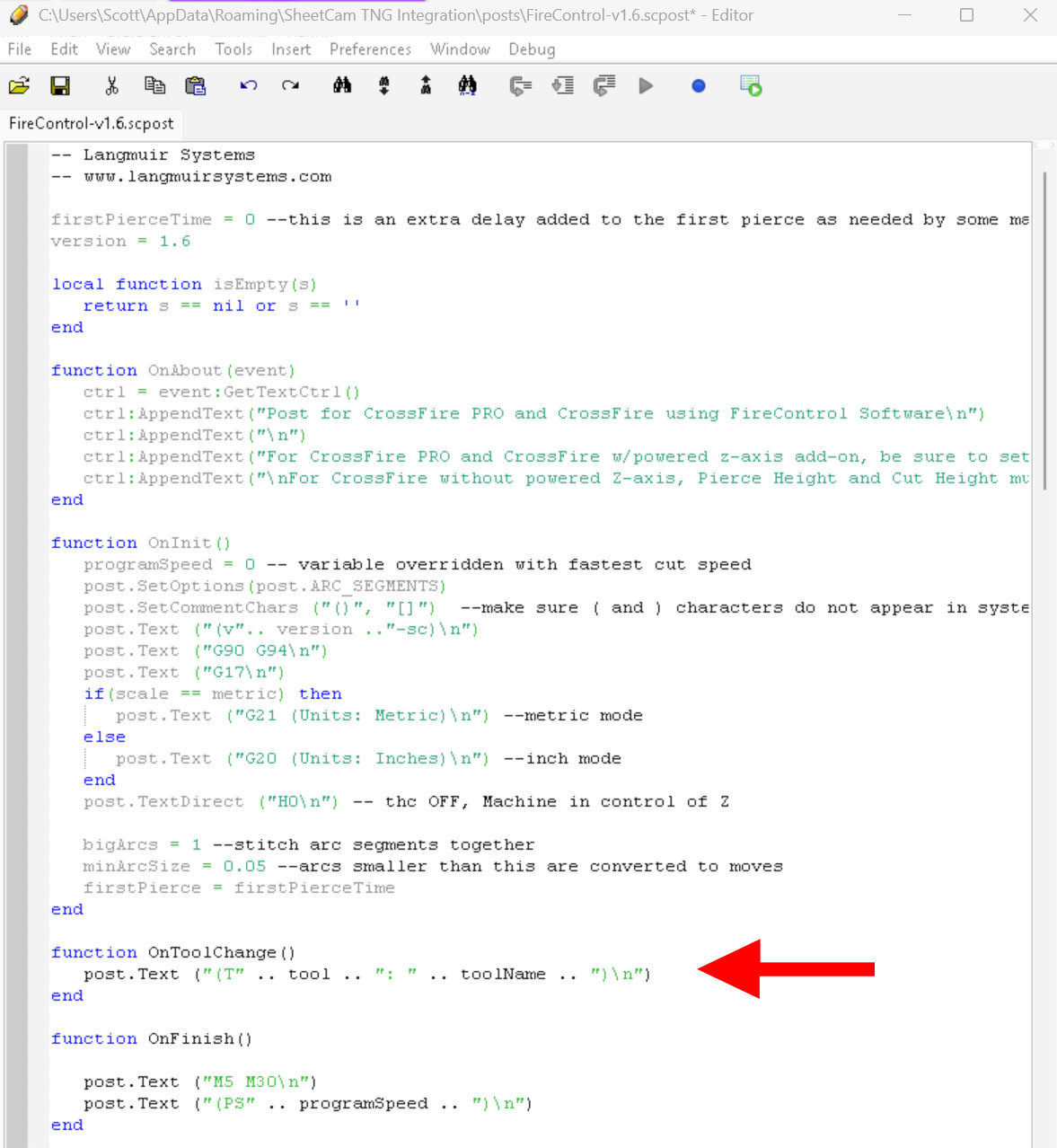
With SheetCam TNG Integration, In the Firecontrol sheetcam post processor:
FireControl-v-1.6.scpost
open the file to edit and add this function:
function OnToolChange()
post.Text (“(T” .. tool .. ": " .. toolName .. “)\n”)
end
Hit save
This will post your tool number, and “Name” as a comment into your g-code file. In sheetcam, in my tool name I put the tool cut data as well, i.e. in the name line of my tool number 4, “Plasma, SS 304, 16Ga(0.06"), 35A, 55PSI,58IPM”.
I was getting tied of having to open up sheetcam again to look up what my tool/cut settings were (i.e. amps and psi, material and thickness).
For instance when posting to g-code for the above tool, it outputs:
(v1.6-sc)
G90 G94
G17
G20 (Units: Inches)
H0
(T4: Plasma, SS 304, 16Ga[0.06"], 35A, 55PSI,58IPM)
G0 X12.73 Y15.6601
G92 Z0.
G38.2 Z-5.0 F100.0
G38.4 Z0.5 F20.0
G92 Z0.0
G0 Z0.02 (IHS Backlash)
G92 Z0.0
G0 Z0.15 (Pierce Height)
M3
G4 P0.5
G1 Z0.063 F3.937 (Cut Height)
H1
…………………………..