Im pretty new to this whole thing after some experience with a friend’s plasma table. I have a legacy CrossFire that I bought used. I connected my Miller Specturm 375, and am cutting some scrap 1/8th steel. I have some experience with Qcad, generating DFX files.
I was able to download the Mach3 “cut ready” 1.25 wrench file and Mach 3 cut it without issue.
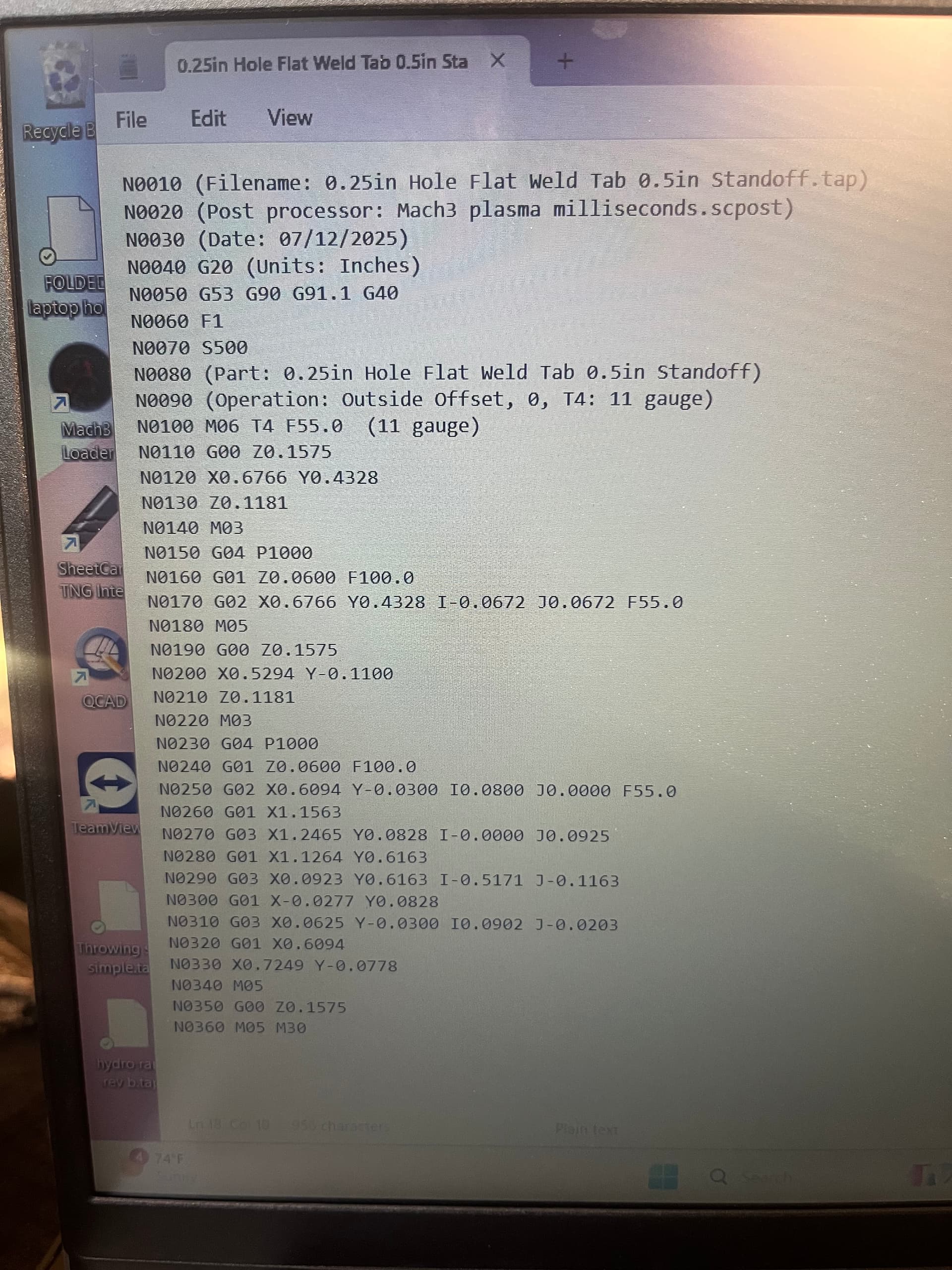
When I put .dfx files into my trial of SheetCam, add cut lines and post processor Mach3 will then start with cycle start, it moves to the first cut origin, the torch fires, but it stays stationary until I push cycle start a second time. It then cuts until it’s done with that cut and stops. If I then push cycle start again it will move to the next place fire the torch and stay stationary until I push cycle start again…this then continues until the part is cut. The cuts look prettty good from both the “cut ready” wrench, and the DFXs Ive added but its pretty annoying to have to constantly push cycle start over and over. What am I doing wrong? I assume its something in the post processing since the “cut ready”.