I been having Fusion 360 Hobbyist for 4 years now with very little issues. I was just designing a drawing on it two days ago, saved it before closing and now when I try to open Fusion on my desktop, I get the attached message. Can someone tell me what can I do to fix the issue?
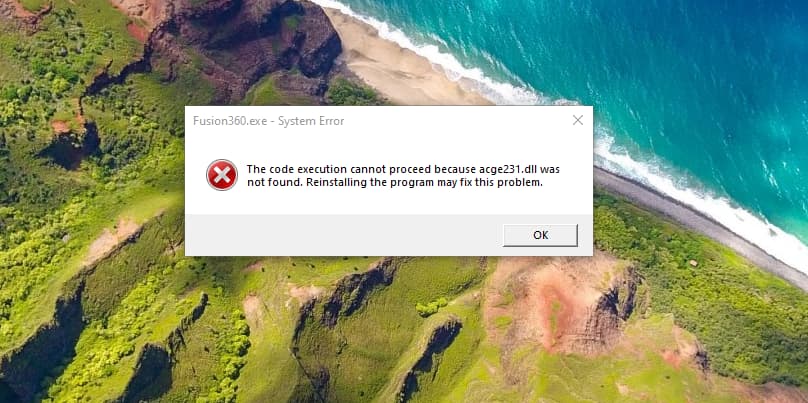
Did you try and reinstall Fusion360? I had an error a couple years ago and Fusion would not start. I uninstalled and reinstalled, it’s been working fine ever since.
Tim
1 Like
Would I lose any current drawings that I have saved?
No, all your designs are saved online in your account.
That’s the good and the bad. The good thing is you can access your designs from any computer you have Fusion installed on.
The bad thing is you can’t save your designs on your local computer, at least with the Hobby License.
You can get the non-commercial type too.
It is called AutoDesk Fusion. Scratch that…
The non-commercial release is the Hobbyist release.
@Just-For-Fun , I have saved files with the hobbyist release/non-commerical release on my hard drive, i.e. not all but some are available. .stp, .stl, and etc.
I uninstalled and reinstalled and it’s working again, and I still have what I was currently working on did not lose anything. Thanks for the advice.
4 Likes
.nc files of course can be saved to any drive. As for sketches, I just export them as a .dxf to a USB drive for portability. They can easily be Inserted again into a new sketch on another computer.
Maybe not as flexible as Cloud storage, but it still gives you some avenue to have them on any computer.
1 Like
I Stand corrected. I never knew you could export a .3fd file, I have never tried before. I also exported a complex file with several parts it exported as a .f3z file. I guess that would be good if you were sharing the project with someone else. I have exported some sketches to .dxf before but never a complete design.
Thanks for the pro tip.
I’m not familiar with .nc files?
1 Like