Hey everyone and happy new year. I’ve been playing aound in Sheeetcam some and comparatively I like it better than fusion when it comes to the metal processing. I am running a 4k monitor though and the text and toolbar size is pretty small and my eyesight isn’t as good as it once was. Does anyone know of a way to customize and increase the size of the menu and icon bar in Sheetcam? Thanks for any tips for a new learner.
I figured out resizing icons but still no luck with font size…
How did you resize the icons?
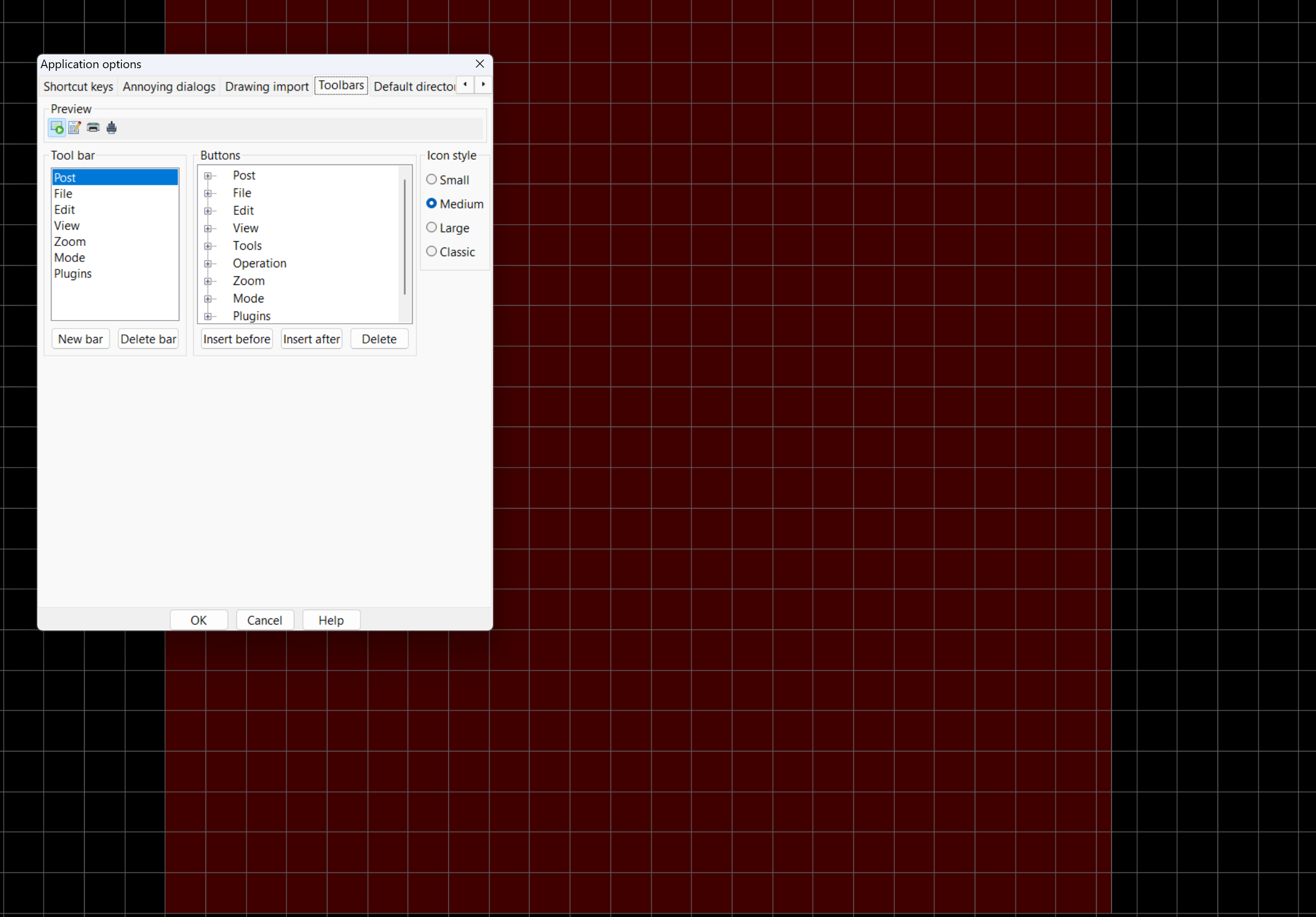
In sheetcam I clicked on the options tab and applications. AT the top right of the options there is a right click arrow and I clicked over until I found the tab labeled toolbars and if you highlight Post and select the size to the right it will shift the size of the icons. You will have to restart sheetcam for it to take effect. I also figured out that in windows you can right click the desktop and click display settings to customize text size. Once in the settings page you click on the scale option, which depending on your desktop resolution may already be 125 to 150 %. There is an additional option for text size and you can click on it and then slide the slider over, kind of like how iphone and android enlarge the font on your screen. This is where I ended up with still having 4k resolution…
1 Like
Cool, Thanks for the info.