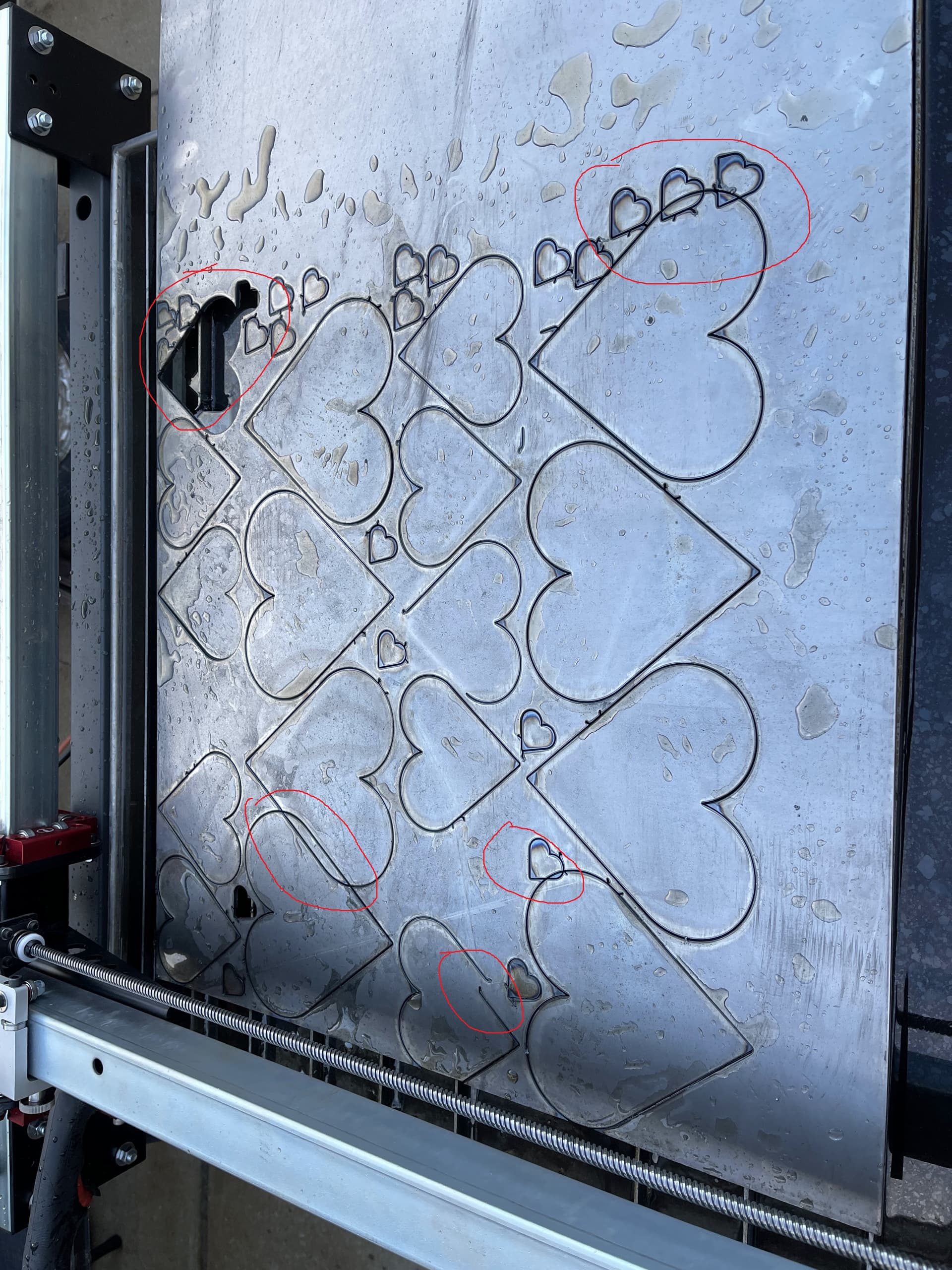
Hello. I have my Crossfire (OG Table with new controller) up and running. This is a new table that was never assembled before. I have been cutting single parts to dial in the settings. So far so good. I tried to cut a sheet of nested parts and the cuts are overlapping in some areas. The tool paths look great in Fusion 360, but the cuts are still overlapping. The attached photo shows the problem. I paused the program a couple of time trying to save some of the previously cut hearts (these are the incomplete cuts you see. The circled cuts are where the issues show up. There were not any tip ups. The missing parts were removed after the program was complete.
My plasma cutter is an Hypertherm Powermax 30 XP.
Metal: 11 gauge HRS
70 ipm. 0.5s pierce delay. 30A. New consumables.
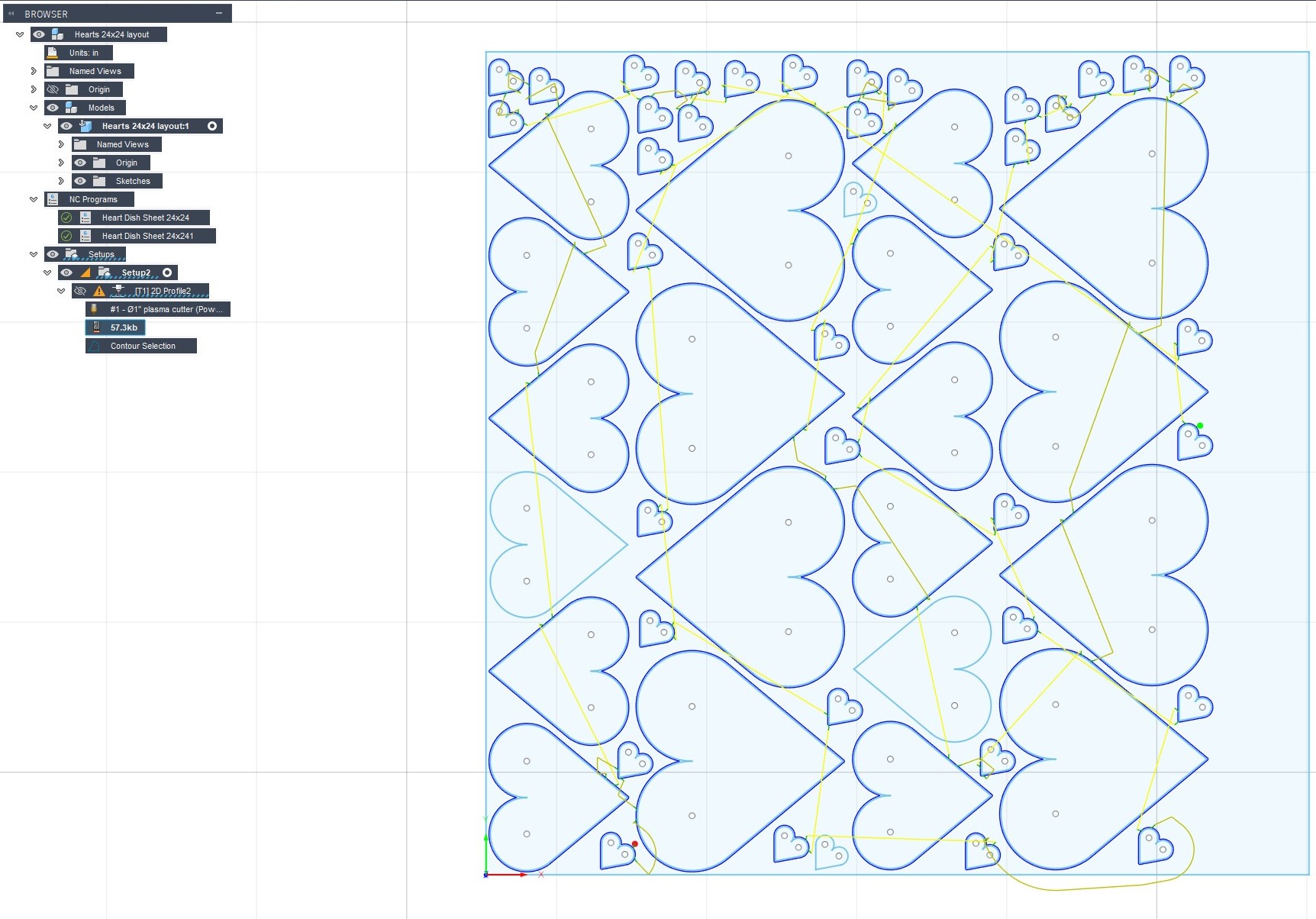
I have also attached a screenshot of the Fusion 360 toolpath. I am hoping someone can point me in the right direction for troubleshooting this issue.
Here is the toolpath in Fusion. I see there is a problem in the bottom right corner where the toolpath (jogging) goes outside of the cutting area, but this occurs after some of the overcuts, so I do not think this is the problem. Secondary question, How do I correct the issue where the toolpath leaves the cutting area?
When the toolpath goes outside the cut area, it’s crashing and losing steps. This causes anything after that to be off by the number of missed steps.
The software doesn’t know the exact location of the torch on the table. It just knows that it told the axis to move a certain distance. If something stops the axis from moving that distance, the program doesn’t know and continues on as if it moved the full distance. The rest of the program will be off by that amount in the direction of the axis that hit the end of it’s travel(crashed).